



Christmas is all over Facebook! Snowy AI portraits, cozy holiday vibes, festive outfits — your feed is full of them.That’s the Facebook Christmas AI trend. It’s fast, fun, and honestly addictive.
In this guide, you’ll learn how to join the trend, use powerful AI prompts, and create Christmas posts that actually get likes, comments, and shares. Let’s make your holiday feed look fire!
Table of Contents
- Part 1. What Is the Facebook Christmas AI Trend?
- Part 2. How to Do the Facebook Christmas AI Trend — Step by Step
- Part 3. 20+ Facebook Christmas AI Trend Prompts
- 1. Classic Warm Holiday Portraits
- 2. Festive Winter Wonderland & Landscapes
- 3. Lifestyle & Social Moments (Photorealistic & Trendy)
- 4. Creative & Imaginative Festive Concepts
- 5. Social & Marketing Visuals for Facebook
- Part 4. Best Practices for Facebook Christmas AI Trend
- Part 5. Facebook Christmas AI Trend Secret: AI Trick to Get More Likes
Part 1. What Is the Facebook Christmas AI Trend?
The Facebook Christmas AI trend is all about using AI tools to make holiday-themed content that looks amazing and grabs attention on your feed.
Instead of just posting a regular photo or selfie, people are giving them a festive glow — like snowy backgrounds, Christmas lights, cozy vibes, and cute holiday outfits — all with help from AI. Basically, you tell the AI what you want, and it turns it into a holiday pic you can post instantly.
This trend has blown up because:
- It’s fast and simple — no designer skills needed.
- Posts look way more eye-catching than normal pics.
- Everyone’s doing it — friends, creators, brands, even AI tools like ChatGPT are adding holiday features to make it easy.
On Facebook you’ll see people sharing AI Christmas portraits, snowy edits, holiday story clips, and meme-style posts. The best part? You can make seasonal content that looks expensive and pro-level in just a few clicks.
 Related topic:
Also Read: 25+ AI ChatGPT Candy Cane Picture Prompts
Part 2. How to Do the Facebook Christmas AI Trend — Step by Step
Here’s a simple, fun guide to make your own Christmas Photo Trend that pop on Facebook — even if you’ve never used AI before:
1. Pick the Tool You Want
Start with a free or easy AI generator, like Gemini or ChatGPT. You can use tools that let you:
- Upload your own photo and turn it festive
- Generate a Christmas image from text
Some tools even have ready-made holiday templates perfect for social posts.
2. Upload Your Photo (Optional)
If you want a personalized Christmas pic, upload a clear selfie or photo first. Good lighting and a simple background help the AI make a natural, lit holiday edit.
3. Add Your Prompt
This is where the magic happens! Type a short description like:
- “Turn my photo into a cozy Christmas scene with snow and lights.”
- “Create a festive holiday portrait with a Christmas tree and warm lights.”

Tip:
If you’re not sure what to write, don’t worry — you can simply copy and paste any prompt from Part 3 below. Those prompts are already detailed and optimized for the Facebook Christmas AI trend.
4. Choose Style & Detail
Most AI tools let you pick a look:
- Realistic (like a real photo)
- Cartoon / fun vibe
- Cinematic holiday style
Just try a few variations until it feels right for your feed.
5. Generate Your Image
Hit “Generate” and wait a bit — usually just a few seconds. You’ll see your AI Christmas image appear. If the first try isn’t perfect, tweak the prompt and go again!
6. Edit & Save
Once your image looks good:
- Crop or resize it for Facebook
- Add filters or stickers if you want
- Export/save it to your phone or computer
Some generators let you add filters or effects like snow, lights, and more after the AI render.

7. Post on Facebook
Now it’s time to share! Add a short, festive caption and some trending holiday hashtags like:
- #ChristmasAI
- #HolidayVibes
- #FestiveFeed
Tip:
If you want to make your Christmas image even more viral, some tools can turn your AI Christmas photo into a short animated clip or loop perfect for Facebook Reels or Stories.
Related topic:
Part 3. 20+ Facebook Christmas AI Trend Prompts
Copy and paste these prompts into your favorite AI generator to create viral Christmas content. They are grouped by the vibe you want:
1. Classic Warm Holiday Portraits
Prompt 1. Cozy Christmas Living Room Family Portrait
Create a photorealistic vertical portrait of a family of four standing in a warmly lit living room with a towering Christmas tree behind them, decorated with golden lights, red ribbon, and handcrafted ornaments. The fireplace glows softly to the left, casting warm amber shadows across cozy holiday outfits. Include gentle snow falling outside a window, rich red and green tones, shallow depth of field like a professional DSLR photo, natural skin textures, 4K cinematic detail.
Prompt 2. Snowy Night Holiday Self‑Portrait
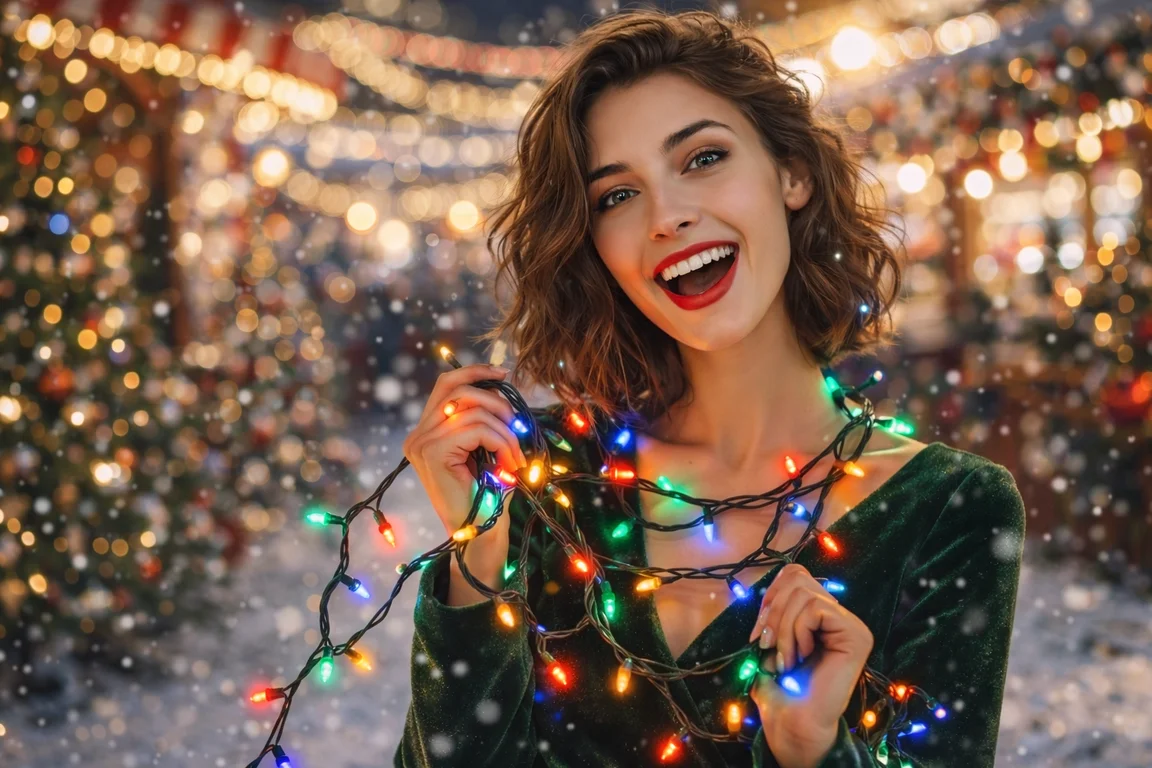
Generate a nighttime outdoor Christmas portrait of me wearing a thick wool red scarf and knit hat with a classic Santa hat overlay, softly falling snow glittering in the light. Place a softly lit Christmas market behind with glowing string lights and decorated evergreen trees on either side. Warm color grading, cinematic glow, gentle bokeh background, crisp winter air visible, high‑resolution winter scene.

Prompt 3. Holiday Pet & Owner Portrait with Magic Snow
Produce a cozy Christmas portrait of me kneeling beside my pet (dog or cat). Both of us wear miniature festive accessories (Santa hat and reindeer antlers). Soft snowfall around us, warm holiday lighting coming from a large decorated tree behind. Natural fur and skin texture, slight vignette to focus subjects, 4K quality, joyful holiday atmosphere.
Prompt 4. Vintage Christmas Card Style Portrait
Create a classic vintage Christmas scene where I’m sitting next to a traditional Santa character in a warmly lit, old‑style living room, featuring garlands and ticking clock decor. Add subtle film grain and slightly muted color palette evoking a nostalgic 1950s holiday postcard feel, shallow depth of field, soft golden hour lighting.
2. Festive Winter Wonderland & Landscapes
Prompt 5. Magical European Christmas Market Scene
Generate an ultra‑detailed wide view of a snowy European Christmas market at dusk, warm lantern light spilling onto cobblestone. Vendors sell festive treats, kids build snowmen in the foreground, and evergreen trees twinkle with lights. Include a subtle golden glow, cinematic lighting, rich textures of snow and wood, and a joyful crowd in warm winter clothes.
Prompt 6. Northern Lights Winter Forest with Santa
Nighttime scene of a snow‑covered pine forest under the northern lights with a cinematic Santa Claus strolling through, holding an old lantern casting warm light on the snow. Stars visible overhead, branches heavy with snow, faint moon glow, ultra‑high‑definition realistic lighting and detail to evoke holiday magic.

Prompt 7. Snow Globe Fantasy World
Imagine a large snow globe floating above a snowy ground, inside a tiny village with warmly lit cottages, people ice‑skating on a frozen pond, trees wrapped in lights, and flurries falling gently. Add a soft reflective surface at the bottom and slight lens refraction effects for realism.
Prompt 8. Winter Wonderland Landscape at Sunrise
Create a serene early morning snow landscape with pastel pink and orange sunrise touching snowy peaks, frozen lake partially reflecting light, tall frosted pines, and delicate snowflakes in the air. Ultra‑realistic textures, crisp shadows, and a calm holiday mood.
3. Lifestyle & Social Moments (Photorealistic & Trendy)
Prompt 9. Festive Friends Christmas Party Scene
“Render a lively group of friends at a cozy indoor Christmas party throwing confetti and laughing, warm string lights overhead, stylish winter fashion (sweaters, scarves, beanies), decorated tree and gifts around. Soft focus background with rich warm tones, natural candid expressions, and journalistic photography feel.
Prompt 10. Holiday Hot Chocolate Cafe Hangout
Create a cozy café scene with three friends in thick winter jackets sipping hot chocolate topped with whipped cream, fairy lights reflecting in window glass, soft snowfall visible outside, blurred background for focus, rich warm colors, detailed textures of clothing.

Prompt 11. City Rooftop Holiday Shoot at Golden Hour
Generate a cinematic photo of stylish young adults on a city rooftop at golden hour, Christmas string lights framing the scene, skyscrapers in background, light snow flurries, warm sunset casting dramatic shadows, fashion‑forward winter outfits, high resolution.
Prompt 12. Holiday Baking with Family
Detail a warm kitchen scene where a family is baking Christmas cookies together: flour on counters, cookie cutters shaped like stars and trees, warm overhead light, laughter visible in smiling faces, soft window glow and festive banners.
4. Creative & Imaginative Festive Concepts
Prompt 13. Santa Landing on Chimney at Night
Produce a dramatic rooftop scene where Santa lands on a snowy chimney under a full moon, glowing stars around, his sleigh and reindeer silhouetted against night sky, rich color contrast of deep blues and warm lantern tones behind.
Prompt 14. Glam Holiday Gift Surprise
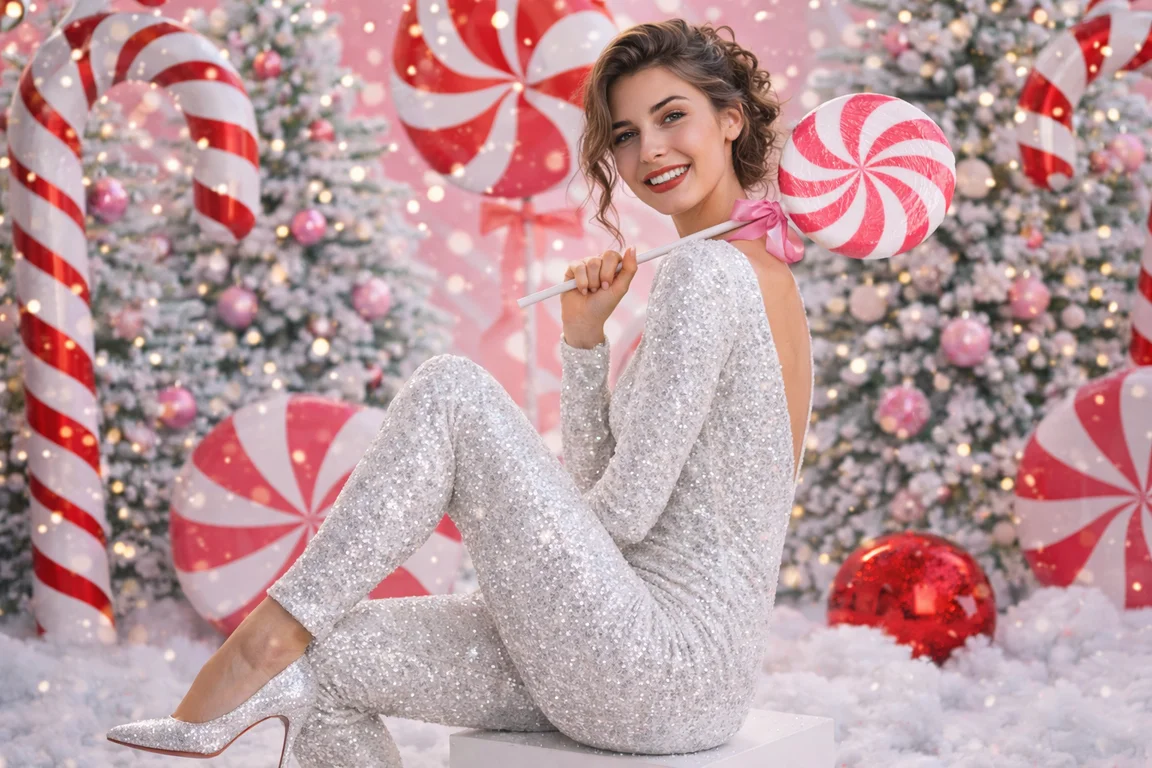
Render an extravagant shot of a person emerging from an oversized, elegantly wrapped gift box in front of a huge tree with pink and white themed ornaments. Add glittery ribbons, soft falling snow, dramatic lighting, high fashion pose, and a glamorous holiday vibe.

Prompt 15. Fantastical Elves Workshop Scene
Imagine a cheerful workshop full of friendly elves crafting toys, piles of colorful gift boxes, warm lights hanging overhead, wood textures and festive tools all around, vibrant colors and a playful cartoon‑realistic style.
Prompt 16. Reindeer & Sleigh at the North Pole
Create a cinematic North Pole scene showing Santa’s reindeer harnessed to a golden sleigh with glowing lanterns, snow swirling gently around, ice crystals twinkling in pearly light, dramatic composition and epic holiday feel.
Prompt 17. Pixar‑Style Christmas Characters Montage
Generate a friendly Pixar‑style ensemble of Christmas characters including a cheerful snowman with scarf, a warmly dressed child with mittens, and reindeer with expressive eyes, set in a festive snow park with twinkling lights.

5. Social & Marketing Visuals for Facebook
Prompt 18. Luxury Christmas Product Showcase
High‑end holiday product photo: elegantly wrapped gifts with shimmering gold ribbons, pine branches and ornaments on a dark velvet backdrop, soft spotlighting and rich textures. Use 4K photorealistic detail and shallow depth of field to highlight products.
Prompt 19. Christmas Story / Reel Thumbnail
Design a bold vertical social media thumbnail with bright falling snow overlay, warm sparkling lights, fake 3D title text reading ‘Holiday Magic’, gently glowing tree and festive icons. 9:16 ratio, punchy colors, eye‑catching contrast.
Prompt 20. Minimalist Christmas Wallpaper
Minimalist vertical Christmas scene with a small glowing tree in a snowy field under a starry night sky, soft golden hues and cool blues, clean composition, vertical 9:16 aspect ratio suitable for phones.
Related topic:
Part 4: Best Practices for Facebook Christmas AI Trend
Good prompts and small choices can make the difference between an average AI picture and a scroll‑stopping Facebook post.
Prompt and image tips
- Start with a clean, unfiltered selfie and clear lighting so AI can keep your real face.
- Use specific words for lighting, outfit, mood, and setting instead of short vague prompts.
Style and platform tips
- Match the style to your audience: glam and candy cane for viral reach, cozy and minimal for family and close friends.
- Keep a consistent color palette if you want your Facebook and cross‑posted Instagram grid to look curated.
Posting and engagement tips
- Post at times when your friends are active and add a short hook like “AI Christmas trend, had to try this” plus a question to drive comments.
- Use a mix of broad and niche hashtags such as “#christmasai”, “#christmasphoto”, “#facebookchristmastrend” for better discovery.
Part 5. Facebook Christmas AI Trend Secret: AI Trick to Get More Likes
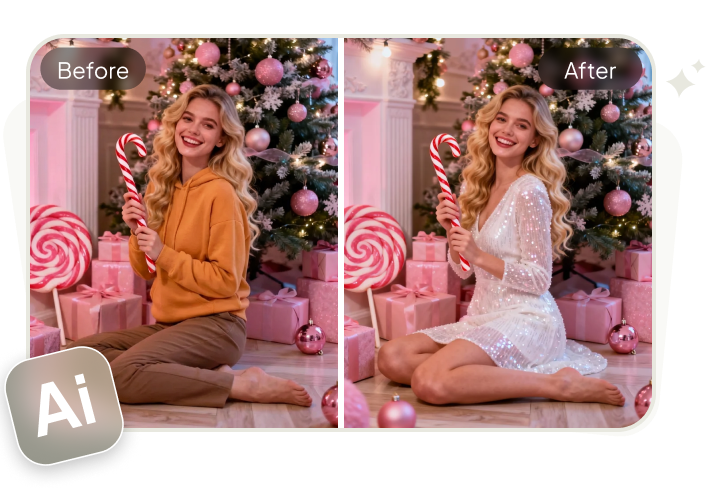
Want your Facebook Christmas AI posts to look even cooler and more stylish? Before you generate your final holiday image, try using PixPretty AI Clothes Changer to switch your outfit in the original photo. This gives you fresh, fashion-ready looks that stand out on social feeds.
Here’s why this step helps your Christmas content:
Try New Holiday Outfits Easily
Upload your photo and let the AI change your clothes — from warm Christmas sweaters to stylish winter layers and festive dresses — in just seconds. You can try what you want and the tool will create it realistically.
Perfect for Festive Photos
After updating your outfit, your Christmas AI background will match your look better. This makes your final images look more professional and cohesive — ideal for Facebook posts, profile pictures, or Reels.
Quick & Fun
Most AI clothes changers are free to try and easy to use — upload a photo, describe the new outfit, and download the result. You don’t need design skills or complicated software.
Conclusion
The Facebook Christmas AI trend is one of the coolest ways to make your holiday content pop in 2025. With the right prompts and tools, you can make festive posts that get views and reactions fast.
Try different styles, use smart captions, and don’t forget to experiment with outfit AI tools like PixPretty AI Clothes Changer to make your Christmas feed look fire.
PixPretty AI Clothes Changer
- Create charming Christmas looks with ease
- Turn everyday photos into festive holiday scenes
- Perfect for Christmas photos and family moments
Related Articles:
- How to do the Christmas Photo Filter Trend Free for Social Media
- 20+ ChatGPT Holiday Photo Prompts Copy & Paste 2026
- Christmas Tree with Hand Gesture Control: Gemini 3 Prompt Instructions
- Master the Viral Christmas Photo Trend: 20+ Pro AI Prompts for Couples
- Top 25+ Christmas AI Prompts for Kids & Babies You Can't Miss


