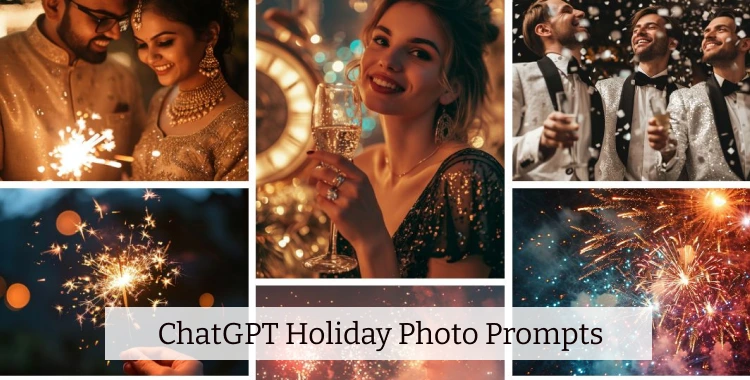
Holiday photos are everywhere online. People want new ideas that feel fresh, festive, and share-worthy. With AI like ChatGPT and image generators, you can make stunning holiday images fast.
This guide gives you the best text prompts, step-by-step instructions, and pro tips so you can create beautiful holiday visuals.
Table of Contents
- Part 1: 20+ ChatGPT Holiday Photo Prompts
- 1. Christmas Holiday Photo Prompts
- 2. New Year / New Year’s Eve Photo Prompts
- 3. Valentine’s Day Photo Prompts
- 4. Easter Holiday Photo Prompts
- 5. Halloween Photo Prompts
- 6. Thanksgiving Photo Prompts
- 7. Independence Day / National Holiday Photo Prompts
- Part 2. Universal ChatGPT Holiday Photo Prompts Templates
- Part 3. How to Do ChatGPT Holiday Photo Step by Step
- Part 4. What to Say About Holiday Photos
Part 1: 20+ ChatGPT Holiday Photo Prompts
1. Christmas Holiday Photo Prompts
Prompt 1: Ultra-realistic Christmas living room scene at night, large decorated evergreen tree with twinkling white and warm yellow lights, red and gold ornaments, wrapped gift boxes at the base. A smiling family in comfortable wool sweaters gathers around a fireplace with stockings, golden candlelight flickering, soft snowfall visible outside through the window. Cinematic 50mm DSLR style with shallow depth of field, warm cozy atmosphere, rich textures and soft shadows, high-resolution holiday portrait.
Prompt 2: Photorealistic European Christmas market at dusk, timber stalls with garlands, glowing lanterns and wreaths, locals in winter coats sipping hot cocoa, fresh snow on cobblestone street, gentle falling snowflakes, lively festive crowd, cinematic wide-angle shot with warm ambient lighting and subtle bokeh lights in background.
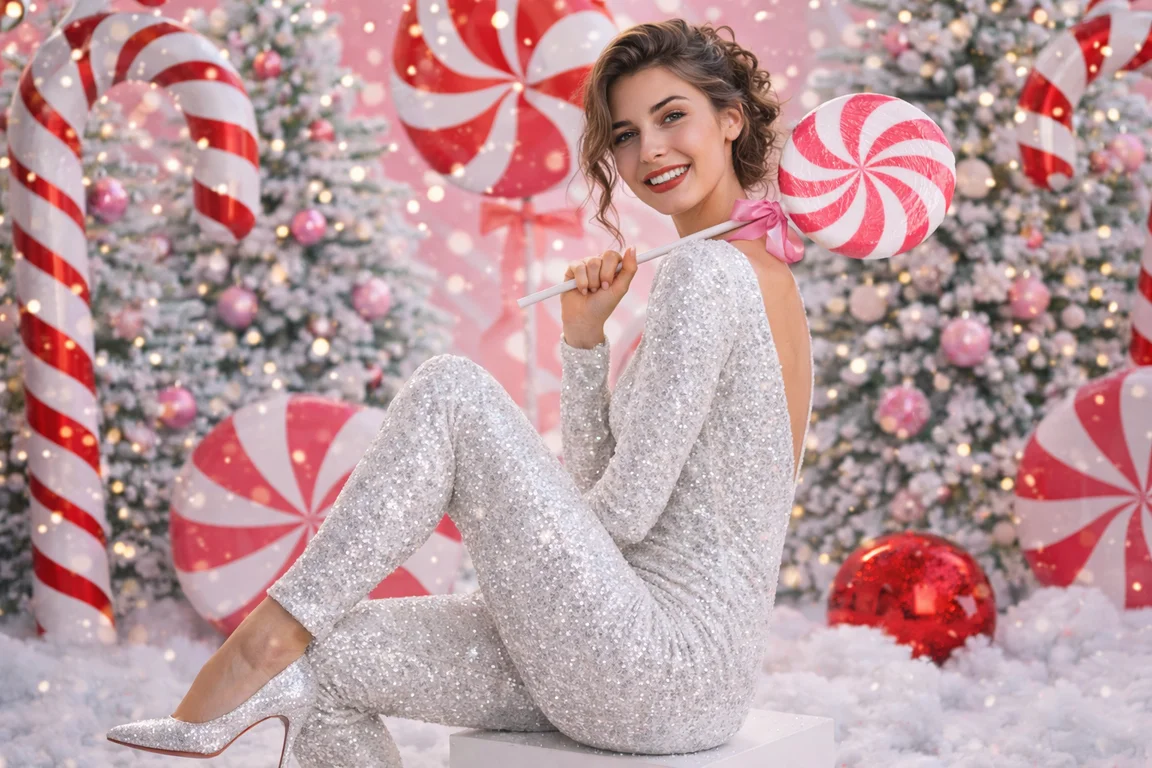
Prompt 3: Create a hyper‑realistic Christmas family portrait in a cozy living room. Use the real faces from the uploaded family photo. Warm white string lights, a fully decorated Christmas tree, wrapped gifts, and winter greenery in the background. Family dressed in coordinated cream and deep red knit sweaters, soft warm lighting, natural smiles, shallow depth of field, editorial quality suitable for printed holiday cards.
Prompt 4: Generate an outdoor Christmas family portrait in gentle snowfall. Preserve the faces and body shapes from the reference photo. Snow‑covered pine trees in the background, subtle string lights in the branches, knit sweaters, wool scarves, and beanies in neutral tones. Soft falling snow, cinematic bokeh, sharp faces, high‑resolution winter atmosphere for wall prints and social media.
Prompt 5: Turn the uploaded selfie into a viral Noel‑style Christmas portrait. Keep the exact facial structure and skin tone. Place the subject in a warm cabin living room, with Santa standing behind them, one hand resting gently on their shoulder. Christmas tree with golden ornaments, wrapped gifts, snow visible through the window, 50 mm lens look, rich warm glow, ultra‑detailed textures for sharing on Instagram and TikTok.

2. New Year / New Year’s Eve Photo Prompts
Prompt 6: Create a cinematic New Year’s Eve portrait of a couple on a city rooftop. Preserve the couple’s real faces. Night skyline filled with lights and distant fireworks, cool blue sky with warm city glow. The couple holds sparklers, subtle motion in the sparks, shallow depth of field on their faces, light film grain for a stylish party aesthetic, vertical framing for social media stories.

Prompt 7: Generate a clean, modern New Year profile photo using the uploaded selfie. Subject framed from the chest up, standing in front of a soft gradient background in muted gold and white. Subtle confetti bokeh, gentle studio lighting, natural skin texture, confident but relaxed expression, minimal composition with empty space on one side for text overlay such as ‘New year, new me’.
Prompt 8: Epic nighttime city skyline at New Year’s Eve with explosive multicolored fireworks lighting the sky above skyscrapers, crowds of people wearing party hats and holding sparklers by the waterfront, reflections on rippling water, long exposure glow and vibrant festive energy, cinematic composition.
3. Valentine’s Day Photo Prompts
Prompt 9: Create a soft, romantic Valentine’s Day portrait of a couple, using the real faces from the reference photo. Warm indoor setting with fairy lights and a few red roses in the background, pastel pink and cream color palette. Gentle backlight to create a halo effect around their hair, close‑up framing focusing on their faces and hands, slight lens blur for a dreamy look, suitable for couples’ social posts.

Prompt 10: Generate a Valentine’s Day themed solo portrait using the uploaded selfie. Subject sitting on a bed with white sheets, holding a small bouquet of roses. Soft window light from the side, subtle heart‑shaped bokeh in the background, minimal makeup, relaxed and confident pose. Clean, uplifting mood, ready to use with self‑love captions on Instagram.

4. Easter Holiday Photo Prompts
Prompt 11: Create a bright Easter family photo on a picnic blanket in a green park. Include parents and children in light pastel outfits: soft blue, pale yellow, and blush pink. A woven basket filled with decorated Easter eggs, small flowers scattered on the blanket, gentle afternoon sunlight, slightly wide framing to show the park setting, cheerful but natural expressions, lifestyle family style.

Prompt 12: Generate a playful Easter egg hunt scene with children running on a lawn. Use the children’s faces from the uploaded photo if provided. Colorful plastic eggs hidden in the grass, a few spring flowers, soft sunlight. Capture one child bending down to pick up an egg while another looks around, slight motion blur for energy, vibrant but not oversaturated colors, ideal for family albums and social media.
Prompt 13: Bright outdoor Easter egg hunt in a spring meadow with blooming flowers and pastel grass, children with colorful baskets laughing, warm sunny light and cheerful pastel palette, candid joyful composition.

5. Halloween Photo Prompts
Prompt 14: Turn the uploaded selfie into a dramatic Halloween costume portrait. Keep the same facial features and eye color. Dress the subject in a detailed vampire costume with a dark velvet cloak and subtle fangs. Background is a dimly lit gothic corridor with candles and light mist, cool blue shadows with red highlights, strong directional lighting, high contrast, cinematic horror style suitable for profile photos.

Prompt 15: Create a Halloween street scene with a small group of kids in costumes: witch, superhero, ghost, and pumpkin. Suburban street at dusk, carved jack‑o’‑lanterns glowing on doorsteps, scattered dry leaves on the ground. Warm porch lights, cool blue sky, friendly and not too scary mood, mid‑range shot that shows both costumes and environment, perfect for family and community posts.

Prompt 16: Cinematic haunted mansion at twilight, weathered stone façade draped with cobwebs and flickering lanterns, carved jack-o’-lanterns with glowing candles, drifting fog on the ground, eerie moonlight casting dramatic long shadows, moody atmospheric horror composition.

6. Thanksgiving Photo Prompts
Prompt 17: Generate a Thanksgiving family photo around a long dinner table. Turkey in the center, side dishes, candles, and simple autumn decorations like mini pumpkins and eucalyptus. Family members of different ages sitting and smiling, warm indoor light with slight golden tint, shallow depth of field focusing on faces and food, documentary style that feels candid and welcoming.

Prompt 18: Create a cozy Thanksgiving kitchen scene with two people preparing food together. Wooden counter with chopped vegetables, pie crust, and herbs, warm under‑cabinet lighting. Soft focus on their hands as they work, visible smiles or laughter, shallow depth of field with the background slightly blurred, lifestyle cooking aesthetic suitable for blogs and brands.
Prompt 19: Warm Thanksgiving dinner gathering at a long wood table, extended family in cozy fall outfits, roasted turkey centerpiece surrounded by harvest décor, candlelight glow and golden hour sun through window, candid laughs and rich autumn tones.

7. Independence Day / National Holiday Photo Prompts
Prompt 20: Generate a Fourth of July portrait of a couple or small family watching fireworks. Dark night sky filled with colorful bursts, silhouettes and side‑lit faces of the subjects, subtle rim light from the fireworks. One person holds a small flag, others look up with awe. Slight haze in the air, rich contrast, cinematic night photography style.

Prompt 21: Create a daytime Independence Day picnic photo in a park. Red, white, and blue color scheme: checkered blanket, simple picnic basket, a few small flags, and casual summer outfits. Bright, clean sunlight, lens flare at the edge, relaxed poses, wide framing that shows both people and the environment, ideal for social media and lifestyle campaigns.

Part 2. Universal ChatGPT Holiday Photo Prompts Template
1. Festival Celebration Scene — Full Environment
Ultra‑realistic wide‑angle scene of a joyful `XXX` celebration in a beautifully decorated setting with themed lights, festive ornaments, banners and props representing `XXX`, diverse people in seasonal outfits interacting naturally, warm ambient lighting with soft highlights and shadows, candid joyful energy, rich visual detail, cinematic photography style optimized for social media shareability.
2. Family / Friends Gathering — Emotional Portrait
Warm and inviting indoor portrait of a family or group of friends celebrating `XXX`, subjects wearing comfortable seasonal outfits, cozy décor (like wreaths, candles, garlands) around them, warm natural light streaming through windows, candid smiling expressions, rich textural detail, shallow depth of field, photorealistic portrait quality with a tasteful holiday vibe.
3. Night Celebration with Lights — Moody & Cinematic
Atmospheric nighttime `XXX` scene with glowing strings of lights, lanterns or fireworks depending on the holiday, silhouettes of joyful participants holding themed props (e.g., sparklers, decorated baskets, pumpkins), dynamic vibrant color contrasts and soft blurred city or nature background, cinematic wide‑angle composition, warm highlights with subtle bokeh for a magical holiday atmosphere.
4. Close‑Up Still Life / Symbolic Objects — Detailed Focus
Macro photorealistic still life representing `XXX`: include key symbolic elements of the holiday (like ornaments, eggs, pumpkins, fireworks elements, traditional dishes), arranged on a textured surface, warm diffused lighting casting soft shadows, extreme attention to material and texture detail, editorial quality ready for greeting card or marketing imagery.
5. Portrait with Seasonal Props — Professional Portrait Style
High‑definition close‑up portrait of a subject celebrating `XXX`, wearing stylish seasonal attire and holding themed props (e.g., wreath, basket of treats, sparklers), soft golden hour lighting with gentle rim highlights, shallow depth of field focusing on expression, rich facial detail, photorealistic magazine‑style photograph.
Bonus Tip: Instantly Match Holiday Outfits with PixPretty AI Clothes Changer
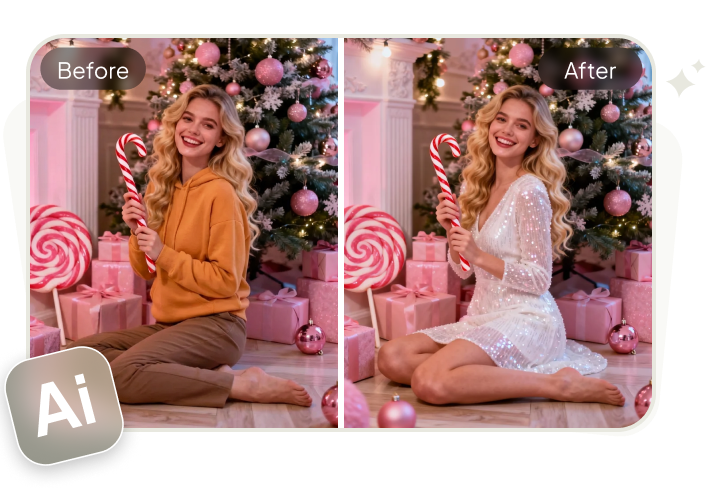
To make your holiday photo prompts even more realistic and on-trend, you can pair them with PixPretty AI Clothes Changer. Simply upload a portrait photo and instantly switch outfits with AI — from cozy Christmas sweaters to elegant holiday dresses.
PixPretty AI Clothes Changer automatically adapts clothing to body shape, lighting, and pose, producing HD, lifelike results in seconds. It’s perfect for testing festive looks, creating OOTDs, or preparing holiday visuals for social media and marketing — no editing skills required, completely online and free to try.
Part 3. How to Do ChatGPT Holiday Photo Step by Step
Step 1: Open ChatGPT and Enable Image Generation
Open ChatGPT and make sure you have access to the image feature. This lets you type descriptions and generate images directly. The new ChatGPT Images tool can help create and edit photos with better detail and result quality.
Step 2: Choose Your Holiday Idea
Think about what you want in the photo. Decide the scene (snow, lights, tree), people, mood, and style before you write your prompt.
Step 3: Write a Clear Prompt
In the ChatGPT text box, describe your holiday image clearly. You can copy any prompt above directly.
Step 4: Generate and Adjust
Hit generate. The AI will create your holiday photo. If it’s not perfect, you can ask ChatGPT to adjust details like color, background, or style until you get what you want.
Step 5: Save and Edit
Once you like the final image, download it. You can also use photo editors to enhance color or remove small flaws.

Tip:
For users who want a fast workflow, a tool like PixPretty AI Photo Editor can fit in this process by handling the last steps: simple edits, consistent branding colors, and quick exports in the right sizes for your social platforms
Part 4. What to Say About Holiday Photos
Good captions help your holiday photos feel warm, friendly, and ready for social sharing. Here are simple caption ideas you can use or copy directly with your festive photos:
1. Short & Festive
- “Holiday vibes only!”
- “Making memories one moment at a time.”
- “Tis the season to be merry!”
- “Peace, love, and joy.”
- “Wrapped in warmth and love.”
2. Warm & Heartfelt
- “Wishing you a magical holiday season.”
- “Making spirits bright this year.”
- “Cheers to good times with great people.”
- “May your days be cozy and bright.”
- “Grateful for every moment.”
3. Simple & Share‑Ready
- “Festive moments and happy hearts.”
- “Joy to the world!”
- “Let the celebrations begin.”
- “Holiday fun with my favorite people.”
- “Counting blessings and good vibes.”
4. Engaging Lines
These captions can invite comments or tags from followers:
- “What’s your favorite holiday memory?”
- “Tag someone you’re grateful for.”
- “Holiday season = best season!”
- “Who else loves this time of year?”
- “Share the joy below!”
Conclusion
Creating standout holiday photos with ChatGPT and AI tools is fun and easy. Use the prompts above to spark ideas. Write clear prompts, tweak until perfect, and polish with a tool like PixPretty AI Photo Editor to make your photos look their best.
Now go and make your holiday visuals pop!
PixPretty AI Clothes Changer
- Create charming Christmas looks with ease
- Turn everyday photos into festive holiday scenes
- Perfect for Christmas photos and family moments