Christmas 2025 is here, and the hottest digital trend is the 3D Christmas tree with hand gesture control. This interactive Christmas tree lets you control a beautiful 3D scene using only your hands and webcam—no coding experience required.
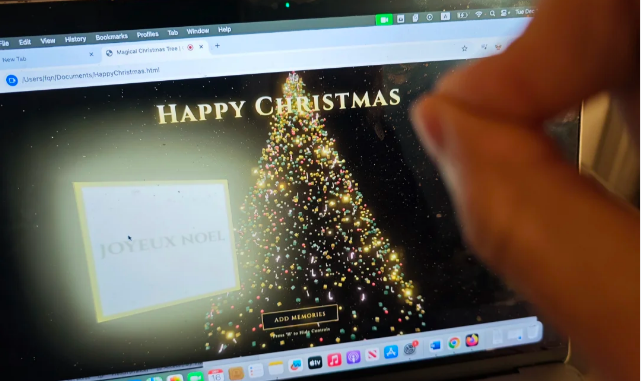
Table of Contents
Part 1. Stunning Visuals: Pure Luxury Christmas Glow
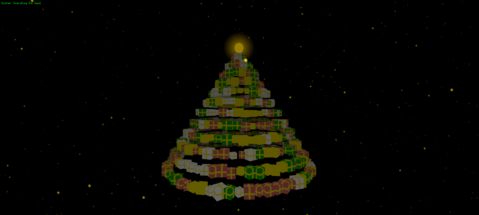
This 3D Christmas tree with hand gesture control features a pure black background (0x000000) in Three.js with black FogExp2 for smooth depth. 8000 warm gold particles (0xFFD700) sparkle with glowing dots and size attenuation for realistic perspective.
The tree is a conical stack of 3D gift boxes (BoxGeometry) in random red, dark green, white, or gold colors. Each has a Canvas-generated gold ribbon texture—no external images. A glowing star with halo crowns the top, and golden “MERRY CHRISTMAS” text stays hidden until triggered.
Part 2. How Hand Gestures Bring It to Life
MediaPipe Hands, loaded via CDN, powers the magic in this 3D Christmas tree with hand gesture control. It measures the distance between your thumb and index finger to detect hand openness.
- Hand closed or still: Tree rotates slowly; background particles fall gently like snow.
- Hand opened wide: Tree rotation speeds up; the whole tree pulses larger (breathing effect); particles rise upward; “MERRY CHRISTMAS” text appears and grows dramatically.
Debug features include a top-left status (“System normal”) and a bottom-right glowing dot that brightens based on hand detection.
Part 3. Step-by-Step Guide: From Zero to Magic Tree
Follow these clear steps to create and run your 3D Christmas tree with hand gesture control:
- Step 1: Open Google Gemini (or any advanced AI that handles long prompts).
Step 2: Paste the complete detailed prompts in Part 4.
- Step 3: Wait for the AI to generate the complete HTML code.
Step 4: Copy the code and save it as
christmas tree.html.
- Step 5: Open the file in Chrome or Edge.
- Step 6: Allow webcam access when prompted.
Step 7: Position your hand in front of the camera and start gesturing—watch the interactive Christmas tree respond instantly!


Part 4. Gemini3 Christmas Tree: AI-Powered Creation
Thanks to the Gemini3 Gesture Interactive Christmas Tree trend, anyone can build their own 3D Christmas tree with hand gesture control in minutes. Use this exact prompt in Gemini 3:
Simply select all the code in the code box below, copy and paste it into Gemini 3 to generate a complete project.
Please help me write a single-file HTML 3D interactive web application using Three.js and MediaPipe Hands.

Scene visual requirements:

Background: Must be pure black (0x000000). When initializing Three.js, force set scene.background to black, and set WebGLRenderer's alpha to false—do not rely on CSS background.
Fog effect: Add black fog (FogExp2) to naturally fade out distant objects.
Particle system:
Quantity: 8000 particles.
Color: Warm gold (0xFFD700).
Material: Use texture material with soft glowing dot shape.
Rendering: Must enable sizeAttenuation for perspective-based size variation (larger when near, smaller when far).

Main subject - Christmas tree:
Do not use particles to stack; instead, stack 3D gift boxes (BoxGeometry) into a conical tree shape.
Gift box appearance: Randomly use red, dark green, white, or gold.
Texture details: Use HTML5 Canvas API to dynamically generate a "gold cross ribbon" texture for each box—do not load external images.
Tree top: Place a 3D star with a huge glowing halo (Sprite).
UI: A large gold "MERRY CHRISTMAS" text in the center of the screen, hidden by default.

Interaction features (MediaPipe):

Use CDN to import MediaPipe Hands library.
Key logic: Detect the distance between thumb and index finger tips, calculate openness.
Gesture feedback:
When still/closed: Tree rotates slowly, background particles fall slowly (like snowflakes).
When hand opened:
Tree rotation speed increases, and the whole tree slightly enlarges (breathing effect).
Background particles get "anti-gravity" and rise upward.
"MERRY CHRISTMAS" text appears and enlarges.

Debugging: Display status text in top-left corner (e.g., "System normal"), and a small dot in bottom-right corner that lights up when hand is detected and brightens with openness.

Technical and compatibility fixes (very important):

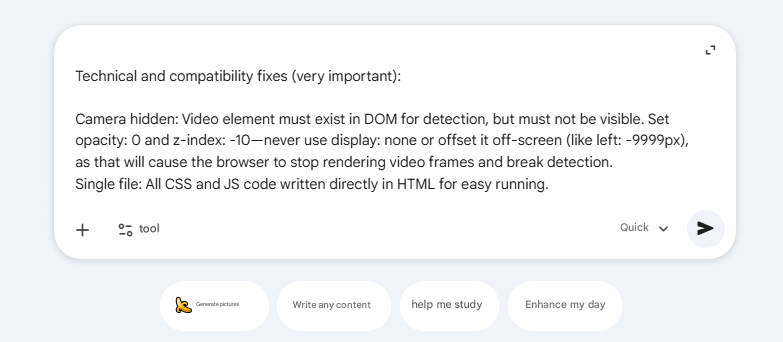
Camera hidden: Video element must exist in DOM for detection, but must not be visible. Set opacity: 0 and z-index: -10—never use display: none or offset it off-screen (like left: -9999px), as that will cause the browser to stop rendering video frames and break detection.
Single file: All CSS and JS code written directly in HTML for easy running.
The prompt has been successfully copied to the clipboard! Go paste it into your Gemini 3!
After copying, simply paste it into Gemini 3 to generate your gesture Christmas tree project!
Merry Christmas 2025 🎄
Part 5. Easy Customization Tips to Make It Yours
- Change particle count for performance on slower devices.
- Adjust colors or add personal holiday messages in the code.
- Share the single HTML file with friends—they can run it instantly.
Final Thoughts: Holiday Magic at Your Fingertips
This 3D Christmas tree with hand gesture control combines Three.js beauty with MediaPipe intelligence, all made accessible by Gemini3 Christmas Tree prompts. It’s the perfect interactive Christmas tree for virtual greetings, family fun, or simply enjoying festive tech magic .
Create yours now—wave your hand and light up the holidays!
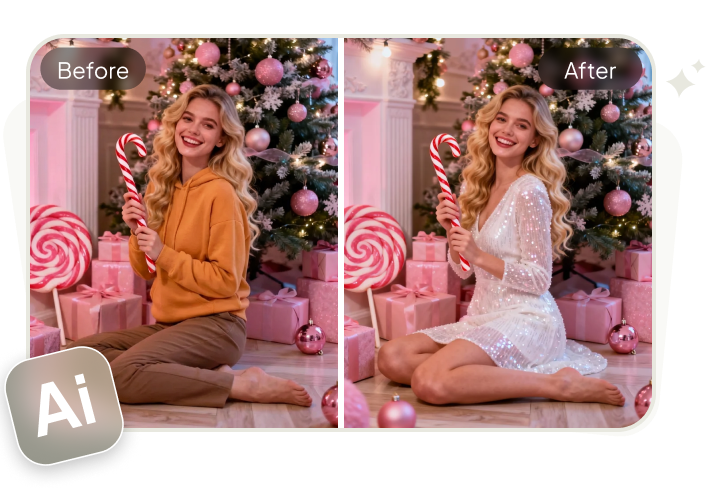
PixPretty AI Clothes Changer
- Create charming Christmas looks with ease
- Turn everyday photos into festive holiday scenes
- Perfect for Christmas photos and family moments
Related Articles:


PixPretty Free Online Photo Editor
Clean, edit, and polish photos instantly — free and easy to use.