


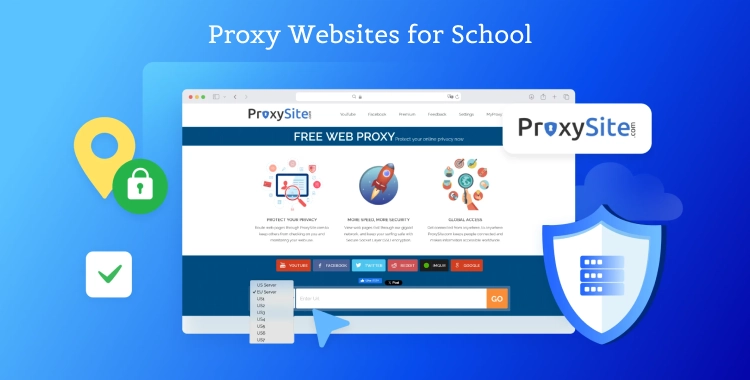
School WiFi blocks tons of sites like YouTube, Instagram, and research tools, making homework tough. Proxy websites let you bypass these restrictions quickly and stay private.
This guide lists top free and paid options for students on Chromebooks, iPads, or phones.
Part 1. What is Proxy Websites for School
Proxy websites act like a secret tunnel for your internet traffic. When school WiFi blocks sites, a proxy hides your real location by routing your requests through another server elsewhere, unblocking everything from YouTube videos to research tools.
How they work simply:
- You enter a blocked URL on the proxy site.
- Proxy fetches the page for you and shows it securely.
- Your school sees only the proxy's IP, not yours.
Free ones encrypt basic data, while paid proxies offer faster speeds and bigger IP pools to dodge advanced filters. Use them ethically for homework, not endless scrolling.
Part 2. 8 Best Proxy Websites for School 2026
1. CroxyProxy
CroxyProxy tops student lists for its dead-simple, no-setup interface—simply head to croxyproxy.com, paste any blocked URL like YouTube tutorials, TikTok study tips, or Instagram class groups, and access instantly without downloads or extensions.

Key perks that make it a game-changer:
-
Built-in SSL encryption protects your sessions from school admins or WiFi snoopers.
-
Supports video streaming, file downloads, and full-site browsing on Chromebooks, iPads, Android/iOS phones.
-
Free version handles quick checks perfectly; upgrade to premium ($3.99/month) for ad-free experience, HD video speeds, and unlimited use during long school days.
Real-student scenarios: Perfect for 10-minute class breaks to watch educational videos or check group chats without lag or detection. Latency around 500-1000ms but feels snappy for casual use.
2. Bright Data
Bright Data is the powerhouse choice with over 100 million residential IPs worldwide, allowing precise city-level targeting through user-friendly Chrome/Firefox extensions that install in seconds.
Extensively tested on strict school networks, it reliably unblocks everything from Google Drive shared files to region-locked research papers or streaming platforms.

Standout features for heavy users:
-
Ultra-low detection rate thanks to rotating residential IPs mimicking real users.
-
Lightning latency (120-250ms) ensures no buffering during group projects or video calls.
-
Flexible pricing at $7.50/GB pay-as-you-go, plus generous 7-30 day free trials to test without commitment.

Pro tip:
Pair the extension with incognito mode for maximum stealth on managed Chromebooks—ideal for students needing consistent access all semester.
3. Smartproxy
Smartproxy shines with 66 million+ ethical residential IPs spanning 195+ countries, delivering unlimited bandwidth and simultaneous connections for non-stop, lag-free browsing tailored to student life.

Why it's a student essential:
-
Bypasses advanced school filters for smooth Instagram Reels, YouTube lectures, or collaborative tools like Notion.
-
One-minute Chrome extension setup; no manual configs required.
-
Affordable $7/GB with a 3-day 100MB free trial—perfect for trying before buying light or heavy plans.
Power use case: Unlimited sessions mean you can switch tabs freely during study hall without reconnection hassles, keeping privacy intact on shared networks.
4. FilterBypass
FilterBypass prioritizes top-tier security with AES-256 GCM encryption, automatically converting insecure non-SSL sites to protected HTTPS versions to safeguard your data on vulnerable school WiFi.

Quick highlights for secure daily use:
-
Free Chrome extension enables one-click proxy activation across all tabs.
-
Zero bandwidth limits, speed throttling, or usage caps—runs forever without slowdowns.
-
Lightweight design won't bog down low-spec school laptops or tablets.
Best for beginners: Everyday access to research journals or forums blocked by overzealous filters, all while keeping your browsing history private.
5. 4everproxy
4everproxy empowers you to manually select servers by country or region, smashing geo-restrictions with zero limits on speed, bandwidth, downloads, or uploads—download massive PDFs or stream without interruptions.

Top advantages over basic freebies:
-
Integrated VPN-like support for layered privacy and stability.
-
Intuitive web dashboard works on any browser/device, no apps needed.
-
Super affordable at $3.95/month—scales perfectly from casual to power users.
Perfect match: International students accessing home-country study sites or region-specific tutorials during global projects.
6. ProxySite.com
ProxySite harnesses gigabit network infrastructure and comprehensive SSL encryption to deliver blazing-fast page loads while completely concealing your IP and habits from network overseers.

Core strengths for Chromebook warriors:
-
Optimized for school-issued devices with quick proxy switching.
-
Robust protection against monitoring on crowded WiFi—ideal for daily social or workspace access.
-
Straightforward $9.90/month plans with no hidden fees or data caps.
Use case: Privacy pros who browse shared networks hourly, ensuring smooth, undetected sessions every time.
7. FloppyData
FloppyData crushes on value with datacenter proxies boasting ultra-low latency (50-150ms) and truly unlimited bandwidth, letting budget-conscious students marathon through blocks all day.

Budget-friendly facts unpacked:
65M+ IPs with country targeting for versatile unblocking.
-
100MB free trial via simple dashboard—test games, videos, or docs risk-free.
-
Manual setup is straightforward, even for Chromebook newbies.
Best if pinching pennies: Extended study sessions or streaming without the premium price tag.
8. Webshare
Webshare kicks off with 10 genuinely free high-anonymity proxies, expanding seamlessly to pay-per-use for growing needs—entry-level excellence without upfront costs.

Student-friendly setup and perks:
-
Plug-and-play browser extensions for browsers like Chrome, Edge, Firefox.
-
Sticky sessions maintain connections up to an hour, dodging frequent logins.
-
Scalable pricing keeps it cheap for casual tests or full-time use.
Starter choice: Quick no-cost trials on YouTube or homework portals before committing.
Part 3. Quick Comparison Table for Proxy Websites for School
| Proxy | Pricing | Free Trial | Best For |
|---|---|---|---|
| CroxyProxy | Free (premium $3.99/mo) | Quick access on any device | |
| Bright Data | $7.50/GB | 7-30 days | Reliable school WiFi bypass |
| Smartproxy | $7/GB | 3 days (100MB) | Streaming and privacy |
| FilterBypass | Free | Secure browsing | |
| 4everproxy | $3.95/mo | Geo-unblocking | |
| ProxySite.com | $9.90/mo | Privacy on Chromebooks | |
| FloppyData | $0.90/GB | 100MB | Budget students |
| Webshare | Pay per use | 10 free proxies | Easy extension use |
Top Picks Reviewed
-
CroxyProxy – Paste the URL and access blocked sites fast. Works well on Chromebooks. Free has ads; premium is faster.
-
Bright Data – Large IP network, good for videos and research. Works on school Wi-Fi but costs more.
-
Smartproxy – Fast worldwide IPs, no interruptions. Great for YouTube or Instagram.
Part 4. How to Set Up Proxy Websites on School Chromebook or iPad
To set up proxy websites on school Chromebook or iPad, here is the simple guide:
-
On Chromebook: Go to Settings > Network > WiFi > Configure > Proxy > Manual. Enter proxy IP and port from your service. For web proxies like CroxyProxy, just visit the site and type the blocked URL—no setup needed.[2]
-
On iPad: Settings > WiFi > Info icon > HTTP Proxy > Manual. Add details, but for MDM locks, proxies help bypass without jailbreak. Test with a free trial first.[1]
Tips:
Stay under the radar—rotate proxies and avoid heavy downloads. Use for schoolwork only to dodge trouble. Free proxies risk ads or logs; paid ones prioritize privacy. If blocked, try mobile data as backup.
Conclusion
Proxy websites make it easy for students to bypass school WiFi restrictions while staying safe and private. Free versions are great for casual use, while paid proxies provide faster speeds, larger IP pools, and extra security.
Always follow school rules, rotate proxies if necessary, and test setups on your Chromebook or iPad before regular use.
PixPretty AI Photo Editor
- 100% free AI Image Generator (Nano Banana 2 powered)
- 4K image quality with fast generation speed
- AI effects & filters for personal and e-commerce use

Related Articles:
- Top 4 Ways to Remove Background in Illustrator [Full Guide]
- How to Use an Instagram Reels Viewer to Boost Your Reach & Reels Performance
- AI Prompt for Clothing Brand: 8 Best Prompts & Tips
- How to Play Snow Rider 3D Unblocked on a School Chromebook 2026
- How to Play Block Blast Unblocked for School - 2026 Guide
- 8 Best Games to Play at School Online That Are Not Blocked 2026


