


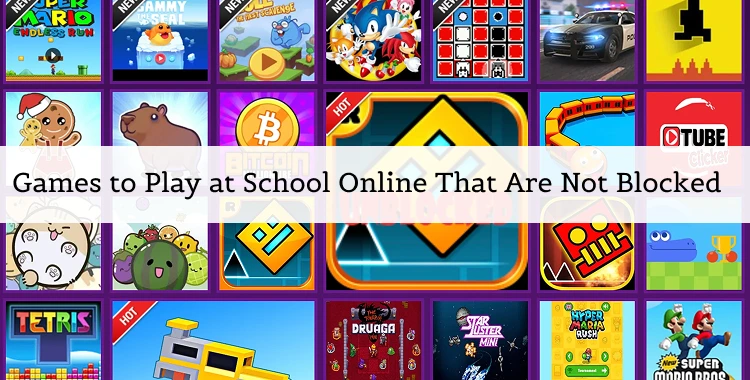
Many students look for quick, fun online games to play during breaks, but school networks often block most game sites. Still, there are safe and free browser games that work on Chromebooks and classroom Wi-Fi.
This guide will show you the best unblocked games for school, how to play them safely, and some simple tips to get higher scores.
Table of Contents
- Part 1. Why Games Are Blocked at School
-
Part 2. Best Games to Play at School Online That Are Not Blocked
- 1. 2048 — Simple Puzzle, Big Brain
- 2. Snake & Slither.io — Classic & Multiplayer Fun
- 3. Agar.io — Grow and Conquer
- 4. Chess / Chess.com Puzzles — Strategy and Logic
- 5. Subway Surfers — Endless Runner
- 6. HoodaMath & Puzzle Sites — Brain Games That Teach
- 7. Unblocked Game Portals — Tons of Games in One Place
- 8. TypingClub & Educational Games
- 9. Neal.Fun & Casual Browser Games
- 10. Crazy Cattle 3D Unblocked — Hilarious Physics Battle
- Part 3. Quick Comparison of Game Types
- Part 4. How to Play Unblocked Games on a School Chromebook
Part 1. Why Games Are Blocked at School
Schools block gaming sites to keep students focused and protect the network. Filters like GoGuardian or firewall systems detect game domains and block them automatically. The goal is to prevent distractions, malware, or misuse of the school Wi-Fi.
However, some unblocked versions of popular games exist on verified, education-friendly platforms. These games run right in the browser with no downloads, making them ideal for free periods or short breaks.
Part 2. Best Games to Play at School Online That Are Not Blocked
When school networks block most gaming sites, unblocked browser games give students a fun break without downloads or installs.
These games work on Chromebooks, PCs, and mobile browsers. Below are some of the best options you can play for free.
1. 2048 — Simple Puzzle, Big Brain
Type: Puzzle
Platform: Browser (Web)
2048 is a classic sliding number puzzle. You move tiles with the arrow keys to combine matching numbers and reach the goal tile of 2048. It’s easy to learn but challenging to master, making it fun for short breaks.
Because it is simple and educational, it’s often not blocked on school networks and can be played in any browser.

Why it’s great:
-
Browser‑based: No downloads or installs required — works on Chromebooks and school PCs.
Brain‑boosting: Combines logic, strategy, and math practice.
Quick play: Perfect for short breaks between classes.
Best for: Quick breaks, brain training.
2. Snake & Slither.io — Classic & Multiplayer Fun
Type: Arcade / Mullayer
Platform: Browser
Slither is the timeless arcade game where you guide a growing snake without hitting walls or yourself. Slither.io modernizes this with real‑time multiplayer, where you compete with others as you grow longer by consuming orbs.
Because both have simple browser controls and don’t need downloads, they are commonly playable at school.

Why it’s great:
Classic fun: Easy to pick up and play.
Social play: Slither.io lets you compete with real players.
No install: Works right in your browser.
Best for: Casual play, competing with friends.
3. Agar.io — Grow and Conquer
Type: Agar.io Multipla
Platform: Browser
Agar.io, you control a small cell in a shared arena. Eat smaller players to grow, but avoid bigger ones that can absorb you. The simple multiplayer design makes it a popular unblocked game among students because it’s browser‑based and runs even on school networks that filter other game sites.

Why it’s great:
Competitive: Test your reflexes and strategy against others.
Simple access: No downloads needed.
Fast matches: Great for short free periods.
Best for: Quick competitive play.
4. Chess / Chess.com Puzzles — Strategy and Logic
Type: Strategy / Bd Game
Platform: Browser
Chess offers classic strategy gameplay. You can play against AI or live opponents, or solve Chess.com puzzles to train your logic. Schools often allow educational or strategy sites, so chess can slip through filters because it’s considered a brain‑training, educational game.
Why it’s great:

Logical thinking: Develops strategy and planning skills.
No installs: Play in browser.
Educational value: Often allowed because it’s educational.
Best for: Logical thinking, long play sessions.
5. Subway Surfers — Endless Runner
Type: Runner
Plorm: Browser eb versions available
Subway Surfers - his endless runner has you dodge trains, jump over obstacles, and collect coins. Many unblocked game portals host Subway Surfers, and its HTML5 design makes it playable on school‑friendly gaming sites without downloads.

Why it’s great:
Fast pacing: Quick rounds for short breaks.
Browser play: Works without installs.
Fun visuals: Bright and engaging gameplay.
Best for: Fast bursts of play during short breaks.
6. HoodaMath & Puzzle Sites — Brain Games That Teach
Type: Educational uzzle
Platform: Browser
HoodaMath offers many puzzles, logic games, and classics like 2048 right in one place. Because the site has educational value and loads in browsers without downloads, it is often not blocked by schools.

Why it’s great:
Brain‑building: Many games help with math and logic.
-
School‑friendly: Often allowed by filters because of educational focus.
Huge library: Tons of games in one place.
Best for: Learning + fun, classroom‑friendly gaming.
7. Unblocked Game Portals — Tons of Games in One Place
Sites:
Unblocked Gs 24h
locked Games Pod
Unblocked Games 66 / 77
PrimaryGames
IO‑Games zones (e.g., Agar.io, Slither.io)
These sites host many browser games that are optimized to work even on restricted school networks. Just click to play — no downloads, no installs. Portals include action, puzzles, racers, and multiplayer titles.

Why it’s great:
Variety: Many game types in one place.
Instant play: No install needed — click and start.
School‑ready: Designed to bypass common blocks.
Best for: Variety — play many different games in one place.
8. TypingClub & Educational Games
Type: Skill‑Buildi/ Educonal
Platform: Browser
TypingClub is an interactive game. Educational platforms like this are often not blocked because teachers and schools value the learning aspect, so you can improve keyboard skills while having fun.

Why it’s great:
Useful skills: You learn typing while playing.
Browser play: Works without installs.
School‑safe: Usually allowed because it’s educational.
Best for: Learning through play.
9. Neal.Fun & Casual Browser Games
Type: Casual / Creve
Platform: Browser
-
Neal.Fun is a quirky and creative mini‑games that are often unblocked at school because they are browser‑based and free of login requirements. These casual games provide fun and creativity without heavy graphics.


Why it’s great:
Creative fun: Light games that spark curiosity.
No downloads: Works in any browser.
School‑friendly play: Simple and easy access.
Best for: Off‑beat, creative fun.
10. Crazy Cattle 3D Unblocked — Hilarious Physics Battle
Type: Action / Physics Battle Royale
Platform: Browser (No download)
Crazy Cattle 3D Unblocked is a funny and energetic browser game where you control a sheep in a physics‑based battle arena. It uses simple browser controls — move with WASD or arrow keys, aim with your mouse, and ram into opponents to knock them out.

Why it’s great for school:
-
Browser‑based: No installation or downloads required — perfect for Chromebooks and school PCs.
Fast loading: Designed to load quickly over school Wi‑Fi.
-
Entertaining but light: The humorous battle mechanics and cartoon sheep make it fun without intense graphics.
Best for: Short breaks, multiplayer chaos, fun with friends.
Part 3. Quick Comparison of Game Types
| Game | Type | Platform | Best For |
|---|---|---|---|
| 2048 | Puzzle | Browser | Quick breaks, brain training |
| Snake / Slither.io | Arcade / Multiplayer | Browser | Casual play, compete with friends |
| Agar.io | .io Multiplayer | Browser | Quick competitive play |
| Chess | Strategy / Board Game | Browser | Logical thinking, long sessions |
| Subway Surfers | Runner | Browser | Fast bursts during breaks |
| HoodaMath & Puzzle Sites | Educational / Puzzle | Browser | Learning + fun |
| Unblocked Game Portals | Multiple genres | Browser | Variety — explore many games |
| TypingClub | Skill‑Building | Browser | Learning through play |
| Neal.Fun | Casual / Creative | Browser | Off‑beat, casual fun |
| Crazy Cattle 3D Unblocked | Action / Physics Battle | Browser | Short breaks, fun chaos |
Tips for using unblocked games at school
-
Most unblocked versions are hosted on mirrors or portals that bypass network blocks by using domains schools don’t block.
-
If a game is blocked on one site, try another unblocked portal (e.g., UnblockedGamesX or similar).
-
Always respect your school’s acceptable use policy; use games during allowed break times.
Part 4. How to Play Unblocked Games on a School Chromebook
Playing unblocked games on a school Chromebook is usually easy because many of the best sites host browser‑based games that don’t need installs or extra software.
Here’s a step‑by‑step guide that works for most students — without risky tricks.
Step 1 — Open the Chrome Browser
Most Chromebooks use Chrome as the default browser. Make sure you’re connected to the school network and logged in.
Step 2 — Go to a Trusted Unblocked Games Site
There are many safe game libraries that are made to work on school networks because they run directly in your browser with HTML5.
Simply type the site into the address bar and press Enter. Once the page loads, pick a game and click Play.
Step 3 — Browse and Start Playing
On unblocked game sites, look for the category you want (Puzzle, Arcade, IO, etc.). Use the keyboard or mouse as the game instructs.
Optional Settings Tips (if Something Doesn’t Load)
If a game won’t load, try these safe steps:
Refresh the page — this reloads the game file.
Close extra tabs — frees memory on a Chromebook.
-
Choose a simpler game — puzzle games often load faster on restricted networks.
What Not to Do
-
Don’t install third‑party proxies or VPNs — schools often block these, and they may violate rules.
-
Don’t download random extensions from unknown sources — they might harm your device.
-
Don’t open sketchy game links that ask for downloads or access permissions.
Stick to trusted unblocked game sites that run games right in the browser — that’s the safest and most reliable method on a school Chromebook.

Tip:
Remember that game access should be used during breaks or free periods. Even though unblocked games work on common Chromebook sites, your school’s acceptable use policy still applies.
Conclusion
Unblocked online games are a great way to relax between classes. Choose safe browser-based titles like Slope, Retro Bowl, or Snow Rider 3D that work on Chromebooks and class networks.
Remember to follow school rules, play responsibly, and enjoy small breaks without distractions.
PixPretty AI Photo Editor
- 100% free AI Image Generator (Nano Banana 2 powered)
- 4K image quality with fast generation speed
- AI effects & filters for personal and e-commerce use

Related Articles:


