


A Freepik downloader is the easiest way to get high-quality vectors, PSDs, stock photos, and icons directly to your device. With the right tool, you can quickly save both free and premium Freepik files in JPG, PNG, PSD, or vector formats without hassle.
This guide covers the best Freepik downloaders, step-by-step instructions, and bonus tips to enhance and edit your downloads.
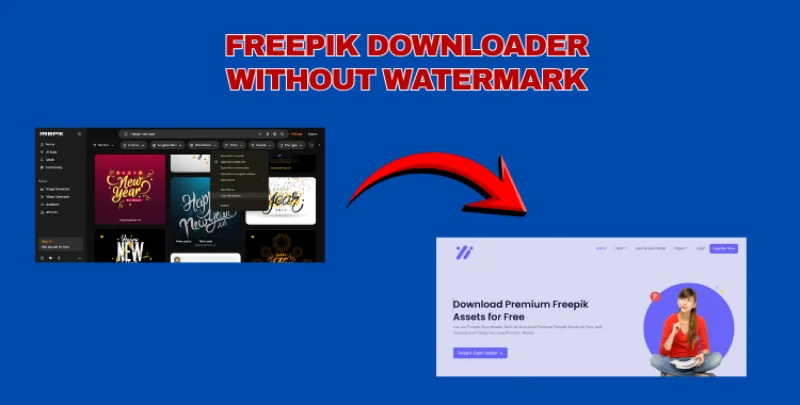
Table of Contents
Part 1. What Is a Freepik Downloader?
A Freepik downloader is an online tool that helps you download Freepik files like vectors, photos, PSDs, icons, and videos without any trouble.
Many people use it because it saves time and provides an easy way to download Freepik resources. A Freepik image downloader also helps you save JPG and PNG versions of Freepik images quickly. These tools are simple, fast, and work on most devices.
1.1 Benefits of Using a Freepik Downloader
Using a Freepik downloader comes with several helpful benefits:
- Fast downloads: You can download vectors, photos, and PSD files with just one link.
- No watermark tools (depends on downloader): Some tools help you download premium-style files without a watermark.
- Multiple formats: You can save images in PNG, JPG, EPS, SVG, or PSD formats.
- Easy to use: Just paste the URL and click download no signup or account needed.
- Works on phone & PC: Most Freepik image downloader tools work smoothly on Android, iPhone, and desktop.
1. 2 Who Is the Freepik Downloader For?
A Freepik downloader is useful for anyone who needs high-quality images or design files. It helps:
- Graphic designers who need vectors, PSDs, or icons for projects
- Content creators who want ready-made illustrations and images
- Students working on school assignments or presentations
- Social media managers who need quick visuals for posts
- Small businesses that want professional images without paying high fees
- Video editors who use stock images and vector graphics in animations
Part 2. Best Freepik Downloaders for Vectors, Stock Photos & PSD (2025)
There are many tools online that help you download Freepik vectors, photos, PSD files, and even videos. Below are four of the most popular and easy-to-use options. These tools work like a Freepik free downloader, and some even act like a Freepik downloader without watermark depending on the file type and tool features.
2.1 Freepikdownloader
Freepikdownloader is one of the simplest tools to download Freepik resources. It works for vectors, stock photos, icons, and Freepik downloader PSD files. You only paste the Freepik URL, and the tool fetches the download link quickly.

Limitations
- Does NOT always remove watermark on premium files
- Some PSD files may fail to extract
- Heavy traffic can cause slow downloads
- No bulk download support
Ideal For
Users who want a simple and clean Freepik downloader AI-style experience without extra steps.
2.2 Experts Tool for freepik premium download
Experts Tool presents Freepik Downloader (FPDL), a free and fast online tool to download Freepik vectors, photos, videos, and PSDs. With this tool, you can save Freepik content quickly in PNG, JPG, PSD, or HD quality. It works for both free and premium files, making it simple to use images and vectors for social media, presentations, or personal projects.

Limitations
- Not all PSD layers may remain editable.
- Some downloads may slightly reduce image quality.
- Large files or videos may take longer to download.
- Premium files may not include an official Freepik license check usage rights for commercial use.
- Not all Freepik videos or motion graphics are supported.
- Broken, removed, or restricted URLs may not work.
Ideal For
Designers and students who want fast and simple access to Freepik files without signing in.
2.3 PicoDL Downloader
PicoDL is a lightweight tool designed for quick downloads. If you mostly need images and want a fast Freepik downloader that skips unnecessary steps, PicoDL is a great option. It’s known for its clean interface and stable performance.

Limitations
- Limited support for large PSD and vector files
- Cannot bypass premium watermarks
- No EPS or AI format support on some downloads
- One file at a time no multiple downloads
Ideal For
Users who only need images or small design files quickly and easily.
2.4 StepToDown
StepToDown is a multi-platform online downloading tool that supports Freepik along with Shutterstock, Pixabay, and Pexels. Many users like it because it works smoothly on phones and acts like a mini Freepik downloader ai for different file types.

Limitations
- Premium files might still show watermark
- PSDs sometimes download as flattened images
- Interface contains ads
- No option for bulk downloads
Ideal For
Users who want one tool that works for many stock websites and offers stable downloads.
Part 3. How to Download Freepik Premium Images Without Watermark
Many users want an easy way to Download Freepik premium free, especially when they need high-quality vectors, PSD files, or photos for a quick project. A Freepik Downloader without watermark helps you save these files without needing to edit, convert, or remove anything manually.
Here’s how it usually works:
Step 1: First, log in to the downloader website (if required) or simply open the tool. Signing in keeps the download process secure and helps some tools generate better-quality links.

Step 2: Copy the URL of the Freepik file you want. Paste the link inside the downloader’s search box. This step helps the tool detect the correct file whether it’s a vector, PSD, photo, or icon.

Step 3: After processing, the tool will create a generated download link. Click it to open the prepared file page. This is where your actual Freepik image, vector, or PSD file becomes ready for download.

Step 4: Once you click the generated link, your download begins instantly.
You get the file in the format available on Freepik JPG, PNG, EPS, SVG, or PSD without any extra steps.

3.1 How Many Downloads Does Premium Freepik Offer?
Freepik Premium gives users up to 100 daily downloads, which resets every 24 hours. This limit applies to all types of assets, including vectors, PSD files, stock photos, and icons.
If you need more than 100 downloads per day, Freepik also offers Premium Plus, which increases the limit to up to 200 daily downloads.
So in short:
- Premium Plan: 100 downloads per day
- Premium Plus: 200 downloads per day
Both plans allow you to download assets without watermark and use them with an extended license.
3.2 Bonus Hack: Turn Freepik Downloads into Stunning Designs Instantly with PixPretty
Downloading Freepik images, vectors, or PSDs is just the first step. The real magic happens when you bring them to life with creative edits and that’s where PixPretty AI comes in. This powerful, beginner-friendly tool helps you edit, enhance, and customize your Freepik downloads effortlessly.
Whether you want to remove backgrounds, upscale images, add text or effects, or convert files into different formats, PixPretty AI makes professional-quality design fast, simple, and fun. It turn ordinary downloads into polished, eye-catching visuals perfect for social media, presentations, or client projects.
Part 4. FAQ About Freepik Downloader
1. Do I have to pay to get premium stock vectors/photos?
Yes. Freepik Premium assets normally require a paid subscription. Without Premium, you can only access free resources. Freepik downloader tools may help you preview or access files, but the legal way to get premium vectors and photos is through a paid plan.
2. How to edit PSD files from Freepik?
You can edit Freepik PSD files using any software that supports layered psd. The most common options are:
- Adobe Photoshop
- Photopea (free online editor)
- GIMP (free PSD-compatible editor)
Simply open the PSD file, customize the layers, text, shapes, and export it as PNG, JPG, or any format you need.
3. How to bypass download limit Freepik?
There is no official way to bypass Freepik’s daily download limit. The limit resets every 24 hours.
Conclusion
Using a reliable Freepik downloader makes it easy to save vectors, PSDs, stock photos, and icons quickly, whether you’re working on personal or professional projects. These tools help you access both free and premium Freepik files without any hassle. You get high-quality images in the format you need.
For the best results, combine your downloads with PixPretty AI. It lets you edit, enhance, and customize your Freepik assets effortlessly. This is perfect for creating polished, eye-catching visuals in just minutes.
PixPretty AI Photo Editor
- 100% free AI Image Generator (Nano Banana 2 powered)
- 4K image quality with fast generation speed
- AI effects & filters for personal and e-commerce use



