


Magis TV APK is a popular streaming app that many users download outside the Play Store. It comes in different versions, which often creates confusion for new users. Some people don’t know which version to choose, how to install it, or whether an account is required.
This guide explains magis tv apk in simple words. You’ll learn about available versions, how to install the app, how account creation works, and how to fix common issues. Safety and legal points are also shared to help you decide if Magis TV is right for you.
Table of Contents
Part 1: What Is Magis TV APK and How Does It Work?
APK Magis TV is an Android streaming app that lets users watch live TV channels, movies, and series without downloading it from the Google Play Store. Instead of installing it like a regular app, users install the APK file manually on their device.
Magis TV works by connecting the app to online streaming servers. Once installed, the app loads content directly through the internet, so a stable connection is required. Some versions may ask for login details or subscription access, while others allow limited viewing without an account.
Part 2: How to Free Download and Install Magis TV APK Safely
Installing Magis TV APK on different devices is straightforward if you follow the proper steps. Below is a step-by-step guide for Android phones, tablets, Firestick, Smart TVs, and PC. Always use a trusted APK source and consider a VPN for privacy.
Step-by-Step Installation on Android Phones & Tablets
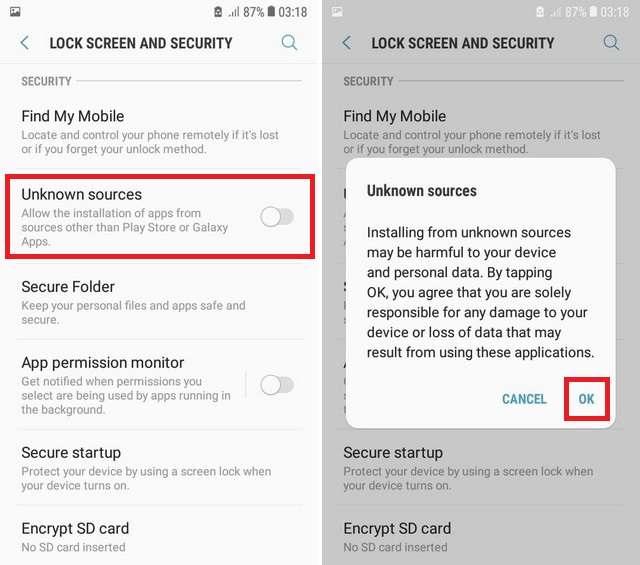
Go to Settings > Security > Unknown Sources and toggle it ON.
Visit the official Magis TV source or a trusted APK provider (ex. magis-tv, aptoide) and download the latest version.
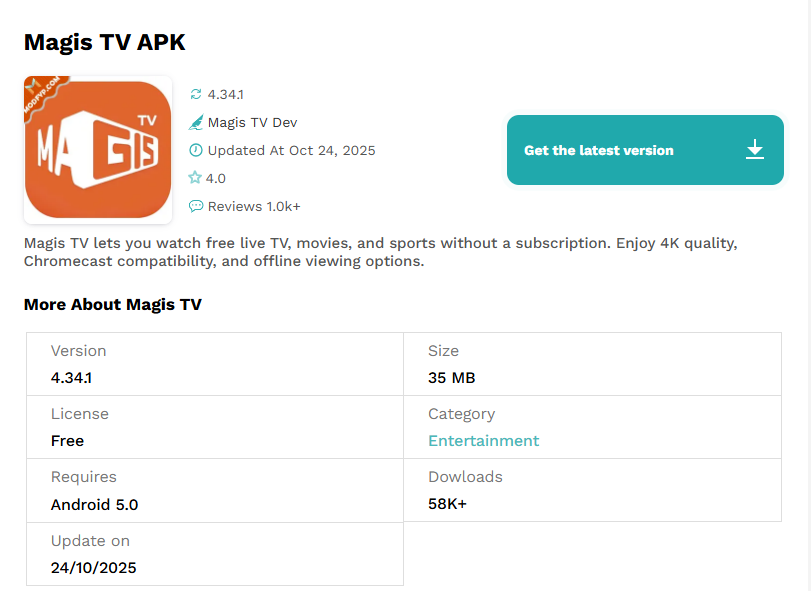
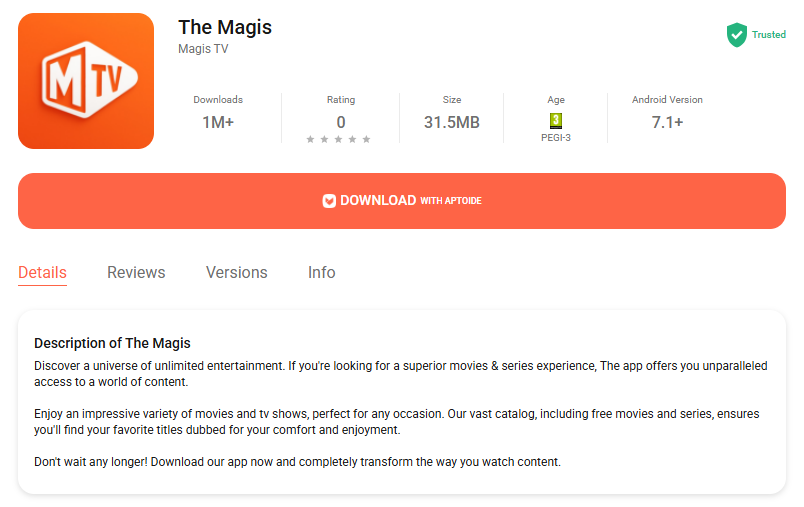
- Open the downloaded file from your Downloads folder and follow the prompts to install.
- Open Magis TV from your apps list and start streaming your favorite content.


Installing Magis TV on Amazon Firestick / Fire TV
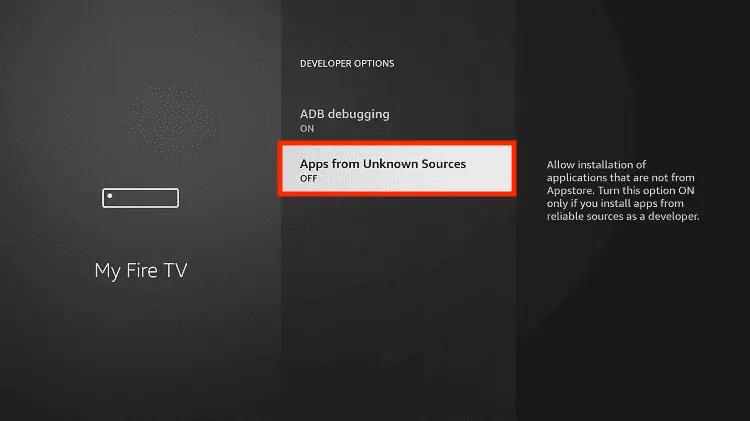
Go to Settings > My Fire TV > Developer Options. Turn on Apps from Unknown Sources.
Search for Downloader in the Amazon App Store and install it.
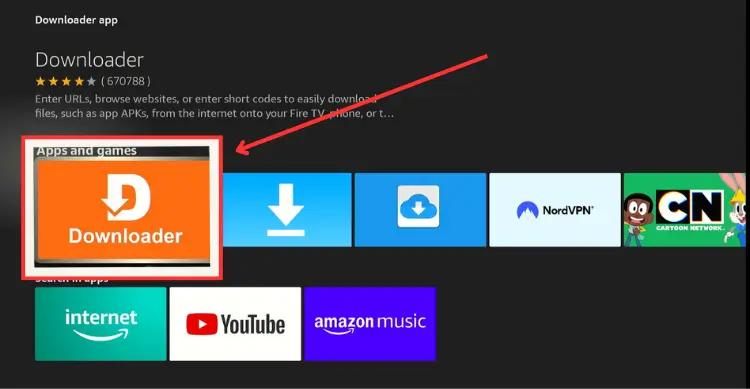
Open Downloader, enter the official Magis TV URL or code 730116, and download the APK. Note: For the latest v5.0.2, you may need to install v4.34.1 first and update inside the app.
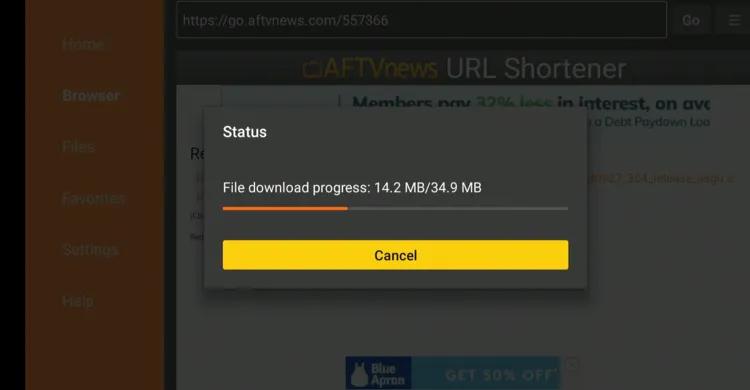
- Click Install, then Done. Delete the APK afterward to save space. Open the app and enjoy streaming.


Part 3: Magis TV APK Versions Explained (Latest, Premium & Old)
Magis TV APK is not limited to one fixed version. Over time, different builds have been released, each designed for specific user needs. Below is a clear breakdown to help you understand which apk magis tv version suits you best and why.
1. Magis TV APK v6.4.2 Premium
Magis TV APK v6.4.2 for mobile is designed for smooth streaming on smartphones and tablets. This version focuses on high-quality live TV, easy navigation, and offline downloads, making it ideal for users who want entertainment on the go.

Key Highlights:
- Stream live TV channels in real-time
- Download movies and shows for offline viewing
- Personalized recommendations based on your viewing habits
- Supports multiple languages for subtitles and audio
- Optimized for mobile screens for easy navigation
Why choose v6.4.2:
This version works well on most Android phones and tablets, fixes bugs from older mobile versions, and ensures a smooth viewing experience anywhere.
Supported Devices: Android phones, tablets, and Xiaomi Mi TV Stick (mobile-connected)
2. Magis TV APK v5.0.2 – Latest Version Overview
Magis TV APK v5.0.2 is the newest version and introduces some major changes compared to older builds. The update focuses on simplifying access while improving security and streaming performance.

What’s new in v5.0.2:
- Free access is now limited to live TV channels only
- No email address required to watch live TV
- VOD content (movies & series) requires a subscription
- Subscription starts at $1/month for 3 screens
- Payments accepted via credit cards and cryptocurrency
- 4-day free trial available to test the service
3. Magis TV 4.34.1 Premium APK – Features and Improvements
Magis TV 4.34.1 Premium APK is the latest version and is mainly used by people who want better speed and smoother streaming. This version comes with improved stability and better handling of live TV channels and on-demand content.

Key improvements in this version include:
- Faster channel loading
- Reduced buffering and crashes
- More responsive app interface
- Better support for high-quality streams
This version is best suited for newer Android devices with updated system software. Since it is a premium build, it usually requires active access or subscription details. Users looking for a fully free experience may find this version limited compared to magis tv gratis apk claims found online.
4. Magis TV 4.28.3 APK – Who Should Use This Version?
Magis TV 4.28.3 APK is an older version that many users still prefer. It is lighter in size and does not require high system resources, making it suitable for older Android phones and TV boxes.

This version is a good choice if:
- Your device has low RAM
- The latest version fails to install
- You want basic streaming without advanced features
While it lacks some improvements found in newer releases, Magis TV 4.28.3 APK remains stable and easy to use. Many long-time users continue using this version because it runs smoothly without frequent errors.
5. Magis TV APK Old Version – When Is It a Better Choice?
A Magis TV APK old version can be a better option when newer updates cause problems. Some users experience crashes, login errors, or compatibility issues after updating. In such cases, switching back to an older version often solves the issue.

Old versions are commonly used when:
- The device runs an outdated Android version
- New updates stop working properly
- Storage space is limited
Users should also be careful with modified apps labeled as 3Magic TV or “fully free” versions. These may look similar to the original apk magis tv but often come from unofficial sources and can pose security risks. Choosing a trusted Magis TV APK old version is safer than installing unknown variants.
Part 4: Magis TV Not Working? Real Problems and Practical Fixes
Problem 1: App Crashes or Freezes
Symptoms: The app closes unexpectedly, freezes during streaming, or fails to open.
Possible Causes:
- Using an outdated or corrupted APK.
- Insufficient device storage or RAM.
- Conflicts with other apps running in the background.
Step-by-Step Solution:
- Remove your current Magis TV installation to prevent conflicts.
- Use a trusted source to download the latest Magis TV APK. Avoid third-party sites with modified or unsafe APKs.
- Go to Settings > Storage > Cache and clear it to free up resources.
- Install the new APK and restart your device to refresh settings.
Problem 2: Streaming Errors or Buffering
Symptoms: Videos load slowly, freeze, or fail to play.
Possible Causes:
- Slow or unstable internet connection.
- Server-side issues with Magis TV channels.
- Geo-restrictions blocking certain streams.
Step-by-Step Solution:
- Minimum 5 Mbps is recommended for HD streaming.
- Power cycle your router or switch to a faster network.
- Use a secure VPN like Surfshark to bypass geo-restrictions and prevent throttling by ISPs.
Free up bandwidth by closing other apps consuming internet resources.
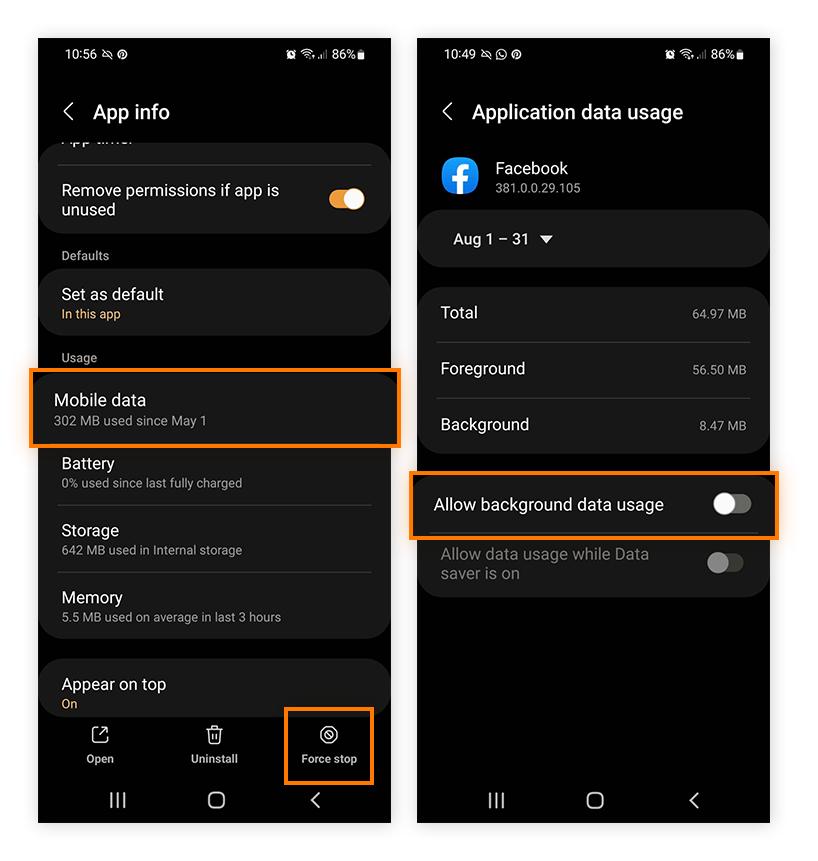
- If buffering persists, lower the resolution to 720p for smoother playback.

Problem 3: Login or Account Issues
Symptoms: Unable to log in, create an account, or access premium features.
Possible Causes:
- Incorrect credentials or unverified accounts.
- Device compatibility issues on PC or emulators.
- Outdated app version.
Step-by-Step Solution:
- Make sure your email and password are correct and your account is verified.
- Use the “Forgot Password” option.
If using BlueStacks/Nox, clear cache and restart the emulator.
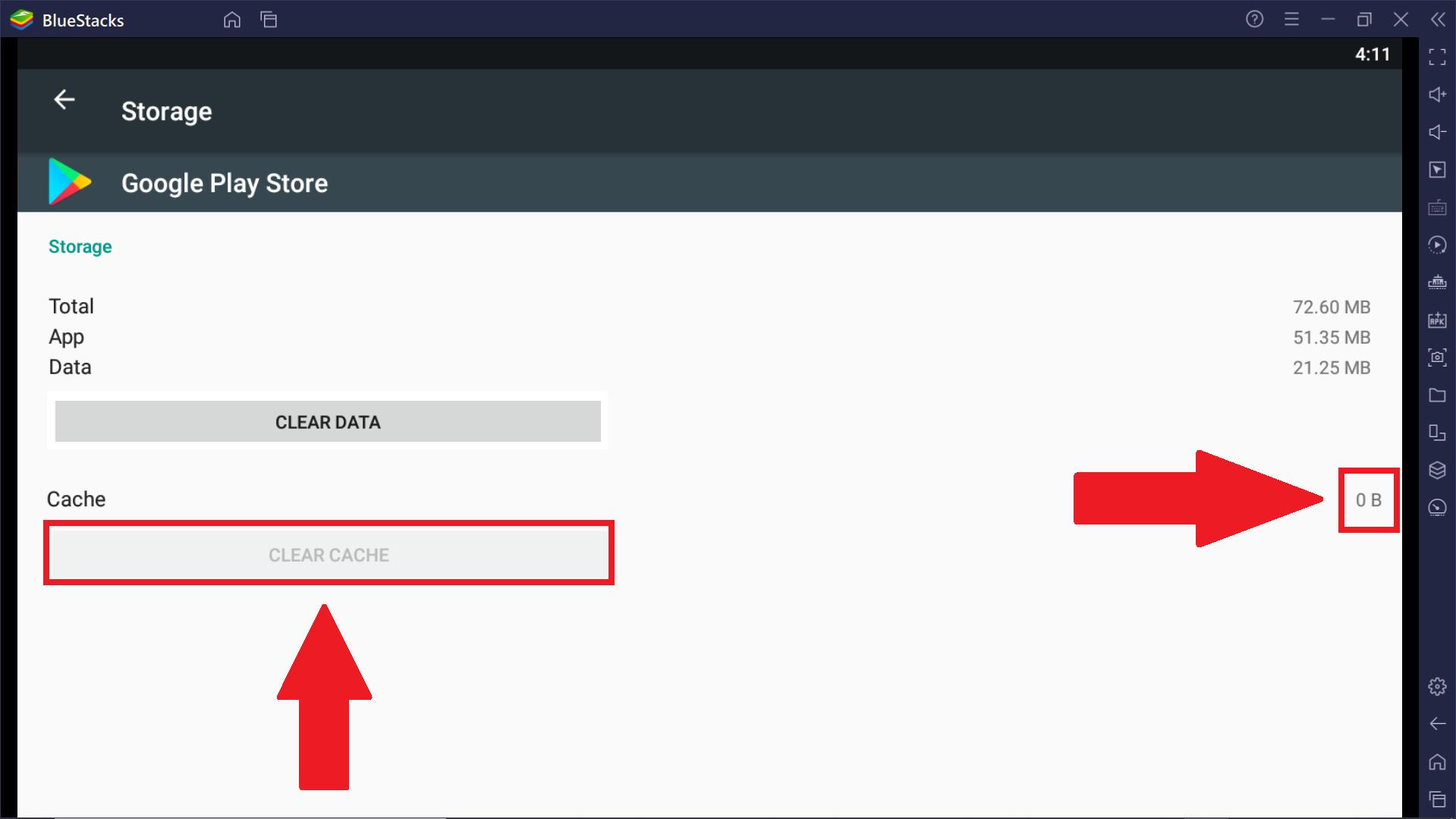
- Make sure you are using the latest APK version for optimal compatibility.

Risk Warning: Before Using Magis TV APK
Before downloading or installing Magis TV APK, it’s important to be aware of the potential risks involved, especially since the app is not available on official app stores like Google Play.
1. Security & Privacy Risks
Third-party APK files may come from unofficial sources and could be modified to include malware, spyware, or hidden ads. Installing such apps may put your personal data, device security, or Google account at risk.
2. Legal & Copyright Concerns
Magis TV may provide access to live TV channels or on-demand content that is not officially licensed in some regions. Streaming or distributing copyrighted content without proper authorization could violate local laws and regulations.
3. No Official Support or Updates
Because Magis TV APK is not an official Android app, users may experience bugs, crashes, or sudden service interruptions. There is also no guarantee of regular updates, security patches, or customer support.
4. Account & Device Restrictions
In some cases, using third-party streaming apps may lead to account warnings, app blocks, or compatibility issues with certain Android devices, emulators, or smart TVs.
How to Reduce Potential Risks
- Only download APK files from trusted and reputable sources
- Use antivirus or malware scanning tools before installation
- Avoid granting unnecessary permissions
- Check local laws regarding streaming services in your country

Disclaimer:
This article is for informational purposes only. We do not host, promote, or distribute any copyrighted content or APK files.
Final Words:
Magis TV APK offers an extensive library of live TV channels, movies, and on-demand content across multiple devices. Whether you’re using it on mobile, Firestick, Smart TV, or PC, following the proper installation steps and troubleshooting tips makes sure a smooth streaming experience. Download Magis TV APK today and enjoy seamless entertainment anytime, anywhere.
PixPretty AI Photo Editor
- 100% free AI Image Generator (Nano Banana 2 powered)
- 4K image quality with fast generation speed
- AI effects & filters for personal and e-commerce use

Related Articles:


