


It’s 2026, but last year’s Dhurandhar movie is still topping the charts. Specifically, the character of Rahman Dakait, the notorious villain, played by Akshay Khanna, is blowing up. Memes, reels, you name it—his dashing entry and dance are popping up all over your feed.
If you want in on the trend and wish to make your own Dhurandhar AI videos for free, you just need to nail the right Dhurandhar AI video prompts. No stress. We’ll tell you what to include to make the perfect Dhurandhar AI video prompt for free, alongside 10+ unique ideas for you to make you part of the viral trend!
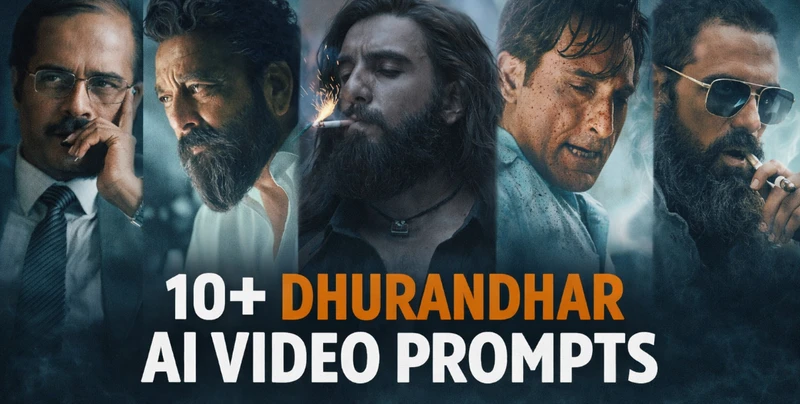
Table of Contents
Part 1: Style Guide For Dhurandar AI Video Prompts
Here’s a style guide for crafting the perfect Dhurandhar movie AI video prompt for Akshay Khanna’s Rahman Dakait character:
- Base Style Keywords:Cinematic, hyper-realistic, gritty, film noir, high contrast, dramatic lighting, Indian gangster film, Ram Gopal Varma style, saturated colors, grainy film texture, wide-angle lens, Dutch angle, slow motion.
- Camera: Use dynamic camera movements, slow push-in, dramatic pan, and handheld intensity.
- Setting: Mumbai slums, dark alleys, rain-slicked streets, neon signs (blue/red), cheap hotel rooms, dingy offices.

Part 2: 10+ Best Dhurandar AI Video Prompts In 2026
Here are 10+ Dhurandhar AI video prompts that you can use with any Dhurandhar AI video prompt generator:
1. The Iconic Introduction Shot: Extreme close-up on a man’s face inspired by Rahman Dakait from the Dhurandhar movie. His cold, emotionless eyes reflect neon lights. Slow push-in, cinematic, hyper-detailed skin, sweat on brow, slight smirk, film grain, high contrast, dark background, blue and red neon glow, 4k.

2. The Power Walk (Slow Motion): Low-angle shot of a man inspired by Rahman Dakait from the Dhurandhar movie in a black shalwar kameez with a suit jacket. He’s walking in slow motion through a crowded Mumbai night market. People blur out of focus, intense expression, dramatic backlighting from street lights, smoke and dust in the air, cinematic 24fps, anamorphic lens flare, and color grading: teal and orange.
3. The Interrogation Scene: Medium shot in a dark, cramped room. A gangster inspired by Rahman Dakait from the Dhurandhar movie, leans forward into a single light bulb with the shadows carving his face. He’s holding a cigarette, and smoke wisps across the frame. He stares directly at the camera with menacing calm. Cinematic lighting, chiaroscuro, gritty texture.

4. Action Moment - The “Encounter”: Slow-motion shot, Dutch angle. A man inspired by Rahman Dakait from the movie Dhurandhar wears a black shalwar kameez with a suit jacket. He’s firing a pistol, the muzzle flash illuminating his determined face in the dark alley. Rain droplets suspended in air, shell casings ejecting, dramatic lighting, hyper-realistic, action movie still, 8k.
5. Atmospheric & Symbolic: Rahman Dakait, styled like Amitabh Bachan, is sitting alone on a chair at night on a Mumbai rooftop, city lights bokeh in the background, contemplating, glass of alcohol in hand, lone figure, mood of isolation and power, melancholic atmosphere, cinematic wide shot.

6. The Furious Monologue: A Rehman Dakait AI video prompt with his close-up shot, shouting passionately, veins bulging on his forehead, spit flying, and extreme emotion. Shot with a handheld camera, dynamic, gritty, available light from a window, film grain, raw, and unpolished.
7. Street King Presence: Low-angle wide shot of Rehman Dakaitfrom the Dhurandhar movie, styled like Ranveer Singh (use the exact face, skin tone, age, and build from the uploaded photo), standing atop a pile of debris in a slum, arms wide, addressing his men, sunset behind him creating a fiery silhouette, dramatic sky, powerful pose, cinematic, and epic scale.

8. The Principled Standoff: A two-shot, intense face-off. A gangster in a black shalwar kameez with a suit jacket, inspired by Rahman Dakait from the Dhurandhar movie, points a finger accusingly. His eyes burn with conviction, opposite a blurred rival. Tight framing, tension, shallow depth of field, warm yellow, and dark shadows, cinematic.
9. Raw Violence & Emotion: Slow-motion punch impact. A gangster’s fist connecting with a target, face contorted in rage, sweat and blood droplets flying, extreme detail, dramatic lighting from a single source, background motion blur, hyper-realistic. The gangster is wearing a black shalwar kameez with a suit jacket inspired by Rahman Dakait from the Dhurandhar movie.
10. Brotherhood & Street Life: A gangster in a black shalwar kameez and suit jacket, laughing loudly with his gang in a dimly lit ‘adda,’ sharing a meal, smoke-filled room, warm ambient light, sense of camaraderie, handheld documentary style, vibrant colors, and authenticity.

11. The Empty Corridor: Symmetrical Kubrick-style shot. A man in a black shalwar kameez and suit jacket, inspired by Salman Khan, stands alone at the end of a long, fluorescent-lit police station corridor at night. The harsh light creates long, imposing shadows. He is a still, dark monument at the end of a sterile tunnel. Deep perspective, unsettling.
12. The Lone Figure at Nariman Point: Wide, melancholic shot at dawn. A man, in a black shalwar kameez and suit jacket, stands by the sea wall at Nariman Point, back to the camera, looking at the towering, empty skyscrapers of South Mumbai. Foggy, desaturated colors, and a lone crow flies by. A portrait of power and absolute loneliness.

13. The Bar Scene: Over-the-shoulder shot. A man (use the exact face from the uploaded photo) sits alone at a smoky, almost empty bar, nursing a whiskey. The world around him is a blur of color and laughter, but he is in a bubble of silence and shadow. Reflections in the glass and mirror behind him. Film noir mood.
14. The Original Rahman Dakait: Vertical 9:16 cinematic frame with a wide, full-body shot. A man inspired by Rahman Dakait from the Dhurandhar movie is centered in front. He’s walking toward the camera with a confident, dominant stride, slight smirk, and relaxed swinging hands. He wears all black. A long black coat or suit jacket over a black kameez, black shalwar, aviator sunglasses, and windswept, wavy, highlighted hair.

15. The Cigarette Lit by a Muzzle Flash: Surreal, hyper-stylized shot. In extreme slow motion, Rahman Dakait puts a cigarette to his lips. He raises his pistol and fires past the camera; the sudden muzzle flash lights the tip of his cigarette in the darkness. Smoke curls. 1000fps aesthetic, dramatic.
Tips for Generating Dhurandhar AI Videos
When using a Dhurandhar AI video generator for free, here are some tips you can follow for accurate results:
1. Layer Your Prompts: Start with the style keywords, then add the subject, then the action, then the lighting/camera.
2. Use Negative Prompts: Add ugly, deformed, cartoon, 3D, CGI, plastic, poorly lit, blurry, etc., to avoid frequent AI pitfalls.
3. Experiment with Motion: For tools like Pika or Runway, add motion cues, like slow zoom in, camera pan left, subtle handheld shake, and slow motion.
4. Reference Actors: You can add “inspired by Sanjay Dutt for Dhurandhar” or “styled like Amitabh Bachchan” for Rehman Dakait to guide the AI’s facial features.

[Bonus Tip] Dress as Rahman Dakait With an AI Cloth Changer
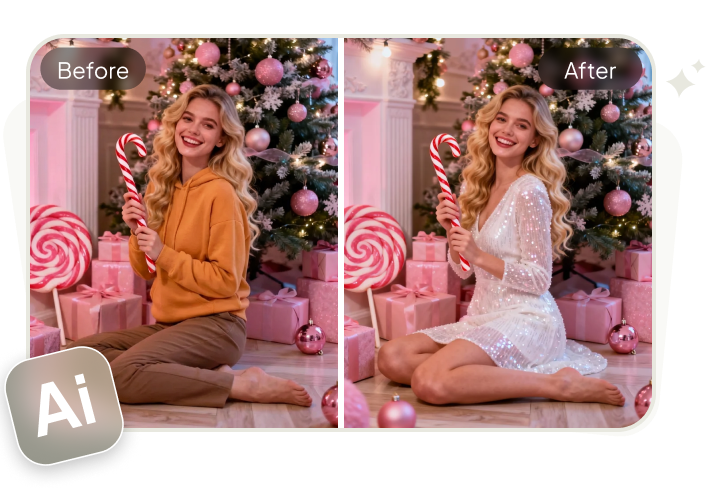
If you want to try Rahman Dakait’s style, a free tool like Tenorshare PixPretty AI offers an online Clothes Changer feature. You can upload the signature black shalwar kameez and suit jacket of Rahman Dakait to the tool, then add your picture and swap your dress. The tool also offers ready-made dresses that allow you to see how different outfits look on you in seconds.
You can choose or mix outfits and get realistic HD results without any technical skills. The tool also adjusts clothes to body shape, pose, and lighting for a natural look. In addition, PixPretty AI offers filters, effects, and presets, along with options to resize, compress, and convert images. It can remove backgrounds or watermarks, retouch faces, and edit hair, skin, and backdrops.
The Bottom Line
Making powerful Dhurandhar AI videos is all about using the right cinematic style, clear character-focused prompts, and strong lighting and camera details. From dramatic close-ups to slow-motion walks and emotional moments, these Dhurandhar AI video prompts help capture Rahman Dakait’s dark, gritty vibe.
By layering prompts and adding motion, you can get more realistic results. To complete the look, Tenorshare PixPretty AI’s Cloth Changer feature is a great choice. It lets you easily try Rahman Dakait’s signature outfit and edit images with simple tools.
PixPretty AI Clothes Changer
- Create charming Christmas looks with ease
- Turn everyday photos into festive holiday scenes
- Perfect for Christmas photos and family moments
Related Articles:


