


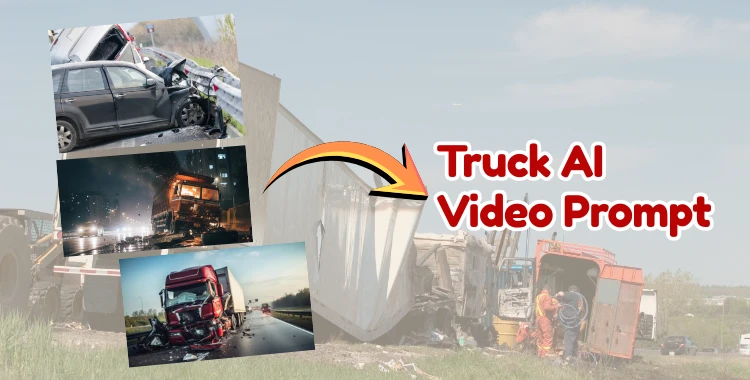
AI tools have changed the way truck videos are made. They make creating realistic, cinematic videos simple. Using a truck ai video prompt, you can produce scenes of trucks moving, stopping, or simulating accidents safely. Platforms like Google Gemini let you control camera angles, lighting, and motion.
This gives your video a professional, eye-catching look. Perfect for social media or video projects, this guide shows step by step how to make viral Bollywood-style AI truck videos.
Table of Contents
- Part 1: Top AI Tools for Truck Video Creation
- Part 2: Step-by-Step Guide to Making Truck AI Videos
- Part 3: Truck Accident AI Video Prompt – Simulate Accidents SafelyHOT
-
Part 4: Truck Crash AI Video Prompt – Create Dramatic Crash ScenesHOT
- 1. Nighttime Highway Truck Crash
- 2. Rain-Slicked Mountain Road Crash
- 3. Urban Intersection Collision
- 4. Narrow Alley Overturn Simulation
- 5. Desert Highway Loss-of-Control Crash
- 6. Foggy Cliffside Near-Miss Crash
- 7. Market Area Dramatic Collision
- 8. Coastal Road Slide Crash
- 9. Multi-Vehicle Highway Crash Simulation
- 10. Cinematic Bridge Edge Collision
- Bonus Tip: Try More Looks with PixPretty AI Clothes Changer
Part 1: Top AI Tools for Truck Video Creation
With the correct AI tools, you can easily create dramatic and realistic truck videos. Using a truck AI video prompt, you can simulate motion, lighting, and camera angles to produce professional-quality videos. Here are the top tools for truck video creation:
1. Google Gemini (Veo 3.1)
Google Gemini is a powerful AI video platform that allows you to generate cinematic truck scenes. With precise control over camera angles, lighting, and motion blur, it’s ideal for creating viral truck videos.

2. Runway
Runway offers AI-driven video generation and editing. You can input a truck accident ai video prompt to create cinematic movements, simulate accidents safely, and enhance realism with motion and environmental effects.

3. ChatGPT with Video Plugins
Advanced ChatGPT tools can generate detailed scripts and prompts for AI video creation. Pairing them with video platforms lets you transform a truck AI video prompt into a full cinematic scene.

4. MidJourney Video or Alternative Platforms
Other AI video platforms support cinematic truck animations. They allow realistic motion, crash simulation, and color grading when using a truck crash ai video prompt.

Part 2: Step-by-Step Guide to Making Truck AI Videos
It's not as hard as it seems to make a Bollywood-style AI truck video that goes viral. You may create dramatic truck scenes with realistic motion, lighting, and camera angles by utilizing a truck AI video prompt. For this, Google Gemini's Veo 3.1 tool is perfect as it enables you to produce excellent films that have a polished, eye-catching appearance.
Step 1: Access Google Gemini
Open Gemini on your web browser or mobile app (Android/iOS). Make sure you have an active subscription, as video creation is available only for subscribed users.
Step 2: Open Video Creation Tools
Click the Tools button below the prompt box. Select Create Videos (Veo 3.1).

Step 3: Write or Paste Your Truck AI Video Prompt
You can write your own prompt or use a ready-made one. Example prompt for a Bollywood-style truck body falling video:

Prompt Highlights:
Nighttime cinematic scene on an Indian asphalt road.
-
Extreme low-angle, side-view camera. Static camera, left-to-right motion only.
-
Rough road surface with dust, tyre marks, and worn asphalt texture.
-
Large commercial truck (Tata or Ashok Leyland) with motion blur and suspension movement.
-
Girl thrown from the truck, falling naturally with realistic physics.
-
Final frame: girl resting on the road, truck stopped, dramatic lighting, tension maintained.
Step 4: Generate the Video
Click Send to generate your video. Wait 1–2 minutes for Gemini to process.
Step 5: Preview and Download
Preview the video directly in Gemini. Click Download to save it for social media or other platforms.
Part 3: Truck Accident AI Video Prompt – Simulate Accidents Safely
Using a truck accident AI video prompt, you can simulate staged accidents in a safe and cinematic way. These prompts allow creators to generate realistic truck accident scenes without real-world risks.
1. Loading Dock Slip
Truck at a loading dock lightly bumps a crate while reversing. Dust and cardboard particles rise subtly. Side-angle camera captures subtle suspension shift and wheel motion. Background warehouse lights glow softly. Slow-motion emphasizes minor mishap without damage.

2. Loose Cargo Shift
Truck carrying crates on flatbed experiences a minor cargo shift during a turn. Side-profile camera shows crates sliding slightly, suspension reacts naturally. Dust and debris scattered minimally. No crash, safe physics simulation.

3. Tire Blowout Simulation
Truck experiences sudden tire blowout on a straight rural road. Side-angle camera shows subtle tilt and suspension response. Tire skid marks appear. Dust rises realistically. Vehicle remains upright, cinematic slow-motion highlights mechanical mishap safely.

4. Brake Check Incident
Truck slows down sharply at a checkpoint, lightly jolting cargo. Side-view camera captures suspension compression and minor vibration. Ambient background: toll booth or checkpoint lights. Safe, realistic simulation.
5. Engine Overheat Smoke
Truck stops at roadside, engine emits subtle smoke. Side-profile camera captures hood vibration and slight body tilt. Ambient heat shimmer visible, cinematic detail emphasizes mechanical mishap.

6. Sharp Turn Cargo Lean
Truck takes a sharp mountain curve, cargo slightly tilts forward. Side-angle camera shows suspension adjusting naturally. Dust rises minimally from tires. Background: hillside with rocks, cinematic framing without crashes.
7. Minor Side Swipe With Pole
Truck navigating narrow rural path lightly brushes a roadside pole. Side-profile camera captures suspension response and minimal dust. Background: vegetation and small rocks. No damage, safe incident.
8. Small Gravel Road Skid
Truck on gravel path, sudden minor skid into shallow ditch. Dust and gravel scatter naturally. Side-view camera captures wheel rotation and suspension movement. Truck remains upright, safe near-miss.
9. Loose Hitch Chain Swing
Trailer chain swings while truck slows, lightly hitting trailer side. Side-profile camera captures mechanical motion and subtle cargo sway. Dust rises from tire friction. Safe mechanical incident simulation.
10. Parking Lot Fender-Nudge
Truck parking in tight lot lightly nudges small cart or barrier. Side-angle camera captures suspension adjustment, minor dust, and gentle movement. Background: empty lot with lights softly glowing. Cinematic slow-motion, safe incident.
Part 4: Truck Crash AI Video Prompt – Create Dramatic Crash Scenes
A truck crash AI video prompt creates cinematic, dramatic crash scenes while maintaining realism. These are suitable for Instagram reels, YouTube shorts, or film-style content.
1. Nighttime Highway Truck Crash
Nighttime Indian highway, extreme low-angle side-view camera fixed on asphalt. Large commercial truck (brown-orange Tata) loses control and hits a roadside barrier. Dust, small rocks, and debris scatter naturally. Suspension compresses realistically. Headlights create lens flare and reflections on wet asphalt. Slow-motion captures truck tilting slightly as momentum shifts. Background: dimly lit apartment buildings, faint vehicle lights. Ambient sound of tires skidding and metal scraping implied, cinematic tension maintained.
2. Rain-Slicked Mountain Road Crash
Heavy rain scene, narrow mountain road. Side-view camera tracks truck approaching bend. Wheels skid, tires spray water realistically. Truck hits guardrail lightly, suspension reacts to uneven terrain, dust and pebbles scatter. Fog and rain droplets diffuse ambient streetlights and headlight beams. Cinematic slow-motion highlights debris motion, tire rotation, and subtle body sway. Background: misty cliffs, faint distant lights, reflective wet asphalt. Subtle camera shake enhances realism without exaggerating violence.
3. Urban Intersection Collision
Daytime city street, busy intersection. Truck veers slightly, collides with parked van. Side-profile camera fixed, captures realistic suspension response, wheels wobble naturally, dust rises from tires. Background: shops, LED signs, and pedestrians at safe distance. Light bounces off truck body and street surfaces. Camera slow-motion highlights momentum shift, minor debris displacement, and realistic environmental reaction. Emphasize cinematic framing, depth of field, and realistic shadows.
4. Narrow Alley Overturn Simulation
Truck navigating narrow alley too sharply, tips slightly without full roll-over. Side-angle camera shows suspension compression, tires lifting slightly. Dust rises, small stones scatter. Ambient lighting from dim streetlamps and shop LEDs create cinematic shadows. Slow-motion emphasizes momentum, truck tilts forward then settles. Motion blur applied subtly to wheels and moving objects. Background: urban clutter, parked vehicles, and textured asphalt. Physics-driven motion ensures realistic behavior.
5. Desert Highway Loss-of-Control Crash
Desert road during golden hour. Truck veers off lane, collides lightly with sand embankment. Dust clouds rise realistically, sand particles scatter. Suspension reacts to uneven ground. Side-view camera holds fixed cinematic framing. Sunlight casts long shadows, highlighting truck body tilt. Motion blur on wheels and debris enhances dramatic realism. Background: distant dunes, soft atmospheric haze. Subtle ambient wind effects on dust and truck body add cinematic authenticity.
6. Foggy Cliffside Near-Miss Crash
Foggy mountain pass, truck drifts toward cliff edge. Side-angle camera captures slow-motion skid into guardrail. Dust, small rocks, and debris move naturally. Suspension and wheels react realistically. Headlights and fog create volumetric lighting effects. Camera tracks motion, maintaining cinematic composition. Background: distant valley obscured by fog, muted tones, emphasizing suspense and realism.
7. Market Area Dramatic Collision
Truck collides with barricade in market alley. Side-view camera fixed, captures suspension compression, realistic vibrations, and dust clouds. Motion blur emphasizes speed and impact. Background: illuminated shop signs, decorative LED lights, pedestrians safely placed in frame. Slow-motion highlights debris scattering and momentum transfer. Cinematic color grading with warm evening tones enhances visual drama.
8. Coastal Road Slide Crash
Truck loses traction on wet coastal road at sunset. Side-profile camera tracks sliding motion, wheels spinning with realistic friction. Suspension reacts to uneven surface, dust, and sand particles fly. Truck gently hits roadside barrier. Slow-motion captures motion blur of wheels and minor debris. Background: ocean reflection, waves faintly visible, sunset glow on truck. Cinematic lighting, subtle camera shake, and realistic environmental cues enhance tension.
9. Multi-Vehicle Highway Crash Simulation
Two trucks collide lightly on a busy highway. Side-view camera captures impact, wheel spin, and suspension response. Debris, dust, and skid marks appear naturally. Background vehicles blurred with motion blur, emphasizing main collision. Cinematic slow-motion highlights energy transfer, realistic truck sway, and minor dust clouds. Sunlight reflects off wet asphalt, shadows and depth of field applied to enhance realism. Ambient sound implied: tires screech, metal groan, air displacement.
10. Cinematic Bridge Edge Collision
Truck approaches bridge edge, slightly clips guardrail. Side-profile camera fixed low to asphalt, extreme cinematic angle. Suspension compresses realistically, debris scatters along bridge. Dust and small stone particles react naturally to momentum. Slow-motion emphasizes tilt and subtle vibrations. Background: city skyline at twilight, distant lights reflected on water. Ambient cinematic lighting, soft lens flares, and realistic physics-driven motion create dramatic, safe crash simulation.
Bonus Tip: Try More Looks with PixPretty AI Clothes Changer
PixPretty AI Clothes Changer is an easy online tool that helps you try different outfits using AI. Simply upload your photo, pick a clothing style, and see instant results. The ai creates realistic, high-quality try-on images that match your body shape, lighting, and pose.
You can explore casual, festive, or formal looks without changing clothes. It’s fast, beginner-friendly, completely free, and works directly in your browser.
Final Words:
In the end, using a well-written truck AI video prompt helps you create realistic, cinematic truck scenes with better motion, lighting, and impact. If you want fast, easy results without complex tools, PixPretty AI is a great option to explore and experiment with high-quality AI visuals in just a few clicks.
PixPretty AI Photo Editor
- 100% free AI Image Generator (Nano Banana 2 powered)
- 4K image quality with fast generation speed
- AI effects & filters for personal and e-commerce use

Related Articles:


