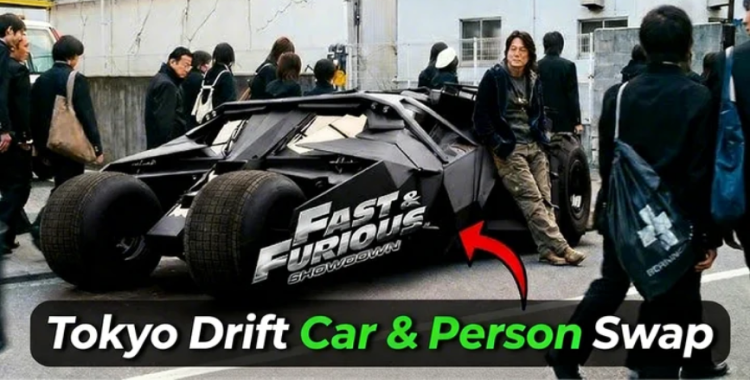
Viral drift edits are easier to create with the right tokyo drift ai prompt. Simple clips can be transformed into cinematic Tokyo Drift car and person swap videos within minutes. No advanced skills are required just creative prompts and basic tools. These ideas help produce smooth transitions, dynamic effects, and engaging visuals that stand out on social media.
This guide brings powerful and easy prompts to improve your editing workflow and save time. Start making professional-looking drift videos that capture attention and perform well online.
Table of Contents
Part 1. How to Make Viral Tokyo Drift Car Swap Videos
Creating cinematic drift edits is easier than ever using smart Fast and Furious car swap prompts. The key is realism. Your swapped car must match the scene's angle, lighting, and motion to look seamless. Follow these detailed steps to make Viral Tokyo Drift Car Swap Meme with AI effortlessly.
Here is how to make the Tokyo Drift Ai video:
Step 1: Capture the Perfect Scene
Take a high-quality screenshot or clip from your Tokyo Drift-style video. Ensure:
-
The car is clearly visible
-
The camera angle is consistent (front, side, or drifting shot)
-
Lighting is even and realistic
-
Motion blur is minimal

A clean base scene helps the AI understand the context and generate a smooth swap.
Step 2: Select a Matching Replacement Car
Choose an image of the car you want to swap in. For best results:
-
Match the angle to the original car
-
Keep lighting conditions similar (day/night)
-
Use high-resolution images for detail and sharpness

Mismatched angles or lighting can make the swap look unnatural.
Step 3: Write a Clear AI Prompt
Use detailed instructions so the AI preserves realism.

Basic Prompt:
Replace the car in photo 1 with the car from photo 2. Keep the angle, lighting, reflections, scene style, and proportions identical.
Creative Prompt for Viral Effect:
Replace the car in photo 1 with a luxury sports car. Preserve cinematic lighting, tire smoke, drifting motion, reflections, and shadows.
Fun Twist:
Replace the car in photo 1 with a horse-drawn carriage. Ensure the angle, lighting, and scene details remain realistic.
Video Prompt:
Replace the car in the video with the car from the image. Maintain motion, perspective, lighting, reflections, and proportions for a smooth Tokyo Drift effect.

Step 4: Use Higgsfield AI
Go to Higgsfield AI, open the Image section, and select the Nano Banana Pro model for the highest quality output.

Step 5: Upload Your Files
-
Upload the original scene screenshot or clip
-
Upload the replacement car image

Step 6: Configure Settings
-
Set high resolution and quality for cinematic results
-
Enable batch generation (3--4 results) to get multiple options
-
Double-check settings to match scene realism

Step 7: Make a Viral Video
Go to the Video section in Higgsfield AI. Upload the edited image and the original movie scene video clip. Choose the Kling Video 01 model. Paste your video prompt from Step 2. Click Generate to produce the final scene video with the swapped car.

Part 2. Top 30 Tokyo Drift AI Prompts
Fast and Furious tokyo drift ai prompt make it easy to create viral and dramatic cuts. The key is providing highly descriptive, clear instructions for AI: specify car type, angle, lighting, reflections, motion, tire smoke, scene style, and mood. Here are 30 fully prompts ready to generate images or videos:

1. Lamborghini Aventador Drift Swap
Replace the car in the video with a Lamborghini Aventador from the reference image. Preserve the exact drift angle, side perspective, tire smoke, reflections on wet street surfaces, and motion blur. Keep ambient lighting, shadows, and cinematic neon city environment. The car should move naturally along the scene's original trajectory.
2. Formula 1 Racing Drift
Swap the original drifting car with a Formula 1 race car. Maintain front-drift angle, realistic tire deformation, motion blur, and smoke trails. Match street reflections, lighting, shadows, and cinematic perspective. Ensure the car's movement aligns perfectly with the original video's speed and trajectory.
3. Classic Muscle Car Drift
Replace the drifting car with a 1970s Mustang. Preserve side angle, tire smoke, wet street reflections, and motion blur. Keep shadows, lighting, and environmental details consistent. The car should drift naturally along the original path, blending perfectly with buildings, street lights, and cinematic motion effects.
4. Futuristic Hypercar Night Drift
Swap the car with a futuristic hypercar. Preserve side-drift motion, tire smoke, motion blur, neon reflections, and cinematic street lighting. Maintain perspective, shadows, and reflections. Ensure the car follows the original drift trajectory, creating a natural Tokyo Drift-style scene.
5. Monster Truck Action Swap
Replace the car with a monster truck from the reference image. Keep side-drift angle, exaggerated tire deformation, motion blur, and tire smoke. Maintain reflections, shadows, and cinematic lighting. Ensure the truck's movement matches the original drift trajectory for a seamless result.
6. Horse-Drawn Carriage Meme
Swap the car with a horse-drawn carriage. Preserve the original drift angle, motion blur, reflections, shadows, and lighting. Maintain cinematic perspective, street reflections, and trajectory so the carriage appears naturally moving along the original path.

7. Cyberpunk Neon Drift
Replace the drifting car with a neon-lit cyberpunk vehicle. Preserve side-drift angle, tire smoke, reflections on wet streets, motion blur, and neon lighting. Match shadows, reflections, and perspective. Ensure the car moves perfectly along the original video's trajectory for a futuristic Tokyo Drift effect.
8. Racing Drone Swap
Swap the car with a racing drone from the reference image. Maintain drift angle, motion blur, shadows, and reflections on surrounding surfaces. Keep cinematic lighting consistent. Ensure the drone's movement follows the original car path and speed for a dynamic effect.
9. Transforming Robot Car
Replace the car with a robot transforming into a drift vehicle. Preserve side-drift angle, motion blur, reflections, and lighting. Keep shadows and tire smoke consistent with the original scene. Ensure movement aligns with the original trajectory for smooth cinematic integration.
10. Ferrari LaFerrari Drift
Swap the drifting car with a Ferrari LaFerrari. Keep side-angle drift, tire smoke, motion blur, wet street reflections, and cinematic lighting. Maintain shadows and reflections on surrounding objects. The car must follow the original drift trajectory for realistic, seamless integration.
11. Neon Sports Car Night Drift
Replace the drifting car with a neon-lit Tokyo street sports car. Preserve side-drift angle, tire smoke, motion blur, neon reflections on wet streets, shadows, and cinematic night lighting. Ensure the car follows the original path for a realistic Tokyo Drift scene.
12. Anime Style Drift Car
Swap the car with an exaggerated anime-style drift car. Maintain motion lines, tire smoke, reflections, and lighting, while keeping the cinematic side-drift perspective realistic.

13. Classic Japanese Drift Car
Replace the car with a Nissan Silvia S15. Keep side angle, tire smoke, reflections, wet street lighting, and motion blur intact. Ensure the car drifts naturally along the original path.
14. Formula Drift Championship Car
Swap the drifting car with a Formula Drift championship vehicle. Maintain angle, tire smoke, motion blur, reflections, and cinematic lighting, following the original drift trajectory.
15. Luxury SUV Drift
Replace the car with a high-end SUV. Preserve side-drift angle, reflections, tire smoke, motion blur, and cinematic street lighting. Ensure the SUV's motion aligns with the original trajectory.
16. Transforming Robot Car Drift
Swap the car with a robot transforming into a drift vehicle. Keep motion blur, reflections, side-drift angle, tire smoke, and lighting consistent with the original scene.
17. Miniature Toy Car Meme
Replace the drifting car with a miniature toy car. Maintain angle, reflections, motion blur, shadows, and tire smoke, ensuring it integrates naturally into the environment.
18. Futuristic Hover Car
Swap the car with a hovering futuristic vehicle. Preserve side-drift perspective, motion blur, reflections, tire smoke, neon lighting, and cinematic street effects.

19. Police Chase Supercar
Replace the drifting car with a police supercar in pursuit. Maintain angle, tire smoke, reflections, motion blur, and cinematic lighting while keeping the original trajectory.
20. Cargo Truck Drift
Swap the car with a drifting cargo truck. Preserve side angle, motion blur, tire deformation, shadows, reflections, and cinematic street lighting.
21. Fire-Breathing Dragon Meme
Replace the drifting car with a dragon breathing smoke/flames. Keep motion blur, angle, shadows, reflections, and lighting consistent for cinematic realism.
22. Video Game Racing Kart
Swap the car with a racing kart from a video game. Maintain motion blur, side-drift angle, reflections, lighting, and tire smoke, ensuring natural integration into the scene.
23. Cyberpunk Futuristic Car
Replace the car with a cyberpunk neon vehicle. Preserve side-drift angle, reflections, neon lighting, tire smoke, shadows, and cinematic wet street realism.
24. Night Muscle Car Drift
Swap the car with a neon-lit classic muscle car at night. Keep side-drift angle, tire smoke, motion blur, reflections, shadows, and cinematic street lighting intact.
25. Hover Motorcycle Drift
Replace the car with a hovering motorcycle. Maintain motion blur, side-drift angle, reflections, tire smoke, and lighting, blending naturally with the environment.
26. Cartoon Drift Car Meme
Swap the car with a cartoon-style vehicle. Preserve motion lines, reflections, shadows, side-drift perspective, and lighting for cinematic yet fun effects.

27. Futuristic Concept Car
Replace the car with a hybrid futuristic concept vehicle. Maintain side-drift motion, reflections, neon lighting, motion blur, tire smoke, and cinematic realism.
28. Classic Tokyo Drift Movie Car
Swap the car with a classic Tokyo Drift movie car. Keep angle, tire smoke, reflections, motion blur, and cinematic background intact.
29. Self-Driving AI Drift Car
Replace the car with a self-driving AI-controlled drift car. Preserve side-drift angle, reflections, motion blur, tire smoke, and lighting, following the original path.
30. Dragon Car Meme
Swap the car with a car combined with a dragon or creature for a viral meme. Maintain motion blur, angle, reflections, shadows, tire smoke, and cinematic environment realism.
Part 3. Tips to Make the Best Tokyo Drift Car Swap Videos
Making a viral Tokyo Drift video is about more than just swapping cars. With AI tools like Higgsfield Tokyo Drift car swap tutorial, you can turn any clip into a realistic, eye-catching drift scene. Follow these tips to make viral Tokyo Drift car swap memes with AI:
-
Start with High-Quality Clips: Clear videos give realistic results. Reflections, shadows, and drift motion are easier to match.
-
Choose the Right Car: Pick a car that fits the scene. Sports cars, futuristic rides, or fun meme swaps should look natural.
-
Keep the Drift Angle: Preserve the original drift motion and direction for smooth, realistic movement.
-
Match Lighting & Reflections: Make sure the car matches street lights, neon signs, and wet road reflections.
-
Add Tire Smoke & Blur: Include tire smoke, skid marks, and motion blur for cinematic effect.
-
Generate Multiple Versions: Run a few AI variations and pick the best-looking result.
-
Include Fun or Meme Elements: Memes or unusual swaps are fine, just keep shadows and perspective realistic.
-
Check Environment Fit: Ensure the car blends naturally with roads, buildings, and surroundings.
-
Use Detailed Prompts: Include angle, lighting, reflections, tire smoke, motion blur, and scene style for accurate AI results.
-
Polish the Final Clip: Minor edits to color, speed, or brightness make the video look professional.
Part 4. Enhance Your Tokyo Drift AI Images with PixPretty AI
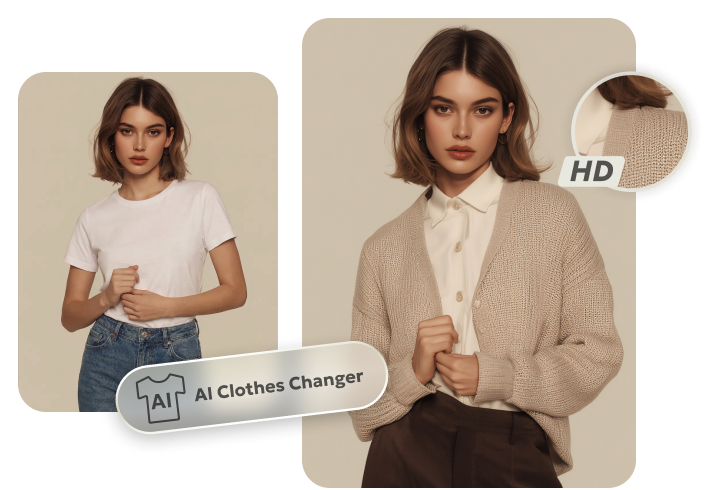
Bring your Tokyo Drift edits to life with PixPretty AI, the ultimate free photo editor trusted by millions. With advanced AI, PixPretty can instantly remove complex backgrounds, swap clothes, resize images, or enhance visuals in seconds.
Perfect for cars, people, animals, and graphics, it lets you create clean, professional-looking AI images without any hassle. Whether you're making viral Tokyo Drift memes, AI car swaps, or creative graphics, PixPretty's tools save time. They boost your creativity and make your edits eye-catching. With just a few clicks, your images become professional and shareable.
Conclusion:
With the right tokyo drift ai prompt, you can easily swap cars, make viral memes, and add cinematic effects to any scene. Combining these prompts with PixPretty AI lets you enhance images, remove backgrounds, and polish every edit effortlessly. These tools help bring your creative vision to life, making your Tokyo Drift videos and images look professional, eye-catching, and ready to share with the world.
PixPretty AI Clothes Changer
- Instantly change outfits with AI in 1 click
- Realistic AI previews for every top, bottom, or dress
- Create and explore endless outfits and OOTDs without editing