


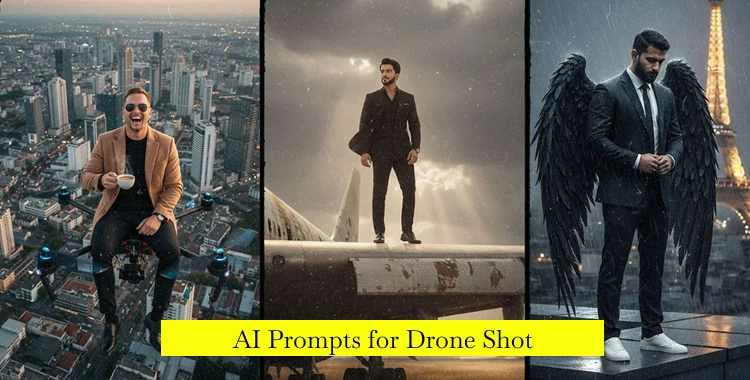
When you want breathtaking aerial images, the right AI prompts for drone shot make all the difference.
This guide gives you ready-to-use prompts, step-by-step creation tips, and best practices to craft cinematic drone images with generative AI tools like Gemini, Midjourney, Stable Diffusion, and others.
Part 1. 20+ AI Prompts for Drone Shot Copy & Paste
1. Epic Landscapes & Natural Environments

Prompt 1. Mountain Sunrise — Grand Scale:
Generate an ultra-realistic cinematic drone shot captured from a high-altitude aerial perspective, looking across an expansive mountain range at early sunrise. Soft golden light spills over sharp peaks while thick morning mist slowly drifts through the valleys below. The scene uses a wide cinematic aspect ratio, natural color grading, subtle atmospheric haze, realistic shadow falloff, and high dynamic range lighting, creating a calm yet powerful sense of scale and depth.

Prompt 2. River Valley — Geographic Patterns:
Create a bird’s-eye, top-down drone shot of a winding river cutting through a wide rural valley. Patchwork farmland surrounds the river, with visible textures of soil, crops, and grass. Early morning light casts gentle shadows, the water reflects pale sky tones, and the overall style is ultra-realistic, clean, and documentary-like with precise terrain detail.
Prompt 3. Coastal Cliffs — Dramatic Mood:
Generate a wide aerial drone shot hovering above rugged coastal cliffs, captured at mid-altitude. Powerful ocean waves crash against dark rock formations below, sending white foam upward. Heavy clouds fill the sky, with beams of sunlight breaking through, creating strong contrast and cinematic drama. Natural wind motion and realistic ocean textures are clearly visible.

Prompt 4. Desert Dunes — Light and Shadow:
Create a low-altitude cinematic drone glide over rolling desert sand dunes at sunset. Long shadow lines stretch across the sand, emphasizing shape and texture. The color palette features warm amber and soft orange tones, with smooth gradients in the sky. The shot feels slow, peaceful, and expansive, with ultra-wide lens depth and natural realism.
Prompt 5. Rainforest Canopy — Texture Focus:
Generate a straight-down aerial drone shot of dense tropical rainforest after rainfall. The canopy is thick and layered, with visible leaf textures, moisture reflections, and subtle fog rising between trees. Lighting is soft and diffused, with rich green tones and high realism, creating a lush, immersive overhead composition.
2. Urban, Cityscape & Architecture
Prompt 6. Skyline at Blue Hour:
Create a high-angle drone shot of a modern city skyline during blue hour. Skyscrapers glow as interior lights slowly turn on, glass buildings reflect the deep blue sky, and long shadows form between structures. The framing is wide and balanced, with clean architectural lines and a cinematic city atmosphere.
Prompt 7. City Streets at Night:
Generate a nighttime aerial drone shot looking down over busy city streets. Car headlights and taillights form smooth light trails, wet asphalt reflects neon signage, and the overall scene has a cinematic cyber-urban feel. Contrast is high, shadows are deep, and lighting remains realistic and grounded.

Prompt 8. Historic City Square:
Create a perfectly vertical top-down drone shot of a historic European-style city square. Cobblestone patterns, rooftops, and narrow streets form strong geometric shapes. Warm morning sunlight highlights textures while long shadows add depth. The style is ultra-sharp, realistic, and visually symmetrical.
Prompt 9. Riverside City Flyover:
Generate a smooth cinematic drone flyover following a river as it passes through an urban center at sunset. Buildings line both sides of the water, reflections ripple softly on the surface, and the sky transitions from orange to purple. The motion is slow and elegant, emphasizing calm urban beauty.

Prompt 10. Bridge Tracking Shot:
Create an aerial tracking drone shot moving above and along a long suspension bridge at dusk. Street lights glow evenly, vehicles move steadily, and the bridge structure leads the eye forward. Subtle motion blur and cinematic framing enhance scale and realism.
2. Dynamic Movement & Action Shots
Prompt 11. FPV Forest Chase:
Generate an FPV-style drone shot flying rapidly through tall pine trees at low altitude. The camera weaves between trunks with smooth but fast motion, subtle motion blur at the edges, dynamic lighting shifts, and lens flare from sunlight breaking through branches, creating an immersive action feel.
Prompt 12. Temple Orbit Reveal:
Create a smooth orbital drone movement circling an ancient stone temple on a hilltop. Fog drifts slowly around the structure as the camera completes a full rotation. Lighting is soft and cinematic, emphasizing age, scale, and mystery, with realistic stone textures and atmospheric depth.

Prompt 13. Mountain Trail Follow:
Generate a low-flying drone tracking shot following a lone cyclist riding along a narrow mountain trail. Dust rises behind the bike, sunlight flickers through trees, and the terrain feels rugged and real. Camera motion stays steady and cinematic, maintaining focus on the subject.
Prompt 14. Waterfall Reveal:
Create a wide cinematic drone reveal starting high above a forest and slowly descending toward a powerful waterfall. Mist rises from below, catching golden light, while lush greenery surrounds the scene. The motion is slow and dramatic, with realistic water physics and depth.
4. Human-Centered & Emotional Aerial Shots
Prompt 15. Couple Beach Walk:
Generate a cinematic aerial drone shot of a couple walking hand-in-hand along a quiet beach at sunset. The camera remains slightly elevated and behind them, capturing long shadows on the sand, soft waves at their feet, and a warm, romantic color palette.
Prompt 16. Campfire Gathering:
Create a top-down drone shot of a small group of friends sitting around a campfire in an open meadow at dusk. The fire casts a warm glow on faces and grass, while the surrounding area fades into cool blue shadows, creating a cozy yet cinematic mood.

Prompt 17. Lone Runner Cliff Path:
Generate a high aerial drone shot of a lone runner moving along a narrow cliffside path above the ocean. The vast sea stretches below, wind sweeps through the scene, and the composition emphasizes isolation, scale, and determination.
Prompt 18. Wedding Formation:
Create a straight-down drone shot of a wedding party standing in a heart-shaped formation on a green lawn. Midday sunlight provides even illumination, colors are vivid yet natural, and the composition is clean, celebratory, and symmetrical.
5. Creative, Stylized & Conceptual Shots
Prompt 19. Surreal Floating Island:
Generate a surreal cinematic drone shot of a floating island suspended above thick clouds. Soft pastel sunrise colors fill the sky, waterfalls spill gently into the clouds below, and lighting feels dreamlike yet detailed, with smooth gradients and fantasy realism.

Prompt 20. Night Forest Fantasy:
Create a diagonal aerial drone shot above a forest at night, illuminated by glowing fireflies and soft moonlight. Subtle fog drifts between trees, colors remain deep and rich, and the overall mood feels magical, cinematic, and immersive.
Prompt 21. Futuristic City Concept:
Generate a high-altitude drone shot of a futuristic city at night, featuring advanced architecture, glowing road networks, and layered vertical depth. The camera is wide and stable, lighting is clean and controlled, and the overall style is ultra-realistic sci-fi cinematic.
Part 2. How to Create Cinematic Drone Images
Follow these steps to turn text prompts into incredible images:
1. Choose Your AI Tool
You can use image generators like Midjourney, Stable Diffusion, Gemini AI, or commercial apps with text-to-image features. Each tool reads natural language prompts and generates pictures based on what you describe.
2. Use Clear Prompts
Copy and paste the prompts above, or you can write a new prompt. A strong prompt includes::
Subject (what’s the main view?)
Scene details (weather, time of day, landscape type)
Style (cinematic, realistic, artistic)
Camera language (wide angle, drone height, lens effects)
This method helps the AI understand your vision and produce better results.
3. Adjust for Output Size
Ask for specific resolution (e.g., “8K UHD) for high-quality results.
4. Refine with Negative Prompts
If you see unwanted elements like noise or blur, tell the AI what to avoid (e.g., “no blur, no noise).
5. Use Iteration
Often the first result needs tweaking. Add or reduce details to make the shot closer to your goal.
6. Use AI Editing Tools
After generation, use tools (like PixPretty AI Photo Editor, Photoshop AI, Runway, or dedicated sky-replacement tools) to polish color, sharpen detail, and enhance lighting.
Part 3. Tips to Create Cinematic Drone Images
- 1. Keep Prompts Simple But Specific - Use short clear phrases instead of long text paragraphs. Clear prompts work better for image AI.
- 2. Focus on Angle and Movement Words - Words like overhead, bird’s-eye view, fast move, smooth pan help the AI know how to frame the drone shot.
- 3. Mix Real-World Terms - Descriptions like “golden hour, “soft shadows, and “cinematic grade color help produce natural-looking results.
- 4. Use Consistent Style Tags - If you want all your shots similar, always include the same style tags, like “cinematic, “ultra-realistic, or “film grain.
- 5. Test Often and Save Works - Generate small batches and keep best versions as references. You can refine prompts based on what works.

tip:
After generating images, you can use PixPretty AI Photo Editor to fix background, improve sharpness, and batch-rename files with ease. PixPretty speeds post-production and helps you organize your best drone shots quickly.
Conclusion
AI prompts for drone shot give creators a fast path to stunning aerial visuals. With the right prompt wording and a step-by-step workflow, you can produce cinematic views that feel professional and real. :
Remember to experiment, refine, and use tools like PixPretty AI Photo Editor to polish your final images and manage files effectively.
PixPretty AI Photo Editor
- 100% free AI Image Generator (Nano Banana 2 powered)
- 4K image quality with fast generation speed
- AI effects & filters for personal and e-commerce use



