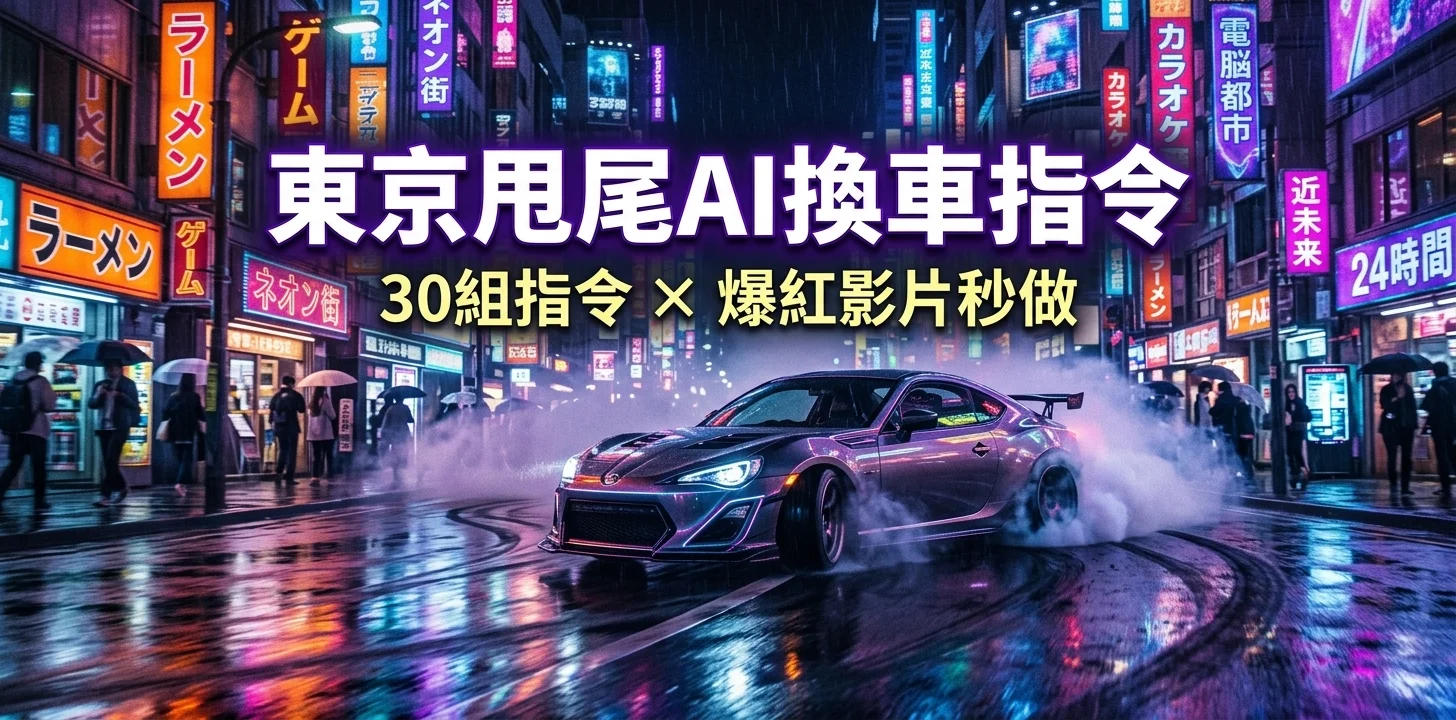
掌握正確的東京甩尾AI換車指令,要做出爆紅的甩尾剪輯其實比你想像的簡單多了。就算只是一段普通的行車影片,也能在幾分鐘內變成電影級的東京甩尾AI影片,完整重現玩命關頭那種熱血場面。不需要專業技術,只要好的指令加上基本工具,就能做出流暢的換車特效、動態視覺效果,讓你的內容在社群上脫穎而出。
這篇文章整理了一批強力又好上手的東京甩尾AI換車指令,幫你優化剪輯流程、節省時間。現在就開始做出讓人停不下來滑的專業甩尾影片吧!
文章目錄
第一部分:如何製作爆紅的東京甩尾AI換車影片
有了聰明的東京甩尾AI換車指令,製作電影感甩尾剪輯比以前容易太多了。關鍵在於「真實感」——換進去的車必須和場景的角度、光線與動態完美吻合,看起來才夠自然。跟著以下詳細步驟操作,零基礎也能輕鬆做出爆紅的東京甩尾AI影片。
東京甩尾AI影片怎麼做?完整步驟如下:
步驟一:擷取完美的基礎畫面
從你的東京甩尾風格影片中截取高畫質畫面或片段,確認以下幾點:
-
東京甩尾車要清楚呈現在畫面中
-
鏡頭角度一致(正面、側面或甩尾角度)
-
光線均勻、看起來真實自然
-
動態模糊程度最小化

乾淨的基礎畫面能幫助AI更準確理解場景脈絡,生成更順暢的換車效果。
步驟二:挑選適合的替換車款
選一張你想換入的車款圖片,效果最佳的條件如下:
-
角度要和原本的東京甩尾車盡量一致
-
光線條件相近(日間或夜間場景)
-
使用高解析度圖片,細節和清晰度才夠

角度或光線不搭,換出來的效果就會很假,這點要特別注意。
步驟三:撰寫清楚的AI換車指令
下達詳細指令,讓AI確實保留場景的真實感。

基礎指令:
Replace the car in photo 1 with the car from photo 2. Keep the angle, lighting, reflections, scene style, and proportions identical.
爆紅效果創意指令:
Replace the car in photo 1 with a luxury sports car. Preserve cinematic lighting, tire smoke, drifting motion, reflections, and shadows.
搞笑迷因變化版:
Replace the car in photo 1 with a horse-drawn carriage. Ensure the angle, lighting, and scene details remain realistic.
影片專用指令:
Replace the car in the video with the car from the image. Maintain motion, perspective, lighting, reflections, and proportions for a smooth Tokyo Drift effect.

步驟四:使用 Higgsfield AI
前往 Higgsfield AI,開啟「Image」圖像功能區,選擇 Nano Banana Pro 模型,畫質輸出最高。

步驟五:上傳檔案
-
上傳原始場景截圖或影片片段
-
上傳要換入的東京甩尾車圖片

步驟六:設定參數
-
設為高解析度與高畫質,成品才有電影感
-
開啟批次生成(建議3至4張),多個結果可供挑選
-
再次確認設定符合場景真實感

步驟七:生成爆紅影片
切換到 Higgsfield AI 的「Video」影片功能區,上傳剛才編輯好的圖片以及原始電影場景影片片段,選擇 Kling Video 01 模型,貼上步驟三的影片專用指令,點擊「Generate」生成最終換車完成的場景影片。

第二部分:30組精選東京甩尾AI換車指令
想做出爆紅又震撼的東京甩尾AI換車剪輯,指令的品質至關重要。給AI的描述越詳細越好:車款類型、拍攝角度、光線、反光、動態、輪胎煙霧、場景風格與整體氛圍,全部都要寫清楚。以下30組完整指令,可直接用於圖片或影片生成:

1. 藍寶堅尼 Aventador 甩尾換車
Replace the car in the video with a Lamborghini Aventador from the reference image. Preserve the exact drift angle, side perspective, tire smoke, reflections on wet street surfaces, and motion blur. Keep ambient lighting, shadows, and cinematic neon city environment. The car should move naturally along the scene's original trajectory.
2. F1 賽車甩尾
Swap the original drifting car with a Formula 1 race car. Maintain front-drift angle, realistic tire deformation, motion blur, and smoke trails. Match street reflections, lighting, shadows, and cinematic perspective. Ensure the car's movement aligns perfectly with the original video's speed and trajectory.
3. 經典美式肌肉車甩尾
Replace the drifting car with a 1970s Mustang. Preserve side angle, tire smoke, wet street reflections, and motion blur. Keep shadows, lighting, and environmental details consistent. The car should drift naturally along the original path, blending perfectly with buildings, street lights, and cinematic motion effects.
4. 未來感超跑夜間甩尾
Swap the car with a futuristic hypercar. Preserve side-drift motion, tire smoke, motion blur, neon reflections, and cinematic street lighting. Maintain perspective, shadows, and reflections. Ensure the car follows the original drift trajectory, creating a natural Tokyo Drift-style scene.
5. 怪獸卡車動作換車
Replace the car with a monster truck from the reference image. Keep side-drift angle, exaggerated tire deformation, motion blur, and tire smoke. Maintain reflections, shadows, and cinematic lighting. Ensure the truck's movement matches the original drift trajectory for a seamless result.
6. 馬車迷因爆笑版
Swap the car with a horse-drawn carriage. Preserve the original drift angle, motion blur, reflections, shadows, and lighting. Maintain cinematic perspective, street reflections, and trajectory so the carriage appears naturally moving along the original path.

7. 賽博龐克霓虹甩尾
Replace the drifting car with a neon-lit cyberpunk vehicle. Preserve side-drift angle, tire smoke, reflections on wet streets, motion blur, and neon lighting. Match shadows, reflections, and perspective. Ensure the car moves perfectly along the original video's trajectory for a futuristic Tokyo Drift effect.
8. 競速無人機換車
Swap the car with a racing drone from the reference image. Maintain drift angle, motion blur, shadows, and reflections on surrounding surfaces. Keep cinematic lighting consistent. Ensure the drone's movement follows the original car path and speed for a dynamic effect.
9. 變形金剛機器人汽車
Replace the car with a robot transforming into a drift vehicle. Preserve side-drift angle, motion blur, reflections, and lighting. Keep shadows and tire smoke consistent with the original scene. Ensure movement aligns with the original trajectory for smooth cinematic integration.
10. 法拉利 LaFerrari 甩尾
Swap the drifting car with a Ferrari LaFerrari. Keep side-angle drift, tire smoke, motion blur, wet street reflections, and cinematic lighting. Maintain shadows and reflections on surrounding objects. The car must follow the original drift trajectory for realistic, seamless integration.
11. 霓虹跑車夜間街道甩尾
Replace the drifting car with a neon-lit Tokyo street sports car. Preserve side-drift angle, tire smoke, motion blur, neon reflections on wet streets, shadows, and cinematic night lighting. Ensure the car follows the original path for a realistic Tokyo Drift scene.
12. 動漫風格甩尾車
Swap the car with an exaggerated anime-style drift car. Maintain motion lines, tire smoke, reflections, and lighting, while keeping the cinematic side-drift perspective realistic.

13. 經典日系甩尾東京甩尾車
Replace the car with a Nissan Silvia S15. Keep side angle, tire smoke, reflections, wet street lighting, and motion blur intact. Ensure the car drifts naturally along the original path.
14. 職業甩尾錦標賽賽車
Swap the drifting car with a Formula Drift championship vehicle. Maintain angle, tire smoke, motion blur, reflections, and cinematic lighting, following the original drift trajectory.
15. 豪華 SUV 甩尾
Replace the car with a high-end SUV. Preserve side-drift angle, reflections, tire smoke, motion blur, and cinematic street lighting. Ensure the SUV's motion aligns with the original trajectory.
16. 機器人變形甩尾車
Swap the car with a robot transforming into a drift vehicle. Keep motion blur, reflections, side-drift angle, tire smoke, and lighting consistent with the original scene.
17. 玩具車迷因縮小版
Replace the drifting car with a miniature toy car. Maintain angle, reflections, motion blur, shadows, and tire smoke, ensuring it integrates naturally into the environment.
18. 未來感懸浮飛車
Swap the car with a hovering futuristic vehicle. Preserve side-drift perspective, motion blur, reflections, tire smoke, neon lighting, and cinematic street effects.

19. 警察追逐超跑版
Replace the drifting car with a police supercar in pursuit. Maintain angle, tire smoke, reflections, motion blur, and cinematic lighting while keeping the original trajectory.
20. 貨車甩尾版
Swap the car with a drifting cargo truck. Preserve side angle, motion blur, tire deformation, shadows, reflections, and cinematic street lighting.
21. 噴火龍迷因爆笑版
Replace the drifting car with a dragon breathing smoke/flames. Keep motion blur, angle, shadows, reflections, and lighting consistent for cinematic realism.
22. 電玩賽車卡丁車版
Swap the car with a racing kart from a video game. Maintain motion blur, side-drift angle, reflections, lighting, and tire smoke, ensuring natural integration into the scene.
23. 賽博龐克未來感車款
Replace the car with a cyberpunk neon vehicle. Preserve side-drift angle, reflections, neon lighting, tire smoke, shadows, and cinematic wet street realism.
24. 夜間霓虹肌肉車甩尾
Swap the car with a neon-lit classic muscle car at night. Keep side-drift angle, tire smoke, motion blur, reflections, shadows, and cinematic street lighting intact.
25. 懸浮摩托車版
Replace the car with a hovering motorcycle. Maintain motion blur, side-drift angle, reflections, tire smoke, and lighting, blending naturally with the environment.
26. 卡通風格迷因甩尾車
Swap the car with a cartoon-style vehicle. Preserve motion lines, reflections, shadows, side-drift perspective, and lighting for cinematic yet fun effects.

27. 未來概念跑車版
Replace the car with a hybrid futuristic concept vehicle. Maintain side-drift motion, reflections, neon lighting, motion blur, tire smoke, and cinematic realism.
28. 玩命關頭經典東京甩尾車
Swap the car with a classic Tokyo Drift movie car. Keep angle, tire smoke, reflections, motion blur, and cinematic background intact.
29. 自動駕駛AI甩尾車
Replace the car with a self-driving AI-controlled drift car. Preserve side-drift angle, reflections, motion blur, tire smoke, and lighting, following the original path.
30. 龍形怪獸迷因爆款版
Swap the car with a car combined with a dragon or creature for a viral meme. Maintain motion blur, angle, reflections, shadows, tire smoke, and cinematic environment realism.
第三部分:讓東京甩尾AI影片更完美的實用技巧
要做出爆紅的東京甩尾AI換車影片,光換車還不夠。善用 Higgsfield AI 等工具,可以將任何一段普通影片變成視覺震撼的甩尾場景。以下技巧幫你做出更真實、更吸睛的東京甩尾AI影片:
-
從高畫質素材開始:畫面清晰,反光、陰影和甩尾動態才容易精準對應,AI換車效果自然更好。
-
選對東京甩尾車款:車款要跟場景搭配,無論是超跑、未來感座駕還是搞笑迷因換車,視覺上都要看起來合理自然。
-
保留甩尾動作角度:維持原始的甩尾動態與方向,換出來的動作才會流暢、不突兀。
-
光線與反光要對齊:確認換入的車款符合場景中的路燈、霓虹招牌與濕地反光效果。
-
加入輪胎煙霧與動態模糊:輪胎煙霧、煞車痕跡和動態模糊是電影感不可或缺的元素,一定要加。
-
多生成幾個版本再挑:跑幾組 AI 結果,從中挑選效果最好的一版,成品品質更有保障。
-
可以加入迷因或搞笑元素:換馬車、換玩具車都沒問題,但陰影和透視角度還是要保持寫實感。
-
確認車款融入環境:換入的車要跟路面、建築物和周遭環境自然融合,不能像貼紙一樣突兀。
-
指令要寫得詳細具體:角度、光線、反光、輪胎煙霧、動態模糊、場景風格,全部寫進東京甩尾AI換車指令裡,AI才能給出精準結果。
-
最後做細部調色與修飾:針對色調、速度感或亮度做小幅調整,讓成品看起來更專業、更像真正的電影場景。
第四部分:用PixPretty AI升級你的東京甩尾AI換車成品
想讓東京甩尾AI換車的成品更上一層樓?試試 PixPretty AI,這是一款深受全球數百萬用戶信賴的免費AI圖像編輯工具。憑藉強大的AI技術,PixPretty 能夠瞬間去除複雜背景、替換服裝、調整圖片尺寸或強化視覺效果,整個過程只需幾秒鐘。
無論是東京甩尾車、人物、動物還是圖形素材,PixPretty 都能幫你做出乾淨、專業的AI圖像,完全不費力。不管你是在做爆紅的東京甩尾AI影片、AI換車特效,還是各種創意視覺內容,PixPretty 的工具都能幫你省時省力、激發創意,讓每一個作品都吸睛到讓人忍不住分享。
總結
掌握正確的東京甩尾AI換車指令,換車、做迷因、加電影特效,全部都可以輕鬆搞定。搭配 PixPretty AI 進行圖像強化、去背與細部修飾,每一個東京甩尾AI影片作品都能做到專業、吸睛,隨時可以上傳分享,讓你的創意發光發熱。