


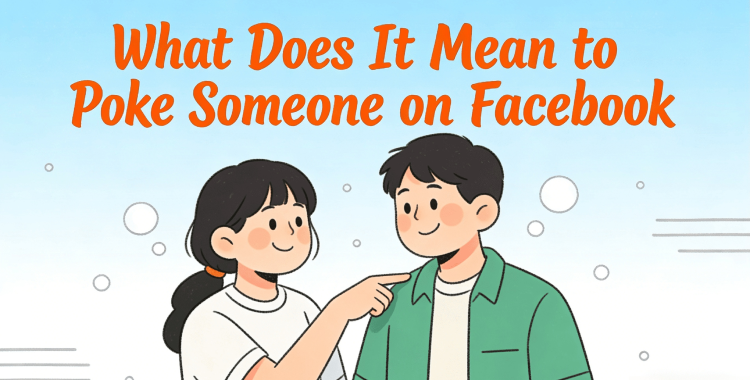
Curious about, "What does it mean to poke someone on Facebook in 2026?" People still use the poke feature, even though it's been around forever on Facebook, and it's not always clear what it's supposed to mean these days. Maybe you're wondering if pokes are still a thing, or how to send one, or what to do if someone pokes you out of the blue. Let's find out what pokes mean now, how they function, and how you can manage them.
Table of Contents
- Part 1: What Does "Poke" Mean on Facebook
- Part 2: How to Poke Someone on Facebook in 2026 (Step-by-Step Guide)HOT
- Part 3: How to Poke Back on Facebook
- Part 4: Why Do People Poke on Facebook
- Part 5: Best Alternatives to Poking on Facebook
- Part 6: How to Manage Facebook Poke Settings and Notifications
- Part 7: FAQs About Poking Someone on Facebook
Part 1. What Does "Poke" Mean on Facebook
So, what does it mean to poke someone on Facebook? It's a simple, playful feature whose meaning has always been up to users. Here's its history, and evolution, and what it means on Facebook today:
History and Evolution of the Facebook Poke
From 2004 to the early 2010s, it was a popular and visible way to say "hello," flirt, or start "poke wars," even before Likes existed. From the mid-2010s through 2023, the feature faded into the background and became hard to find.
Since 2024, Facebook has revived it as a low-effort, nostalgic way to connect, making it easy to access through facebook.com/pokes and profile buttons, with added features like poke counts and streaks.
What a Facebook Poke Means Today
Today, poke on Facebook meaning is ambiguous. It can be a casual hello, a gentle nudge to reconnect with an old friend, a playful back-and-forth game, or simply a reminder of Facebook's early days. Poke is more for friends rather than for acquaintances or in a professional context.

Part 2. How to Poke Someone on Facebook in 2026 (Step-by-Step Guide)
Here's how to poke someone on Facebook in 2026 on your mobile phone and desktop computer:
How to Poke Someone on Facebook on Mobile
If you're using the Facebook app on your mobile phone, the method to poke a friend is fairly easy. Here's how to poke on Facebook Android and iOS:
- 1. Open a friend's profile in your Facebook app. Then, tap the three-dot ("...") menu next to the "Message" button.

- 2. Select "Poke" from the menu, and they'll get a poke notification on Facebook right away. However, if you don't see the Poke option, search "pokes" in the Facebook search bar and open the first result to use the pokes page.

How to Poke Someone on Facebook on Desktop
You'll need to use a dedicated page to poke someone on Facebook on desktop, as the profile button may be unavailable for some users. Here's how:
- 1. Open a web browser on your computer. Then, head to "facebook.com/pokes." You can also search "pokes" on Facebook.

- 2. Use the search box on the pokes page to find a friend by name. Click the blue "Poke" button next to their name to send the poke.

Part 3. How to Poke Back on Facebook
You can poke back on Facebook through a poke notification or the dedicated page. Here's how:
Through a Poke Notification:
If you receive a poke alert on Facebook, it's the quickest way to poke back. Here's how:
- 1. Check your Facebook notifications for a poke (often shown as a small hand icon).

- 2. Tap or click the notification to open your "Pokes" page.
- 3. Find the person who poked you. Select "Poke Back" next to their name.

Through the Dedicated Page:
If you miss a notification or want to view all your pokes, you can open the Pokes page directly on your desktop computer or mobile phone. Here's how:
On Desktop/Web:
- 1. Type facebook.com/pokes into your browser. On the Pokes page, look for "People who poked you."

- 2. Find the person. Tap "Poke Back" to respond.
On Mobile App:
- 1. Open Facebook, tap the search bar, type "pokes," and choose the first result.
- 2. On the Pokes page, look for "People who poked you." Find the person. Tap "Poke Back" to respond.

Part 4. Why Do People Poke on Facebook
People poke on Facebook for different reasons, such as the following:
- 1. A nostalgic hello: A fun throwback to early Facebook and an easy way to say "thinking of you," especially to old friends.
- 2. A playful poke war: Starting a light, back-and-forth game of pokes with close friends.
- 3. Flirting or testing interest: A low-risk way to show romantic or playful interest, depending on the situation.
- 4. A low-pressure nudge: Getting someone's attention or saying hi without starting a full conversation.

Part 5. Best Alternatives to Poking on Facebook
If you want a clearer and more creative way on Facebook to connect with people, here are some alternatives to poking on Facebook:
- 1. Send a meme or GIF: Share a funny or relatable image to start a conversation and show personality.
- 2. Use a voice note: A short, playful message adds humor and feels more personal than text.
- 3. React to a story or post: Comment or use an emoji on a friend's story or post for direct engagement.
- 4. Start a poll or challenge: Post a fun question or challenge and tag a friend for interactive fun.
- 5. Create an emoji combo: Make a private emoji sequence with close friends as a unique greeting.

Part 6. How to Manage Facebook Poke Settings and Notifications
You can manage unwanted pokes, though there's no single way to turn them off completely. On your pokes page or notification, you can:
- Poke Back: Respond and continue the interaction.
- Remove the poke: If you've poked someone, and wish to cancel it, here's how to remove poke in Facebook:
- Open the Facebook app on your mobile. Then, tap the three-horizontal-line menu (profile pic). Choose "Settings & privacy."

- Tap "Settings." Move down and click "Activity log." Click "Your Facebook activity."


- Move down. Choose "Other activity." Click "Pokes." You'll see a list of all the pokes you've sent.


- Tap the "3-dot menu" next to the poke you want to remove. Hit "Delete."

- Stop someone from poking again: Ignore their poke and don't "Poke Back." This blocks them from sending more pokes.
- Disable pokes entirely: Not possible. Facebook has no account-wide toggle, and you can't retract pokes you've sent.
Part 7. FAQs About Poking Someone on Facebook
Q1. Can you undo poke on Facebook?
No. You can't undo a poke once you've sent it. After you poke someone, it's final and can't be taken back.
Q2. What happens when you poke someone on Facebook?
When you poke someone, they get a notification. They can choose to poke back or ignore it. A poke has no fixed meaning and is usually seen as a simple hello, a friendly nudge, or sometimes a playful or flirty signal.
Q3. What should I do if someone pokes me on Facebook?
When someone pokes you, you can choose how to react. You can poke them back, ignore it and do nothing, remove the poke to clear the notification, or start a conversation by sending a message. It's up to you whether you want to respond, ignore it, or delete it.
Conclusion
We've answered your query, "What does it mean to poke someone on Facebook," to the best of our knowledge. The Facebook Poke is a simple, fun way to connect that has changed over time. Popular in Facebook's early days, it later faded but returned in 2024 as a nostalgic way to say hello. Today, friends use it to reconnect, joke, or get attention. You can poke or poke back on mobile or desktop, and while pokes can't be fully turned off, you can remove them or choose not to respond.
PixPretty AI Photo Editor
- 100% free AI Image Generator (Nano Banana 2 powered)
- 4K image quality with fast generation speed
- AI effects & filters for personal and e-commerce use



