Social media privacy has become a real concern for many Instagram users. From unwanted profile views to unnecessary judgment around follower counts, keeping your connections private can make the platform feel more comfortable.
This guide explains practical ways to manage visibility and protect personal boundaries. It also helps you understand how to hide Instagram followers without risking your account.
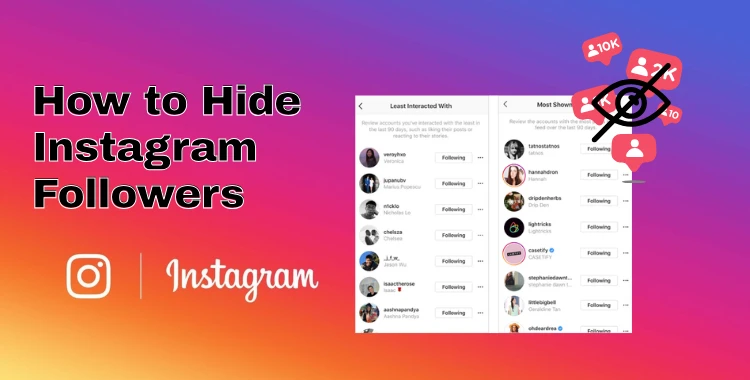
Table of Contents
Part 1: Understanding Instagram Privacy Settings
Instagram offers several privacy settings that let you control who can see your content, followers, and following list. Understanding these settings is the first step to keeping your account secure and private. Here’s a breakdown of the key settings:
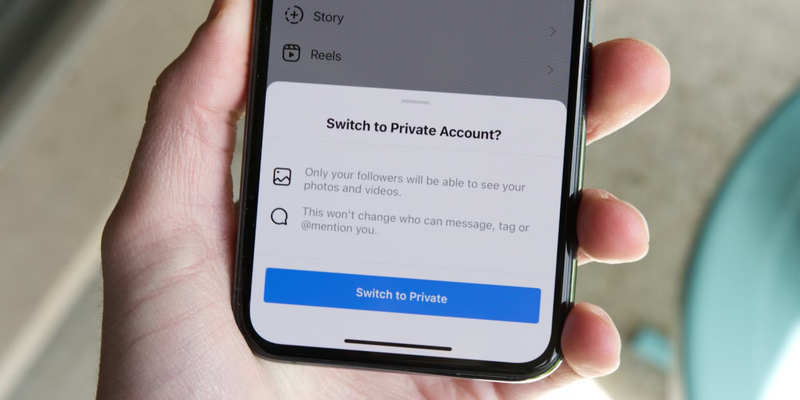
1. Private Account
-
Only approved followers can see your posts, stories, and followers list.
-
If you want to hide your Instagram followers from strangers or prevent unwanted attention, this is the simplest option.
-
When your account is private, anyone who isn’t following you will need your approval to view your content.

2. Activity Status
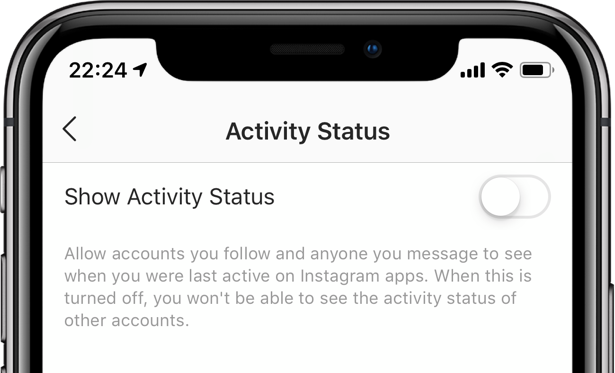
Lets people know when you were last active on Instagram.
-
Turn off “Show Activity Status” to prevent others from seeing when you’re online.

3. Story & Close Friends Settings
You can hide stories from specific users.
-
Share stories only with a selected group, keeping content private from your general followers.
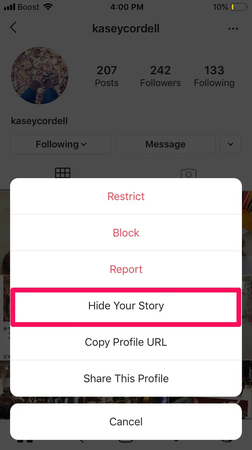

4. Restrict Accounts
Limits how a follower can interact with you.
-
Restricted users won’t see your followers or following list and need approval for comments on your posts.
-
They can still see your profile and posts, making it a subtle privacy tool.
5. Blocking Users
-
Completely hides your profile, posts, and followers list from a specific user.
-
Ideal for people who you don’t want to see any part of your account.
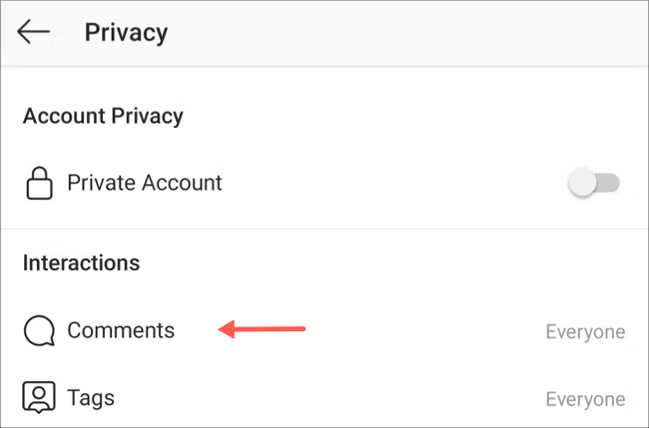
6. Comments, Messages & Tags Control
-
Choose who can comment on your posts or block specific users.
-
Control who can send you direct messages or add you to groups.
-
Approve tags before they appear to prevent unwanted exposure.

Part 2: How to Hide Followers on Instagram (All Working Methods)
Can You Completely Hide Followers on Instagram?
Unfortunately, Instagram doesn’t allow you to fully hide your followers or following list from everyone. There’s no universal “hide” setting.
However, you can control who sees it by adjusting visibility, restricting certain users, or removing followers you don’t trust. This way, your list stays private from specific people.
How to hide your following list on instagram:
1. Make Your Account Private
The easiest way to hide your followers is by making your account private. Only approved followers will be able to see your followers and following list.
Steps to Make Your Account Private:
1.Open Instagram and go to your profile.
2.Tap the three lines in the top-right corner.
3.Select Settings, then Privacy, then Account Privacy.
4.Toggle Private Account on.

2. Remove Followers Manually
You can remove followers you don’t want to see your list without blocking them.
1.Open your followers list.
-
2.Tap Remove next to the person’s name.
3.Confirm removal.

3. Restrict Followers
Restricting is a subtle way to limit access without fully blocking someone. Here how to hide following on instagram:
1.Go to the user’s profile.
-
2.Tap the three dots in the top-right corner and select Restrict.

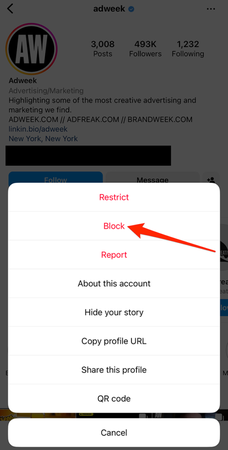
4. Block Users
Blocking is the most secure method for privacy.
Go to the user’s profile.
-
Tap the three dots and select Block.

Part 3: How to Hide Following List on Instagram (What’s Possible & What’s Not)
Even if your account is public, there are ways how to hide who you follow on instagram:
1. Restrict Someone
-
Restricting prevents specific users from seeing who you follow.
-
Works best if you want selective privacy without going fully private.
2. Block Someone
Blocks are stronger than restrictions.
-
Blocked users cannot see your following list or interact with your profile.
3. Remove Followers Manually
-
Removing followers can help control who sees your following list.
Works even on public accounts.
4. Limit Interaction Settings
In Settings go to Privacy, you can control:
Who can comment on your posts.
Who can send you direct messages.
-
Who can tag or mention you.
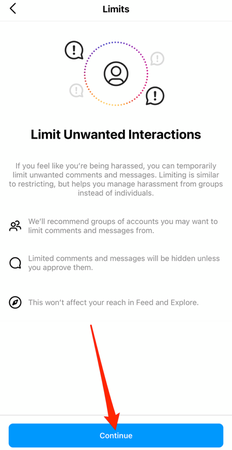

Adjusting these settings reduces unwanted attention and keeps your following list safer from prying eyes.
FAQs About How to Hide Instagram Followers
1. How to hide who you follow on Instagram?
You can’t fully hide who you follow on Instagram. The platform does not offer a direct setting for this. However, you can limit visibility by making your account private, blocking specific users, or removing followers you don’t want.
2. Can people stop you from seeing who they follow on Instagram?
Yes, in some cases. If someone has a private account, you can’t see who they follow unless they approve your follow request.
3. Is it possible to hide friends list on Instagram?
Instagram does not have a “friends list” feature like Facebook. What people usually mean is the followers or following list. You can’t hide it completely, but you can control who sees it by switching to a private account, removing followers, or blocking specific users.
4. Can I see who stalks my Instagram?
No, Instagram does not show who views or stalks your profile. There is no official feature that reveals profile visitors. Any app claiming to do this is not reliable and may put your account at risk.
Final Words:
Maintaining privacy on Instagram is easier than many think. By understanding and using the right settings, you can control who sees your activity and connections. Whether it’s making your account private, restricting or blocking certain users, or managing followers carefully, these steps help protect your space online. Following this guide on how to hide Instagram followers ensures a safer, more comfortable Instagram experience while staying in control of your privacy.
PixPretty AI Photo Editor
- 100% free AI Image Generator (Nano Banana 2 powered)
- 4K image quality with fast generation speed
- AI effects & filters for personal and e-commerce use

Related Articles:

PixPretty Free Online Photo Editor
Clean, edit, and polish photos instantly — free and easy to use.