


Trying to capture original Easter photos that will pop on your feed? Mostly people try the same old traditional filters and content that seems boring and dull. For advanced ideas and themes Easter AI prompts come in. They transform your ordinary pictures into works of art. In this article, we will tell you how to make amazing images, discover trending styles and the best prompts to create beautiful Easter images in a minute.
Table of Contents
Part 1. Best Easter AI Prompt Styles You Should Try
AI-generated images are rapidly trending up. With a good prompt, you can generate magical and viral Easter visuals in just seconds. Here are the best styles to get your hands on in 2026.
1.1 Bunny Aesthetic AI Prompts (Soft & Dreamy Style)
The bunny aesthetic is one of the most popular trendy Easter motifs. It is all about soft colors and relaxed moods.
Prompt ideas:
| Images | Prompts | Copy |

|
Soft bunny aesthetic portrait with pastel dream background,
flowers and gentle sunshine.
|
COPY
|

|
Cute bunny ears, soft lighting, pastel dream colors, Easter glow
effect.
|
COPY
|

|
Minimal bunny aesthetic with white tones and soft shadows.
|
COPY
|
Why does it work?
Gives a rest to the eye and the mind.
Great for instagram and pinterest.
Good with portraits and selfies.
This enhances even better looks when used in conjunction with an AI Easter filter for added glow and soft focus.
1.2 Easter Baby Photoshoot at Home (AI Version)
You don’t need a studio to make cute baby photos. AI turns ordinary images into professional-grade photos. Here are the best Newborn Easter ideas at home:
| Images | Prompts | Copy |

|
Newborn wrapped in pastel blanket with easter eggs and warm
light.
|
COPY
|

|
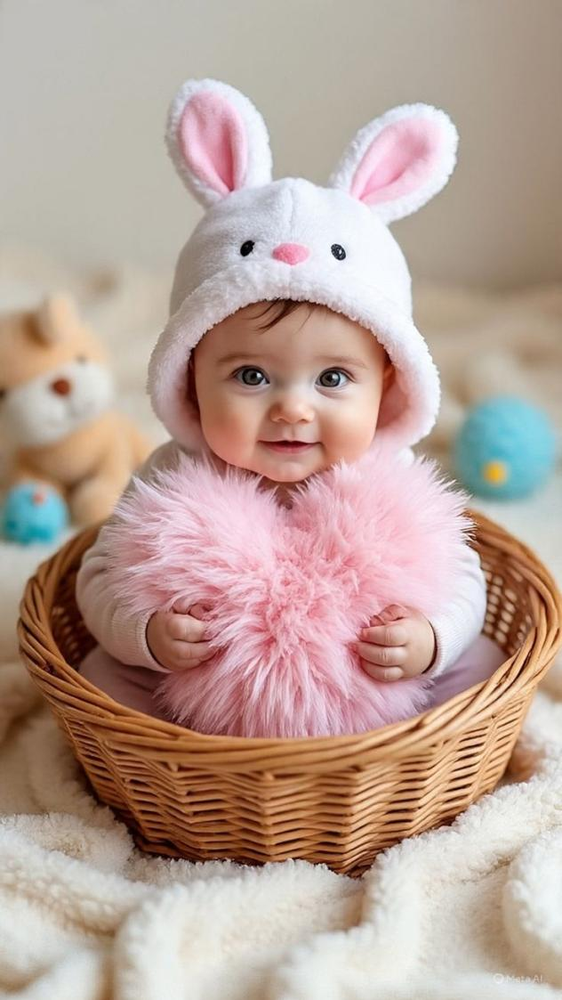
Baby with bunny ears, soft pastel dream background, Easter glow.
|
COPY
|

|
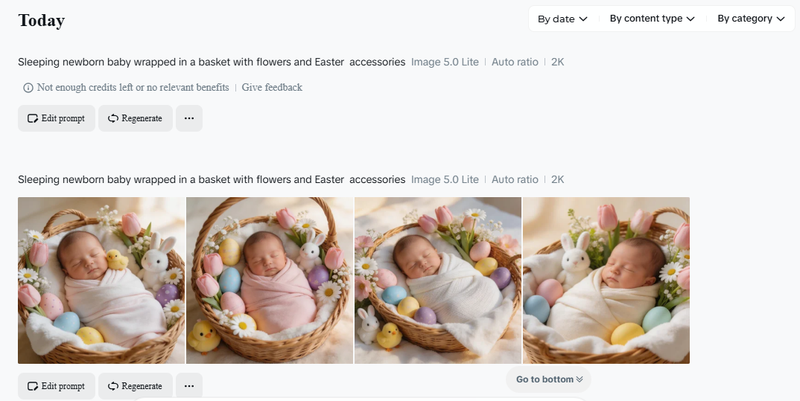
Sleeping newborn baby wrapped in a basket with flowers and
Easter accessories.
|
COPY
|

Tips:
Use photos taken with natural light for the best results.
Keep the background minimal.
Put in some soft textures, such as blankets or pillow.
These newborn easter ideas at home are synchronistic for parents looking for special capturing moments without hefty costs.
1.3 Easter Pet Photoshoot AI Ideas (Cats & Dogs)
For most families, pets are their members. They love them a lot and try to celebrate every event with them. Easter is a perfect day to see that they get featured in your snaps.
Easter pet photoshoot prompts:
| Images | Prompts | Copy |

|
We have a cute doing wearing bunny ears with a pastel
dream background and Easter eggs.
|
COPY
|
|
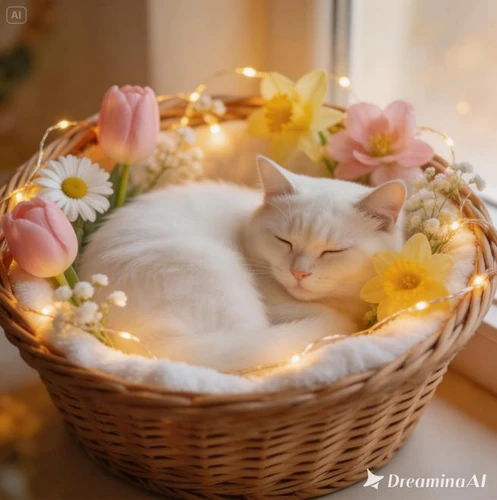
Cat in a basket with flowers and Easter glow lighting.
|
COPY
|

|
Playful puppy in a garden with colorful eggs and soft sunlight.
|
COPY
|
Why try this?
Pet content is a big hit online.
Simple to make fun, shareable images.
Perfect for social media engagement.
An easter pet photoshoot with AI is much less time-consuming and nerve-racking than the real thing.
1.4 Creative Easter AI Photos (Fantasy & Viral Style)
Want to go viral? Go fantasy with Easter AI images. Some amazing examples of artistic prompts are:
| Images | Prompts | Copy |

|
Fantasy Easter world with glowing eggs, magical bunny and pastel
sky.
|
COPY
|

|
Easter princess surrounded by flowers and butterflies in a
pastel dream world.
|
COPY
|

|
Surreal Easter day with floating eggs and glowing lights.
|
COPY
|
Characteristics to add:
Bright colors.
Soft glowing effect (easter glow).
Unique things like float objects appearing in pictures.
These are the ones to go with if you want your Easter AI photo to go viral.
Part 2. How to Create an AI Easter Photo (Step-by-Step)
How to Make AI Easter images is simple. Follow these instructions for the best results:
-
1. Upload Photo: Choose a clear photo. Good lighting works best Avoid blurred images.
-
2. Choose Easter Style: Choose a theme that suits your purpose: Bunny aesthetic Baby photoshoot Pet photoshoot Fantasy style.
-
3. Paste Prompt: Take advantage of a good prompt such as the ones shared above. Be specific with details such as: Colours (pastel dream) Lighting (soft or glowing) Elements (eggs, flowers, bunny ears).
-
4. Generate & Download: Hit generate and wait a few seconds. Download the best version and share it online. To get a better image of you, using an AI Easter filter can make your image quality better and more visually pleasing.


Part 2. Tips: Use AI Image Describer to Find More Prompts
PixPretty AI Image Describer is a best-in-class feature to empower you to generate quality Easter AI prompts in just a few seconds. Rather than making guesses what to write, you just need to upload any picture and the tool will generate prompts that are detailed and can be used directly. It’s a treat for making beautiful Easter AI images, using the best AI Easter filter, easter glow, easter pastel dream and more.
2.1 Key Features of PixPretty AI Image Describer
-
Excellent Prompt Extraction from Images: You can upload any image of easter and the tool will make a diffusion prompt out of it. Want to create the same Easter AI photo style you can.
-
Scene Breakdown in Depth: It distinguishes even objects, background, lighting, and colors. For instance, it recognizes bunny ears, Easter eggs, flowers and soft easter glow effects.
-
Style Recognition for Easter Themes: It detects popular styles such as bunny aesthetic, easter pet photoshoot, and newborn easter ideas at home. It will enable you to develop your prompt more quickly.
-
Light & Color Detection: Just enjoy the soft lighting and pastel dream colors, so the images you created looks real and attractive.
-
Prompt Optimization for Better Results: The resulting prompts are formatted in a way that is good for AI tools. These, then assist in producing cleaner and more realistic results.
-
Simple work-flow for Copy and Reuse: Just take the generated prompt and put it into your favourite AI image generator. No editing or technical know-how required.
2.2 How to Generate Your Own Prompts using PixPretty AI Image Describer?
Step 1: Copy any image that seems similar to your desires from any online platform and download / paste it in your drive. For example, you can download an image from Pinterest.
Step 2: Open the PixPretty AI image describer tool and sign up using your Gmail account. Upload the image that you have downloaded.

Step 3: Choose the type of description you want for the image.

Step 4: Click “Describe Image” button to get a prompt to generate your desired AI images.

Part 3. Pro Tips to Make Your Easter AI Photos Stand Out
Here are some pro tips to help you get better results:
Opt for Soft Colors
Pastels are best for Easter.
Stay away from harsh or dark colors.
Pay Attention to Lighting
Add soft glow or sunlight.
Prompt with “easter glow”.
Keep It Simple
Too many elements can ruin an image.
Concentrate on a single main subject.
Try out different styles
Try a bunny aesthetic.
Combine fantasy with real photography.
Adapt for Social Media
Post square in instagram.
Keep the visuals clean and bright.
Just a few modifications like this can make a good image really shine.
Conclusion
Easter AI Prompts allow you to create stunning creative images effortlessly. You can do bunny aesthetic, baby shoots or even fantasy themes. Think soft colors, simple concepts and uncomplicated instructions. Use advanced tools such as PixPretty AI Image describers to enhance your outputs. Begin experimenting now and produce Easter pictures with it that are genuinely unique.


