


Image moderation in Grok helps filter sensitive or restricted visuals. But sometimes, it can feel too strict and block images you actually want to generate or view. That's why many users look for ways to control or reduce these limits.
In this guide, you'll learn how to turn off image moderation Grok step by step. We'll explain what image moderation means, where the settings are, and what options are available. Everything is explained in easy words, so you can adjust Grok confidently and avoid unnecessary restrictions.
Table of Contents
Part 1. Why Grok Image Moderation Keeps Blocking Your Content
Grok image moderation is not random. It is built to stop unsafe, sensitive, or restricted content. Before showing any image, Grok scans your prompt and uploaded image together. If something looks risky, it blocks the result automatically.
1. Grok Uses Very Strict Safety Filters
Over time, Grok's filters have become stronger. This happened because many users misused AI images, especially for fake or adult content. Now, even normal creative prompts can get blocked if they look even slightly sensitive.
2. Certain Words Trigger the System
Some words automatically raise red flags. These include terms related to body, age, realism, fashion styles, or close-up portraits. Even if your prompt is safe, the system may misunderstand your intent and block it.
3. Uploaded Images Are Checked Carefully
When you upload a photo, Grok scans shapes, lighting, poses, and clothing. Sometimes shadows or angles confuse the system. Many users on Reddit say harmless images were blocked because the AI misread them.
4. Rules Change by Platform and Region
Grok follows platform rules and local laws. Due to global concerns about deepfakes and misuse, image moderation is tighter in many regions. This can limit what images are allowed.
5. Inconsistent Results Frustrate Users
Reddit users often report that the same prompt works one time and fails another time. This happens because moderation decisions are automated and not always consistent.
Learn more about Grok Content Moderate:
- How to Unlock Grok Imagine Spicy Mode
- Grok Content Moderated Try a Different Idea - How to Fix 2026
- Grok Imagine Video Moderation
- Best 20 Alternatives to Grok Without Restrictions
Part 2. How to Turn Off Image & Video Moderation in Grok
There is currently no official way to turn off image or video moderation in Grok. Grok's filters are built into the system and cannot simply be disabled from settings.
Most users on Reddit confirm this there's no switch or content preference option that lets you remove moderation entirely. Attempts to ask how to turn off image moderation usually end with replies like "Nobody tell him you can't turn it off."

Here's what does exist and what you can do instead:
1. There's no official setting to disable moderation
Grok does not offer a setting that lets users turn off image or video moderation on the Grok app or web version. The system blocks content automatically based on safety and policy rules.
2. Video moderation is even stricter
Videos are monitored on top of images. Even if a static image is allowed, converting it into a video can trigger separate moderation checks. Motion, implied scenes, and animation raise extra flags.

3. Paid features don't turn off moderation
Some users think that subscribing to paid plans or premium tiers might remove moderation filters but even paid accounts still face safety blocks.
5. Limit Grok's access to your personal photos
If your goal is privacy rather than moderation removal, you can limit how Grok uses your images or X account data. Go into Settings & Privacy → Privacy & Safety → Grok & Third-party collaborators and turn off data usage options. This doesn't turn off moderation but helps protect your personal content.

Part 3. What to Do If Grok Image Moderation Can't Be Turned Off
Many users encounter the Grok content moderated error when working with images on the Grok app. While the platform does not offer a way to fully turn off image moderation on Grok, there are effective strategies to reduce blocks and continue generating images without interruptions. Understanding how Grok's filters work and adjusting your prompts can make the process smoother and more reliable.
Understand Why the Grok Content Moderated Error Appears
Grok does not only analyze images. It also checks your prompt text, tone, and context. Even harmless requests can trigger the Grok content moderated error if the system detects risky wording. In most cases, the issue comes from how the prompt is written, not the image itself.
Use Safer Prompt Structures
If you cannot turn off the Grok image filter, the best solution is to adjust your prompt structure. Focus on:
-
lighting and environment
-
artistic style
-
mood and composition
This helps Grok understand your intent as creative rather than sensitive and lowers the chance of moderation.
Switch to an Art-Focused Prompt Style
Prompts written as artwork or illustrations are less likely to be blocked. Using terms like digital art, cinematic scene, concept design, or studio illustration can help you avoid moderation while staying within Grok's rules.
Create Content in Steps
Video moderation is stricter than image moderation. If you want motion content:
-
1.Generate a static image first
-
2.Make sure it passes moderation
-
3.Then move to animation or video
Review Grok App Settings
Some users have access to relaxed creative options such as Spicy Mode. While this does not fully turn off image moderation on the Grok app, it may reduce how often safe prompts are blocked. Availability depends on region and account type.

Use Prompt Optimization Tools
Prompt-rewriting tools can automatically remove words that trigger filters. These tools are helpful if you frequently encounter the Grok content moderated error and want more consistent results.
Retry With Minor Changes
Moderation systems are automated and sometimes inconsistent. A prompt blocked once may work after a small wording change. Saving prompt formats that work is a smart way to reduce future issues.
Report False Positives When Needed
If your content is safe and still blocked, reporting it through Grok or X support can help. This does not let you turn off the Grok image filter, but it can reduce incorrect blocks over time.
 Related topic:
Part 4. Is It Safe & Legal to Turn Off Image Moderation in Grok?
There is no setting in the Grok app to turn off image moderation. All content is filtered automatically to comply with safety rules. Even premium or paid accounts cannot bypass these filters.
Moderation exists to prevent harmful or illegal content, such as non-consensual images, explicit deepfakes, or abusive material. Removing it could violate laws in many countries. Grok is required to follow these regulations to protect users and the platform.
If you need more creative control, consider a grok ai alternative free. Tools like open-source AI models or Stable Diffusion allow you to generate images with fewer restrictions.
Conclusion
Many people ask how to turn off image moderation Grok. The truth is, it cannot be completely turned off. Grok's filters are there to keep users safe. They also ensure that content follows legal and ethical rules.
The best approach is to work with the system. Rephrase your prompts. By understanding how moderation works, you can create freely and safely, avoid repeated blocks, and get the results you want. After generating photos with Grok, PixPretty AI lets you freely refine your generated photos at no cost, with no restrictions whatsoever.
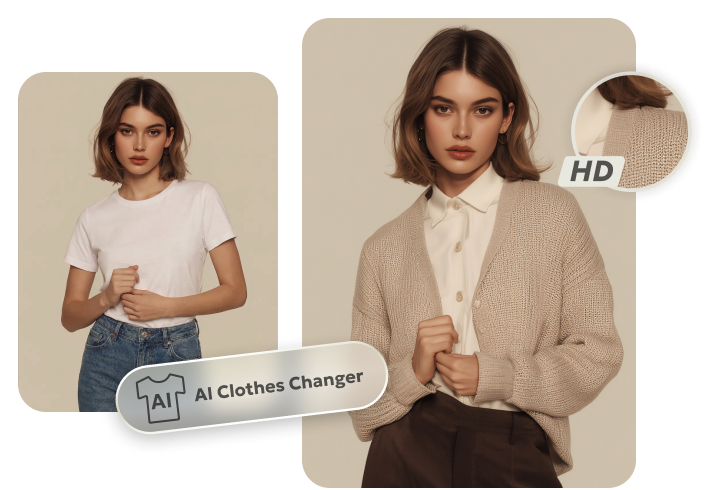
PixPretty AI Clothes Changer
- Instantly change outfits with AI in 1 click
- Realistic AI previews for every top, bottom, or dress
- Create and explore endless outfits and OOTDs without editing
Related Articles:


