


AI videos don't fail because of tools they fail because of weak instructions. That's where Grok Prompts for Video make the real difference. A well-written prompt can turn a simple idea into a smooth, cinematic clip with the right motion, mood, and detail. No trial and error. No wasted time.
This list is built for creators who want fast results, cleaner visuals, and videos that actually look planned. Copy the prompts, tweak a few words, and let Grok handle the creative heavy lifting.
Table of Contents
Part 1. How to Use Grok Prompts for Videos (Step by Step)
Using Grok to create videos is simple when you follow the right flow. A Grok video prompt generator helps you turn ideas into clear instructions, so Grok understands exactly what kind of video you want. In this section, we'll walk through the full process with visuals, so even first-time users can follow along without confusion.
Step-by-step guide how to use Grok Prompts for Video:
Step 1: Open Grok and click on Imagine from the main menu.

Step 2: Select Video and look at the prompt box on the right side of the screen.
Step 3: Paste or type your prompt in the box. Using proven grok video prompt examples can improve quality instantly. Click the Generate icon and wait while Grok creates multiple video versions.

Step 4: Preview the results, choose the video you like, and click Edit Video to adjust style or motion. When you're satisfied, click the Download icon to save your video.

Learn more about Grok Content Moderate:
- How to Unlock Grok Imagine Spicy Mode
- Grok Content Moderated Try a Different Idea - How to Fix 2026
- Grok Imagine Video Moderation
- Best 20 Alternatives to Grok Without Restrictions
Part 2. Best 30 Grok Prompts for Videos
Making amazing AI videos is simple when you give clear instructions. Grok Prompts for Video help you control everything from lighting, camera angles, and motion to mood, style, and scene details.
Below, you'll find 30 ready-to-use prompts divided into four categories. Just copy, paste, and generate stunning videos instantly.
1. Grok Prompts for Cinematic & Movie-Style Videos
1. Thriller Noir City Scene
A suspenseful nighttime thriller in a rainy city street. Neon lights reflecting on wet asphalt, fog drifting in the air, a mysterious figure walking slowly under a streetlamp. Use cinematic wide-angle shots, slow tracking camera following the figure, deep shadows, dramatic reflections, realistic wet textures, soft rain sounds, ambient suspenseful background score, high-contrast color grading, cinematic slow-motion, 4K ultra-detailed video output.

2. Epic Fantasy Battle
A massive fantasy battle in a misty enchanted forest at sunrise. Armored warriors with glowing swords clash with detailed motion blur. Dynamic overhead drone shots, close-ups of intense expressions, flying sparks, cinematic slow-motion, smoke and fog effects, magical particle effects, orchestral score, realistic forest textures, dramatic camera angles, ultra-high-definition 4K cinematic quality.
3. Romantic Cliff Sunset
A romantic scene of a young couple embracing on a cliff by the ocean during golden hour. Soft warm lighting, gentle waves crashing below, cinematic aerial drone shots, shallow depth of field on faces, gentle wind motion in hair and clothing, soft romantic background music, high-resolution 4K video with natural textures, realistic facial expressions, emotional storytelling.

4. Futuristic Car Chase
High-speed car chase in a neon-lit futuristic city. Dynamic camera pans, motion blur on streets, reflections on wet surfaces, lens flares, explosions and sparks, cinematic camera angles including close-ups and wide shots, fast-paced orchestral soundtrack, detailed futuristic vehicle textures, realistic lighting and shadows, 4K ultra-quality output, immersive action-packed feel.
5. Historical Royal Drama
A historical palace interior with grand chandeliers, ornate decorations, and elegant costumes. Candlelit soft shadows, dramatic camera zooms, close-ups of detailed facial expressions, cinematic wide shots showing the full grandeur, soft warm color grading, ambient classical background music, realistic textures on fabrics and walls, 4K high-resolution cinematic output.

6. Sci-Fi Spaceship Interior
Inside a futuristic spaceship control room, crew interacting with holographic displays. Dynamic camera pans, detailed 3D sci-fi equipment, soft futuristic lighting, reflective metallic surfaces, interactive holographic UI, realistic human expressions, smooth motion of crew, ambient sci-fi background sound, cinematic storytelling style, ultra-detailed 4K video quality.
7. Mystery Detective Alley
A detective investigating a foggy alley at night. Wet reflective surfaces, neon signs flickering, cinematic slow zoom-ins, shadowy corners, detailed textures on walls and puddles, ambient suspenseful sounds, soft rain, cinematic lighting, realistic character movement and gestures, intense mood, 4K high-quality video output.
8. Mountain Summit Adventure
Epic mountain adventure with climbers reaching the summit at sunrise. Panoramic wide shots, drone flyovers, realistic clouds and mist, slow-motion of triumphant gestures, dynamic camera angles, cinematic color grading, detailed textures on rocks and clothing, ambient wind sounds, uplifting orchestral background, 4K ultra-resolution output.

2. Grok Prompts for Social Media & Short-Form Videos
9. Energetic Lifestyle Vlog
A young influencer dancing in a colorful room for a social media short. Bright studio lighting, fast jump cuts, close-ups and wide shots, engaging camera angles, cheerful upbeat background music, crisp visual clarity, high-resolution 4K output optimized for Instagram reels or TikTok.
10. Quick Recipe Tutorial
Step-by-step cooking video with close-ups of ingredients, sizzling sounds, smooth transitions between steps, bright kitchen lighting, shallow depth of field for ingredients, cinematic over-the-shoulder shots, upbeat background music, crisp visual textures, high-resolution 4K short-form content.

11. Scenic Travel Drone Clip
Drone footage of mountains, lakes, and rivers during golden hour. Smooth cinematic camera pans, vibrant color grading, dynamic angles, flowing transitions, ambient nature sounds, ultra-detailed terrain textures, high-resolution 4K optimized for social media reels.
12. Funny Pet Video
A playful dog chasing a ball in a colorful backyard. Wide-angle and close-up shots, slow-motion at key moments, exaggerated playful expressions, cheerful background music, vibrant lighting, crisp textures of fur and grass, engaging short-form video format, funny grok prompts for videos, high-resolution output.
13. Fashion Haul Reel
Model showing outfits in a minimalist studio, smooth transitions, soft studio lighting, dynamic camera angles, close-ups on clothing details, detailed textures of fabrics, upbeat trendy music, high-quality 4K social media content.

14. Fitness Tutorial
Trainer demonstrating exercises in a bright studio, clear form close-ups, dynamic camera angles, motivational music, ambient studio lighting, visible sweat and movement realism, ultra-high-definition 4K output, optimized for short-form social media engagement.
15. Street Dance Performance
Urban street dance scene with graffiti walls, dynamic camera angles, slow-motion highlights, bright and contrasting colors, energetic dance motions, cinematic composition, lively urban soundtrack, detailed textures of clothing and environment, high-quality 4K short-form video ready to go viral.

16. Travel Montage
Quick cuts of scenic locations: beaches, forests, streets, monuments. Smooth transitions, cinematic drone shots, upbeat music, vibrant color grading, immersive wide shots, highly detailed textures, short-form viral grok video prompts style output, 4K resolution.
3. Grok Prompts for Talking Head & AI Avatar Videos
17. Product Review AI Avatar
AI avatar delivering a product review in a modern studio. Smooth facial expressions, natural lip-sync, dynamic camera angles, clean background, soft studio lighting, clear voiceover synchronization, ultra-realistic skin textures, gestures synced with speech, high-resolution 4K output.
18. Educational Tutorial
AI instructor explaining a concept on a virtual whiteboard, warm studio lighting, friendly facial expressions, clear hand gestures, smooth camera pans, immersive background, realistic lip-sync, high-quality 4K video.

19. AI News Anchor
AI news anchor presenting breaking news in a newsroom, formal attire, professional camera angles, smooth facial expressions, clear lip-sync, cinematic lighting, background monitors with live graphics, realistic textures, high-resolution 4K video.
20. Motivational Speech Avatar
Corporate AI avatar giving a motivational talk in an office setting, confident hand gestures, smooth camera angles, soft professional lighting, engaging facial expressions, immersive storytelling style, high-detail 4K video output.

21. Software Tutorial
AI avatar demonstrating software features on a virtual screen, hand pointing gestures, readable on-screen text, dynamic camera angles, soft lighting, clear facial expressions, ultra-realistic rendering, professional 4K output.
22. Virtual Interview
Two AI avatars conversing in a professional studio setup, smooth conversational gestures, facial expressions matching dialogue, cinematic camera framing, ambient studio lighting, clear speech synchronization, ultra-realistic textures, high-resolution output.

23. Fitness AI Coach
AI fitness coach demonstrating exercises with correct form, natural body movements, bright studio background, smooth camera pans, motivational upbeat background music, realistic sweat and motion details, 4K high-quality output.
24. Storytelling AI Avatar
AI avatar narrating an emotional story, expressive facial and hand gestures, cinematic camera angles, soft colorful studio background, immersive lighting, smooth speech synchronization, highly detailed 4K video output.
4. Grok Prompts for Animated & Cartoon Videos
25. Animated Couple in a Park
Scene: A happy cartoon couple walking through a vibrant park in the morning.
Foreground: colorful flowers and butterflies fluttering.
Background: tall trees with sunlight streaming through leaves, a gentle pond in the distance.
Characters: expressive faces, hand-holding, casual outfits flowing with a light breeze.
Motion: gentle walking, smooth camera pan following them. Lighting: soft golden morning light.
Sound: birds chirping, gentle ambient park sounds.
Output: cinematic 4K, Grok Prompts for Video style, cheerful and romantic mood.
26. Funny Cat Chasing a Mouse
Scene: Cartoon cat chasing a mischievous mouse through a busy city street. Foreground: animated trash cans and scattered food items.
Background: colorful shopfronts with moving signs, distant skyline. Characters: exaggerated expressions, dynamic movements, cat stretching, mouse dodging.
Motion: fast-paced chase with zooms, occasional slow-motion for funny effects.
Lighting: bright, daytime with soft shadows. Sound: playful chase music, squeaks, and comedic sound effects.

27. Fantasy Dragon Flight
Scene: A majestic dragon flying over a magical castle at sunset.
Foreground: shimmering castle towers, glowing crystals.
Background: colorful skies with clouds lit by the sun, mountains in the distance.
Characters: dragon with detailed scales, wings flapping gracefully, tail moving with motion blur.
Motion: cinematic aerial swoops and panoramic sweeps.
Lighting: warm sunset glow reflecting on scales. Sound: epic orchestral music, dragon's roar.
Output: 4K ultra-detailed animation, magical and adventurous feel.
28. Superhero Landing in the City
Scene: Cartoon superhero landing on a city rooftop.
Foreground: cracked rooftop tiles and scattered debris.
Background: animated city skyline with moving cars and people below. Characters: superhero in dynamic pose, cape flowing dramatically.
Motion: impact shockwave, camera pans up from ground to landing. Lighting: golden sunset with long shadows.
Sound: heroic music, subtle whoosh of cape and debris.
Output: cinematic 4K, epic and bold energy.

29. Children Playing in a Whimsical Playground
Scene: Kids running and laughing in a colorful, magical playground. Foreground: swings, slides, see-saws in motion.
Background: cartoon trees, rainbow skies, distant castle tower.
Characters: diverse kids with exaggerated joyful expressions, playful interactions.
Motion: dynamic swings, slides, kids spinning, bouncing.
Lighting: bright and cheerful daylight.
Sound: playful laughter, birds chirping, upbeat background music.
Output: 4K, fun, immersive animation perfect for social media or storytelling.
30. Talking Food in a Kitchen
Scene: Vegetables and fruits cooking together in a cartoon kitchen. Foreground: chopping boards, animated pans, colorful utensils.
Background: bright kitchen walls with windows showing sunny day. Characters: vegetables with expressive faces, fruits dancing on counters. Motion: chopping, tossing, stirring, bouncing. Lighting: soft indoor kitchen lighting with reflections.
Sound: playful kitchen music, comedic sound effects.
Output: 4K animated, humorous, highly engaging, funny Grok prompts for videos style.

Part 3. Why Does Grok Say "Content Moderated. Try a Different Idea"?
Sometimes, while generating images or videos, Grok may show: "Content moderated. Try a different idea." This isn't a glitch it's a safety measure. Grok automatically blocks prompts that might produce unsafe, sensitive, or restricted content before creating them.
Common reasons for this include:
-
Updated safety rules: Grok's moderation system is designed to prevent harmful or inappropriate outputs.
-
Trigger words: Prompts with adult content, violence, or copyrighted material can be flagged even if unintentional.
-
Misread intent: Educational or fictional prompts can sometimes be interpreted as risky.
-
Regional regulations: Certain topics are restricted depending on local laws.
-
Copyright or political concerns: Mentions of public figures, elections, or protected media often get blocked.
Part 4. How to Write Effective Grok Prompts for Videos
Want your AI videos to look professional and cinematic? Instead of leaving Grok to guess, you guide it step by step telling it what should appear in the foreground, background, characters' actions, camera angles, lighting, and mood. ere's how to write effective Grok Prompts for Video, step by step:
Step 1: Break Your Video Into Scenes
Decide the sequence of your video like a mini storyboard. Each scene should have its own setting, characters, and actions. For example, Scene 1 could be the opening environment, Scene 2 the main action, Scene 3 a close-up or emotional moment.
Step 2: Describe the Scene Setting
For each scene, clearly describe the location, time of day, background, and objects. Include details like colors, textures, or weather. Example: "A sunlit park with blooming flowers, tall trees, and a calm pond in the background."
Step 3: Add Characters and Actions
Specify who is in the scene and what they are doing. Mention gestures, expressions, clothing, and interactions. Example: "A couple walking hand-in-hand, smiling, hair flowing with a gentle breeze."
Step 4: Define Camera Angles and Motion
Tell Grok how the camera should capture the scene. Use terms like close-up, wide shot, pan, zoom, or aerial drone. Example: "Camera slowly pans from the pond to the couple walking in the foreground."
Step 5: Set Lighting and Mood
Describe the lighting, shadows, and mood for each scene. Example: "Soft golden-hour sunlight, warm and romantic, subtle shadows on faces."
Step 6: Add Effects and Sound (Optional)
If needed, include effects like motion blur, sparkles, or animated particles. You can also mention background sounds or music. Example: "Birds chirping softly, gentle breeze, cinematic ambient music."
Step 7: Review and Combine
Once each scene is described, combine them into one detailed prompt. Make it clear, precise, and easy to read this helps Grok generate smooth, professional videos exactly as imagined.
Conclusion
With Grok Prompts for Video, creating AI videos is no longer a guessing game. By planning each scene, describing characters, actions, and lighting in detail, you give Grok the exact blueprint to bring your vision to life. From cinematic scenes to animated stories or social media clips, clear prompts help turn your ideas into polished, eye-catching videos. The more details you give, the better and more professional your results will look. After generating photos with Grok, PixPretty AI lets you freely enhance your generated photos, with no restrictions whatsoever.
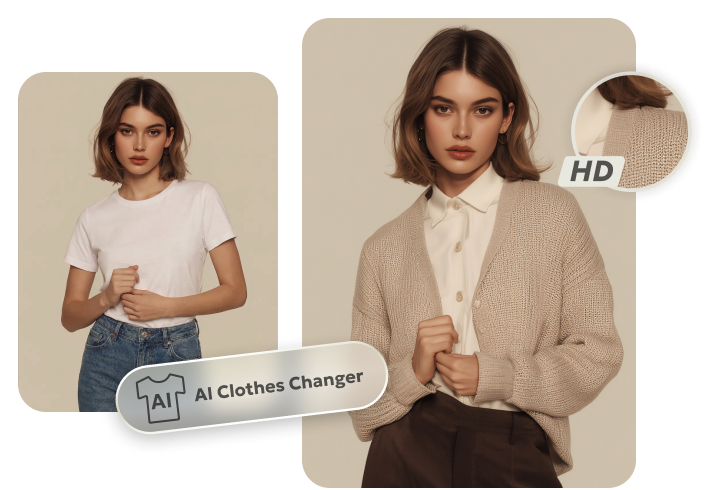
PixPretty AI Clothes Changer
- Instantly change outfits with AI in 1 click
- Realistic AI previews for every top, bottom, or dress
- Create and explore endless outfits and OOTDs without editing
Related Articles:


