


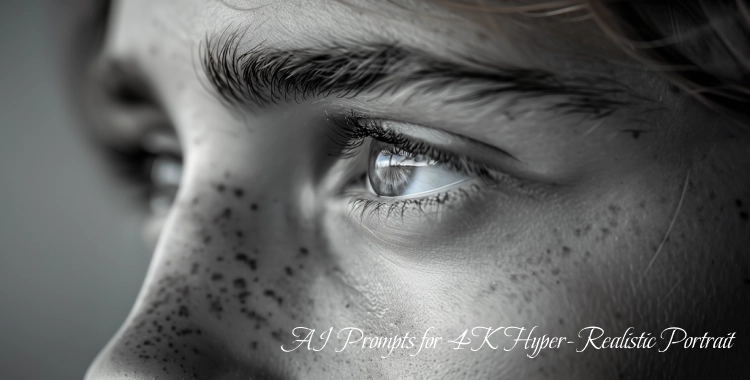
AI image generation is now a powerful tool for artists, creators, and marketers. If you want 4K hyper‑realistic portraits that look like real photos, you need strong AI prompts. These prompts tell the AI what style, lighting, and details to focus on.
This article gives you 20 easy‑to‑use prompts, steps to generate images with Gemini, and practical tips to get better results.
Part 1. 20 Detailed AI Prompts to Generate 4K Hyper‑Realistic Portrait Images
1. Cinematic Studio Portraits
Prompt 1:
Hyper‑realistic 4K portrait of a poised subject in a professional photo studio, softbox key light at 45° angle, subtle fill light to reduce harsh shadows, slight rim light on hair, flawless skin texture with visible pores, neutral gray backdrop, subject wearing a tailored blazer, direct eye contact with camera, 85mm lens effect for natural depth of field, crisp focus on eyes and eyelashes.

Prompt 2:
Hyper‑realistic portrait of a person seated near a large window with morning sun streaming through, delicate shadow gradients on the face, warm highlights on cheekbones, shallow depth of field, muted background, skin details visible, subtle catchlights in eyes like professional DSLR photography.
Prompt 3:
Hyper‑realistic close‑up portrait with soft, diffused light from a translucent reflector, gentle highlight on forehead and lips, slight shadow under the chin for depth, natural skin tone rendering, subject expression calm and confident, bokeh background for visual focus.
2. Dramatic and High‑Contrast Portraits
Prompt 4:
Hyper‑realistic studio portrait with dramatic hard light from a focused spotlight, deep shadows covering one side of the face, crisp highlights on cheek and nose ridge, vintage film aesthetic with subtle grain, subject wearing dark leather jacket, cinematic mood.

Prompt 5:
A high‑contrast, ultra‑detailed black‑and‑white portrait. One side of the subject’s face dramatically lit by a single narrow beam, opposite side in deep shadow, medium‑format camera feel, strong texture on skin and hair, intense gaze toward the lens.
Prompt 6:
Hyper‑realistic portrait under low‑key lighting, soft rim light accenting contours of the jawline, dark background dissolving into shadows, subtle reflection in subject’s eyes, rich tonal range emphasizing shape and emotional presence.
3. Environmental & Storytelling Portraits
Prompt 7:
4K hyper‑realistic portrait captured outdoors at golden hour, warm sunlight hitting from behind creating halo effect, gentle lens flare, soft breeze ruffling hair, lush background out of focus, natural shadows and highlights sculpt the face.

Prompt 8:
Hyper‑realistic image of a subject standing on a bustling city street at dusk, neon lights and streetlamps casting multi‑colored reflections on wet pavement, cinematic lighting and atmospheric depth, slight motion blur in the background, crisp facial detail.
Prompt 9:
Photorealistic portrait of an elder artisan at workbench, natural overhead window light illuminating textures on weathered skin and clothing, shallow depth of field on hands and face, environmental context suggests craft and life experience.
4. Fashion, Editorial & Trendy Portraits
Prompt 10:
Ultra‑realistic editorial portrait of a model in a high‑end studio set, dramatic softbox lighting, full makeup and styled hair, couture outfit with visible fabric texture, reflection panel to brighten eyes, symmetrical composition like magazine cover.

Prompt 11:
Blade‑runner‑style portrait with neon blue and magenta edge lights, reflective makeup accents, futuristic outfit, urban neon wall background, shallow depth of field, high contrast and crisp detail reminiscent of Vogue × cyberpunk fusion.
Prompt 12:
Photorealistic backstage portrait of a fashion model prepping for runway, soft warm fill lights, subtle makeup catchlights, sleeve outfit couture detail, faint blurred motion of assistants behind, 4K depth and texture.
5. Emotional Close‑Up and Expression Portraits
Prompt 13:
Extreme close‑up portrait focusing on subject’s eyes filled with emotion, visible tear tracks and sheen on lashes, natural skin pores, soft studio lights creating gentle shadows, background softly blurred to emphasize expression.

Prompt 14:
Hyper‑realistic portrait capturing a subject in mid‑laughter, natural light falling across face, slight head tilt, teeth and lips sharply defined, background with bokeh but hints of outdoor café vibe.
Prompt 15:
Close‑up portrait of someone gazing away from camera, soft evening light on face, relaxed jawline, gentle texture in skin and hair, background softly lit with cool tones, true‑to‑life emotional nuance.
6. Creative & Themed Realism Portraits
Prompt 16:
Hyper‑realistic cyberpunk portrait with metallic sheen accents on skin, glowing circuit‑like face markings, reflective city lights in background, rain droplets on clothing and hair, 4K cinematic texture and depth.

Prompt 17:
Portrait emulating 1950s film photograph, soft grain, warm contrast, classic hairstyle and wardrobe, mid‑century lighting style, slight vignette effect, perceived color and texture like analog photography.
Prompt 18:
4K hyper‑realistic portrait of a fantastical warrior, detailed armor reflective highlights, soft mist in background forest, clear textures on metal and skin, dramatic side light for depth and mood.
7. Identity & Reference‑Preserved Prompts

Prompt 19:
Using a reference photo, generate a hyper‑realistic portrait with identical facial features, professional studio setup with soft overhead fill, slightly darker gradient backdrop, deep depth of field capturing hair and clothing texture with crisp detail.
Prompt 20:
Four‑panel hyper‑realistic portrait collage of the same subject:
1.full face neutral expression
2.soft smile close‑up on lips
3.contemplative gaze to the side
4.extreme detail on eye and eyebrow
Consistent lighting and tone across all panels; clean, elegant arrangement.
Part 2. How To Generate 4K Hyper‑Realistic Portraits with Gemini
Google Gemini is a growing AI tool for image generation. Here’s how you can use it to turn your prompts into stunning 4K portraits:
-
Go to the Google Gemini AI - image creation tool in your browser or app.
-
Select Text‑to‑Image if you are creating from scratch. If you have a photo to enhance, choose Photo Enhancement mode.
-
Use one of the prompts from Part 1. Add details about lighting, lens style, and mood for better results.
-
Choose 4K output if the tool lets you pick resolution. This ensures large, detailed images.
-
Click Generate and review the image. If it needs improvement, edit your prompt and try again.
-
When you are happy with the portrait, export it in 4K quality.
PixPretty Pro
Portrait Retouching on Desktop
PixPretty's desktop version is purpose-built for professional portrait retouching, delivering studio-level skin, facial, and detail refinement with lossless export.
Part 3. Best Practices To Generate 4K Hyper‑Realistic Portraits
Here are simple tips to help you refine your AI portrait output:
1. Be Clear and Specific
Short vague prompts make weak images. Add details about lighting, lens, mood, and background. Clear prompts get better realism.
2). Use Photography Terms
Words like shallow depth of field, rim light, cinematic lighting, 85mm lens style improve realism because they mimic real camera settings.
3. Mention Texture Details
Add terms like visible skin pores, crisp eyes, natural highlights — these signal the AI to enhance surface detail.
4. Test and Refine
Generate multiple versions. Small changes in wording can make big differences. Try one detail at a time to see what works best.
5. Upscale with Tools
If your tool doesn’t output true 4K, use an AI upscaler after generation to increase image clarity without losing quality.
6. Save and Compare Versions
Keep versions so you can compare what changes improve realism.

Tip:
After you generate your 4K portraits, use PixPretty AI Photo Editor to enhance your images quickly. Pixpretty is a free AI‑powered tool, making your final outputs look more polished and professional without long manual edits.
Conclusion
Creating 4K hyper‑realistic portrait images with AI is easy when you use the right prompts and tools. Start with detailed prompts, use tools like Gemini to generate high‑quality images, and refine your results with best practices.
After generation, PixPretty AI Photo Editor can polish your portraits with AI retouching, skin smoothing, color adjustment, and batch editing. This makes your images look professional while saving time.
PixPretty AI Photo Editor
- 100% free AI Image Generator (Nano Banana 2 powered)
- 4K image quality with fast generation speed
- AI effects & filters for personal and e-commerce use

Related Articles:


