


Comparing Buffer vs RecurPost is a common challenge for creators, small businesses, and agencies trying to pick the most efficient social media scheduler. Both tools help you plan posts, save time, and stay consistent, but their features, pricing, and automation styles are very different.
In this guide, you’ll get a clear and simple breakdown of what each tool offers, how they perform in real daily workflows, and which one is the better choice.
Table of Contents
Part 1: Buffer vs RecurPost: Overview of Both Tools
1. What Is Buffer?
Buffer is a popular social media scheduling and publishing tool known for its clean interface and easy workflow. It’s widely used by creators, small teams, and brands that want a simple way to plan and publish content across multiple platforms.
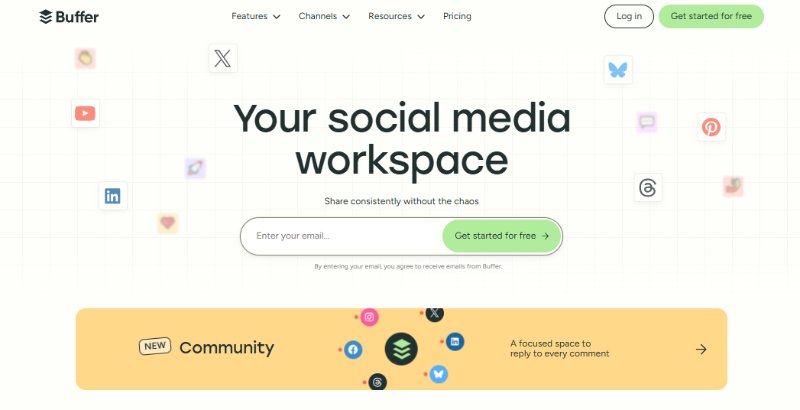
Key Features of Buffer:
- Multi-platform scheduling (Instagram, Facebook, TikTok, LinkedIn, X, Pinterest)
- Drag-and-drop content calendar
- AI post ideas and caption assistance First comment scheduling for Instagram
- Basic analytics for post performance
- Team collaboration with approvals and drafts
- Link in Bio landing page
- Hashtag manager
- Mobile and browser extension support
2. What Is RecurPost?
RecurPost is a social media scheduler built around evergreen content automation. It’s popular among coaches, agencies, and businesses that rely on recurring posts and large content libraries.
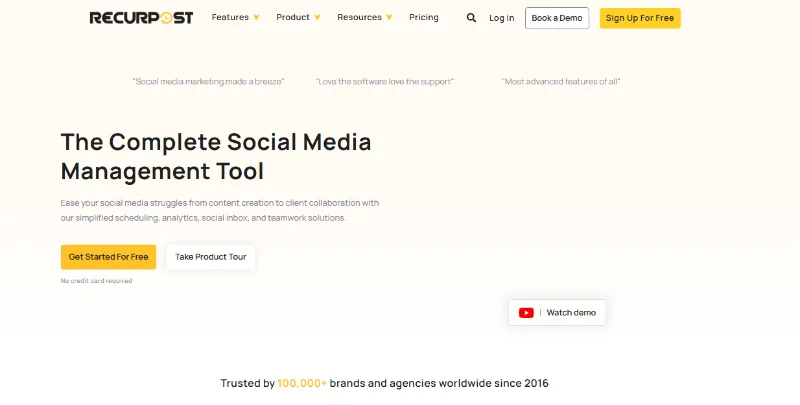
Key Features of RecurPost:
- Evergreen content recycling (auto-reshare old posts)
- Content libraries for organizing posts by category
- Bulk scheduling for faster uploading
- Social inbox for managing messages
- Best-time scheduling with AI suggestions
- Advanced automation queues
- Multi-platform support (Instagram, Facebook, LinkedIn, X, TikTok, Google Business Profile)
- White-label reports for agencies
- Team management and approval workflow
- Can schedule posts for months or a year ahead
Part 2:Buffer vs RecurPost Pricing Breakdown
Picking a scheduler often comes down to cost, so here’s a Buffer vs recurpost pricing.
1. Buffer Pricing
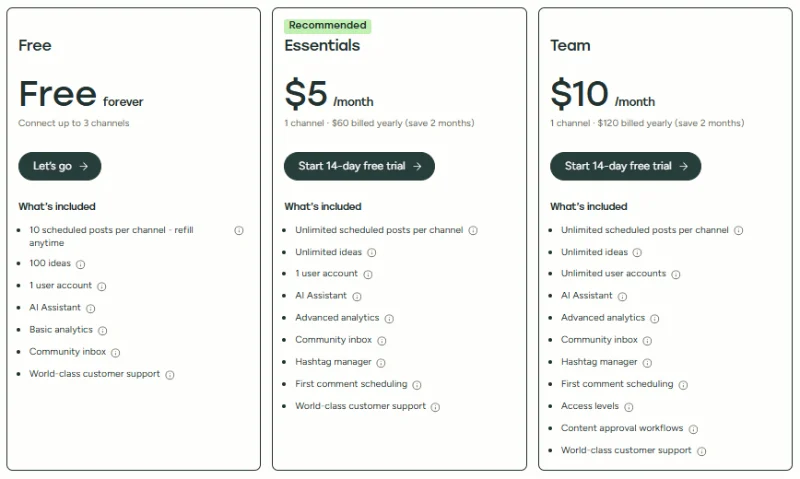
Buffer uses a “pay per social channel” model. This means the more social profiles you add, the more you pay. It’s flexible for small creators but can get expensive for agencies.
1. Free Plan
- Cost: $0/month
- Includes: 3 social channels, 10 scheduled posts per channel, 1 user, basic analytics, AI ideas, community inbox
- Best for: beginners and small creators
- Cost: $5 per channel/month (annual)
- Includes: unlimited scheduling, hashtag manager, first comment scheduling, advanced analytics, AI tools
- Best for: solo creators and small teams
- Cost: $10 per channel/month (annual)
- Includes: unlimited users, approval workflows, collaboration tools, detailed analytics
- Best for: multi-user teams or agencies needing teamwork features
2. Essentials Plan
3. Team Plan
2. RecurPost Pricing
RecurPost uses a “fixed pricing per plan” model. You don’t pay extra for adding more users your cost depends on how many profiles you manage. This is budget-friendly for agencies and coaches.
1. Starter Plan
- Cost: $9/month
- Includes: 2 profiles, 10 posts/day per profile, evergreen posting, standard scheduling
- Best for: beginners who want automation
- Cost: $25/month
- Includes: 5 profiles, 20 posts/day profile, content libraries, post recycling, bulk scheduling
- Best for: freelancers, coaches, small businesses
- Cost: $79/month
- Includes: 20 profiles, high daily posting limits, multiple workspaces, team management, reporting
- Best for: agencies handling multiple clients
- Cost: Custom
- Includes: tailor-made limits, profiles, posting volume, and team access
- Best for: large marketing teams needing scalability
2. Personal Plan
3. Agency Plan
4. Enterprise Plan

Part 3: When Buffer Is the Right Choice
Buffer is the better pick if you want a clean, simple, and easy-to-use scheduler. Designed for users who don’t need advanced automation, it helps plan and publish posts smoothly. In the buffer vs recurPost comparison, Buffer shines for small teams or creators who value simplicity and control.
Best Use Cases for Buffer:
| Criteria | Why Buffer Works |
| Simplicity & Ease of Use | Clean, beginner-friendly interface with minimal learning curve. |
| Few Social Accounts | Pay-per-channel pricing is affordable for small-scale users. |
| Manual Scheduling | Drag-and-drop calendar and post queues give full control. |
| Basic Analytics | Simple analytics are enough for creators and small businesses. |
| Quick Posting Across Platforms | Easy to create, preview, and share posts quickly. |
Part 4: When RecurPost Is the Better Choice
RecurPost is built for people who want to save time through smart automation. If posts need to recycle automatically or you manage many accounts, RecurPost offers more power and efficiency for less money compared to Buffer in the RecurPost vs Buffer comparison.
Best Use Cases for RecurPost:
| Criteria | Why Buffer Works |
| Evergreen Posting | Automatically recycles top posts to keep accounts active. |
| Multiple Profiles / Clients | Fixed pricing plans allow more accounts without extra cost. |
| Automation & Bulk Scheduling | Content libraries and auto-posting save hours per month. |
| Long-Term Consistency | Scheduled libraries keep posts running even when busy. |
| Better Value for Money | More features per plan compared to Buffer’s per-channel pricing. |
Bonus Tip: PixPretty AI: The Smart Way to Perfect Your Social Media Posts
Make your social media visuals stand out effortlessly with PixPretty AI. Trusted by over 10 million users and with 26 million+ images processed, this powerful AI photo editor can remove complex backgrounds in just 3 seconds, resize images, enhance quality, and transform your visuals all 100% free.
Whether it’s products, people, cars, animals, or graphics, PixPretty lets you create stunning, professional-quality posts in seconds, saving time, effort, and money. Perfect for e-commerce, content creators, and marketers who want their visuals to pop on every platform.
FAQ About Buffer vs RecurPost
Q1: What is better than Buffer?
For simple scheduling and a clean interface, Buffer is great. But if you want automation, evergreen posting, and bulk scheduling, tools like RecurPost, Hootsuite, or Later can be better.
Q2: Why do businesses choose RecurPost instead of Buffer for social media scheduling?
Businesses choose RecurPost because it automatically recycles posts, supports many accounts, and offers bulk scheduling. It’s more cost-effective for agencies or brands managing multiple profiles.
Q3: Is Buffer a good scheduling app?
Yes. Buffer is easy to use, beginner-friendly, and reliable for scheduling posts, tracking basic analytics, and managing small numbers of social accounts.
Conclusion
When comparing Buffer vs RecurPost, the choice depends on your social media needs. Buffer is perfect for small teams and simple manual scheduling, while RecurPost excels at evergreen content, automation, and managing multiple accounts. No matter which tool you choose, high-quality visuals are key to engagement. Using PixPretty AI, you can quickly remove backgrounds, enhance images, and create stunning social media posts that stand out saving time and making your content shine.
PixPretty AI Photo Editor
- 100% free AI Image Generator (Nano Banana 2 powered)
- 4K image quality with fast generation speed
- AI effects & filters for personal and e-commerce use



