


Getting a passport photo used to mean visiting a photo studio and paying extra money. Today, many online tools promise to create passport photos in seconds. One popular option is IDPhoto4You. But is it really reliable and safe to use?
In this IDPhoto4You review, we will take a close look at how this tool works and whether it can create passport photos that meet official requirements. We will explore its features, safety, and real user feedback so you can clearly understand if it is the right tool for creating passport photos online.

Table of Contents
Part 1: What Is IDPhoto4You?
IDPhoto4You is a free online tool that helps users create passport, visa, and ID photos from home. Instead of visiting a photo studio, you can simply upload a picture and convert it into the correct passport size. The website supports photo standards for more than 70 countries, which makes it useful for many users around the world.
The tool is simple and designed for quick editing. However, it mainly focuses on cropping and basic adjustments. It does not provide advanced editing or automatic verification to ensure the photo meets official passport requirements.

1.1 IDPhoto4You Features Explained
IDPhoto4You provides several basic features that help users create passport or ID photos easily. The platform is designed to keep the process simple and quick.

Some of the main features include:
-
Free to use: The website allows users to create passport photos without paying any fee.
-
Multiple country standards: It supports passport and ID photo sizes for around 73 countries .
-
Manual photo cropping: Users can manually adjust the crop frame to fit the correct passport size.
-
Brightness and contrast adjustment: Basic tools help improve lighting if the photo looks too dark or too bright.
-
Multiple print sizes: The site creates printable templates so users can print several passport photos on one page.
-
Simple photo mode: It can also be used to prepare photos for CVs, online profiles, or other documents.
1.2 IDPhoto4You Pros and Cons
Pros

Cons

Completely free to use
No automatic face detection
Works directly in a web browser
No background removal tool
Supports passport photo sizes for many countries
No AI verification for passport compliance
Simple and beginner-friendly interface
No expert review of the photo
No installation or account required
No acceptance guarantee if the photo is rejected
1.3 Safety and Security of IDPhoto4You
When uploading personal images online, safety is always an important concern. IDPhoto4You uses an HTTPS secure connection, which means your images are encrypted while being uploaded or downloaded from the website. This helps protect your data during the transfer process.
However, users should still follow some basic safety practices. Avoid uploading photos while connected to public Wi-Fi networks, as these networks are less secure.
Another thing to note is that the website does not verify your photo against official passport requirements. It only resizes and crops the image according to the selected country format. Because of this, there is always a small risk that the photo might not be accepted by passport authorities.
Part 2: IDPhoto4You Reviews From Real Users
Before using any online tool, it is helpful to check what real users say about it. In this section, we will look at www idphoto4you com review feedback and general IDPhoto4You reviews from different sources across the internet.
Overall User Feedback
Most online discussions about IDPhoto4You show mixed user experiences. Some users like the tool because it is free and simple, while others mention limitations in editing and photo verification.
According to website safety checkers, the platform has been active since 2009, which suggests it is not a new or temporary website. Some review platforms also consider it a legitimate service with a valid SSL certificate, meaning uploaded photos are encrypted during transfer.
However, other analysis tools give the site a medium or low trust score, which means users should still be careful when uploading personal images online.
Positive IDPhoto4You Reviews
Some users report good experiences with the tool, especially when they need a quick and free way to create passport photos.
Common positive points mentioned in IDPhoto4You reviews include:
-
The website is completely free to use
-
No account registration is required
-
Supports passport photo sizes for many countries
-
Simple and beginner-friendly interface
-
Easy to download printable photo templates


Part 3: Is IDPhoto4You a Legit Website?
Yes, IDPhoto4You is generally considered a legitimate website that helps users create passport-size photos online. The site has been active since 2009, which shows it has been operating for many years and is not a temporary or fake service.
Security checks also show that the website uses HTTPS encryption, meaning photos uploaded to the site are protected during the transfer process.
However, it is important to know that the tool only resizes and crops photos. It does not verify whether the photo meets official passport requirements, so acceptance by authorities is not guaranteed.
Part 4: How IDPhoto4You Works (Step-by-Step Guide)
Creating a passport photo with IDPhoto4You is simple. The website allows users to upload a photo and convert it into a passport-size image based on the country requirements. Below is a simple step-by-step guide to help you use the tool.
Step 1: Choose Country and Photo Type
First, open the website and select the country, photo type, and print size. The system will automatically set the correct passport photo dimensions for that country.

Step 2: Upload Your Photo
Next, upload a clear photo from your device. The image must follow these requirements:
-
Maximum file size: 10 MB
-
Minimum dimensions: 130 × 200 pixels
-
Maximum dimensions: 10000 × 10000 pixels
-
Accepted formats: JPG or JPEG

Step 3: Accept the Privacy Policy
Before continuing, you need to accept the website's privacy policy and terms. The platform works anonymously and temporarily stores your uploaded image during processing.

Step 4: Manually Crop the Photo
After uploading, the crop page will open. Use the green crop frame to adjust the photo so that the face fits correctly within the passport size guidelines.

Step 5: Create the Passport Photo
Once the cropping is done, click the "Make Photo" button. The tool will generate a printable passport photo template.
Step 6: Download and Print the Photo
Finally, download the created image. You can print it using a photo printer or send it to a photo lab to get physical passport photos.
Bonus Tip: Quick Fix for Passport Photo Size: Use PixPretty Image Resizer
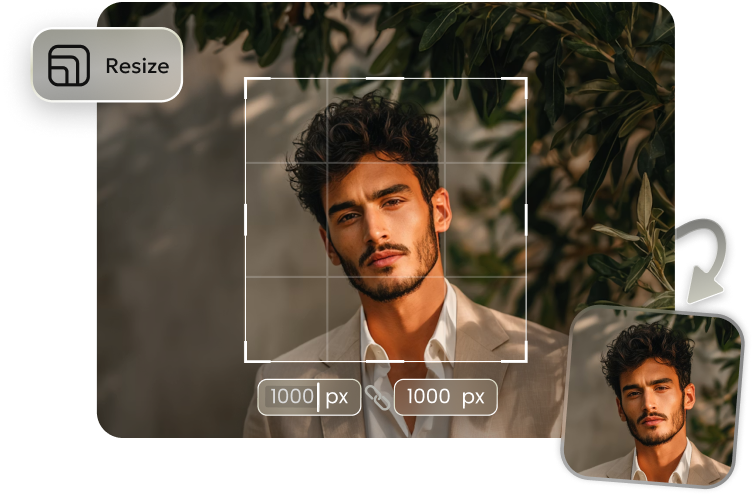
Sometimes your photo may not match the exact passport size required. In such cases, using a simple image resizing tool can save a lot of time. PixPretty Image Resizer is a free online tool that lets you quickly adjust photo dimensions without losing image quality. It works directly in your browser, so you don't need to install any software.

With this tool, you can upload a photo, set the correct dimensions, and download the resized image in seconds. It supports popular formats like JPG, PNG, and JPEG, and keeps your image clear and sharp. If your passport
photo needs a quick size adjustment before uploading or printing, PixPretty Image Resizer can be a fast and convenient solution.
Conclusion
In this IDPhoto4You review, we saw that the website is a simple and free tool to create passport photos at home. It helps you crop and resize photos for many countries, but it does not check if the photo meets official requirements. If your photo needs a quick size fix, you can use PixPretty Image Resizer. It's free, easy, and keeps your image clear. Using both tools together makes creating the right passport photo fast and simple.
PixPretty Image Resizer
- Resize images online in seconds without losing quality
- Batch resize multiple photos to save time and effort
- Perfect sizes for social media, e-commerce, and any platform
Related Articles:


