A smile can make any photo look warmer and more welcoming. Today, AI tools make it easy to free put smile on photo without any editing experience. In just a few clicks, you can turn a serious or neutral face into a natural-looking smile. Many of these tools work online for free, and some don't even require a login.
This guide will walk you through simple step-by-step methods. You'll learn how to use online tools, mobile apps, and advanced AI smile generators to make any picture smile easily.

Table of Contents
Part 1: What Is an AI Smile Generator?
An AI smile generator is a smart photo editing tool that can change a person's facial expression by adding a natural-looking smile. Instead of manually editing the mouth or lips, the AI analyzes your face and adjusts key areas like the lips, cheeks, and eyes together. This makes the result look more real and balanced.
These tools use facial recognition technology to understand facial structure and expressions. With just one click, you can transform a serious or neutral face into a friendly smile. Many platforms now offer this feature online, making it easy for anyone to enhance photos without professional editing skills.
Part 2: How to Make Photo Smile Online Free Without Login
Adding a smile to your photos has never been easier. Whether you want a quick edit online or a more advanced AI-generated smile, there are tools available for everyone. In this guide, we'll cover three simple methods to, add smile to photo AI.
Method 1: Make Photo Smile Online Free (No Login Required)
Online AI tools are perfect for quick edits. You don't need to download anything or create an account. Just upload your photo, let the AI detect your face, and add a smile automatically. This is ideal if you want a fast solution to make photo smile online free without login.
Top Online Tools:
1. Gemini AI
Gemini AI is a smart online AI editor designed to enhance photos effortlessly. It can detect facial landmarks and generate a natural-looking smile in seconds. It works for both individual portraits and group photos.

Features:
-
No login required
-
Automatic smile generation using AI
-
Adjustable smile intensity: soft, natural, or broad
-
Works on desktop, tablet, and mobile
-
Instant download of edited photos
2. ChatGPT Image Tools
Some versions of ChatGPT now include AI image editing. You can upload your photo, select "Add Smile," and the AI adjusts the facial expression subtly and naturally.

Features:
-
No software installation needed
-
Works directly from your browser
-
Fast and beginner-friendly
-
Natural-looking smile enhancement
Method 2: Use a Photo Smile Editor App (Free)
Mobile apps give more control over the smile effect. They allow you to preview changes, adjust intensity, and choose the smile style. These photo smile editor app free options are perfect for selfies, profile photos, and social media pictures.
Recommended Apps:
1. Smile AI -- Photo Smile Editor App (iOS / App Store)
Smile AI automatically detects the face in your photo and adds a realistic smile. You can choose the type and size of the smile for a natural effect.

Features:
-
One-tap smile enhancement
-
Adjustable smile intensity
-
Natural-looking AI-generated smiles
-
Save and share instantly
-
Works offline once installed
2. Smile Photo Editor (Android / Google Play)
Smile Photo Editor uses AI to transform neutral expressions into friendly smiles. It also allows editing multiple faces in one photo.

Features:
-
Soft, broad, and subtle smile options
-
AI-powered automatic smile adjustment
-
Edit multiple faces in one image
-
Free to use with optional premium upgrades
-
High-resolution export
Method 3: Add Smile to Photo AI with Advanced Tools
For more realistic and professional results, advanced AI tools give precise control over facial features. You can fine-tune lips, cheeks, and eyes to create the perfect smile. These tools are ideal if you want to add smile to photo AI in a natural, high-quality way.
Top Advanced AI Tools:
1. AI Smile Filter -- Add Smile to Photo Online Free
This online tool automatically detects key facial points and generates realistic smiles. It offers multiple smile styles and works entirely online.

Features:
-
Fully online, no login required
-
Multiple smile styles: soft, broad, subtle
-
AI automatically detects lips, cheeks, and eyes
-
Instant download of high-quality images
-
Works for individual or group photos
2. Pixelcut AI Smile Editor
Pixelcut offers advanced AI editing for professional-looking smiles. It supports batch editing and allows precise adjustment of smile intensity.

Features:
-
Professional-grade smile generation
-
Realistic, natural-looking expressions
-
Batch edit multiple photos
-
Adjustable smile intensity and style
-
High-quality output for social media or portraits
Part 3: How Does an AI Smile Generator Work?
AI smile generators are smart tools that can turn a serious or neutral face into a natural smile in just a few seconds. Unlike manual photo editing, these tools use artificial intelligence to understand your facial features and automatically adjust them for a realistic expression.
Here's how the process works, using Gemini AI as an example:
1. Upload Your Photo
Start by visiting Gemini AI's website. You don't need an account, so you can make photo smile online free without login. Simply upload the image you want to edit.

2. Add a Smile
Type a simple prompt telling the AI to add a smile to the face. For example: "Put a natural smile on the person's face." The AI will automatically create a realistic smile in the photo.

3. Adjustments (Optional)
Some AI generators, including Gemini, allow you to tweak the intensity of the smile. This lets you fine-tune the result for the most realistic and balanced effect.
4. Preview and Download
After the AI applies the smile, you can preview the edited image. Once satisfied, you can download it instantly, without any registration or login.

Part 3: Tips to Make AI Smiles Look Natural
Adding a smile with AI is easy, but making it look realistic takes a little care. A natural smile doesn't just involve the mouth it affects the eyes, cheeks, and overall facial expression. Here are the best tips to makes sure your AI-generated smiles look genuine and professional.
1. Choose a Clear, Front-Facing Photo
The clearer the photo, the better the AI can detect facial features.
-
Use well-lit images with minimal shadows.
-
Avoid tilted or partially obscured faces.
-
Straight, front-facing shots help the AI create a balanced smile.
2. Adjust Smile Intensity Gradually
Many AI tools, like Gemini AI, allow you to select soft, natural, or broad smiles.
-
Start with a subtle smile to keep it realistic.
-
Overly wide smiles can distort lips and cheeks, making the photo look fake.
-
Fine-tuning intensity often creates the best results.
3. Make sure the Eyes Match the Smile
A genuine smile involves the eyes. AI tools can adjust eye expressions to match the mouth:
-
Slightly squinted eyes make the smile look authentic.
-
Avoid smiles where the lips change, but the eyes remain stiff.
4. Manage Teeth Visibility Carefully
If your AI tool adds teeth to the smile:
-
Check that teeth are aligned properly.
-
Closed-mouth smiles often look more natural in casual photos.
-
Some apps allow toggling teeth on or off use this for subtle adjustments.
5. Use Trusted AI Tools
Not all AI smile generators are created equal. Tools like Gemini AI allow you to make photo smile online free without login while maintaining realistic results. Avoid unknown apps or websites that over-edit or distort faces.
Bonus Tip: See How Any Store Outfit Looks on You with PixPretty AI Clothes Changer
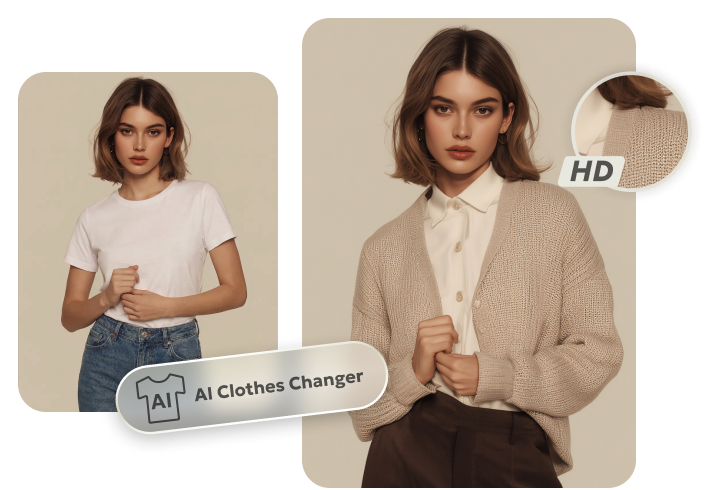
Step into the future of online shopping with PixPretty AI Clothes Changer. Instantly try any store outfit on yourself without leaving home. Upload your photo, and watch the AI perfectly fit tops, dresses, jackets, or full outfits to your body shape, pose, and lighting.

Compare colors, styles, and fits in seconds, so every choice is confident and accurate. Say goodbye to guessing sizes or worrying about returns. PixPretty makes virtual try-ons effortless, realistic, and fun every single time.
Conclusion:
Adding a smile can completely transform any photo, making it look friendly and more inviting. With tools that let you free put smile on photo, anyone can enhance pictures quickly and easily without editing skills. For an even more fun and creative experience, try PixPretty AI Clothes Changer. Not only can you add smiles, but you can also experiment with outfits, see realistic try-ons, and make your photos truly stand out.
PixPretty AI Clothes Changer
- Instantly change outfits with AI in 1 click
- Realistic AI previews for every top, bottom, or dress
- Create and explore endless outfits and OOTDs without editing