


Golden hour lighting adds warmth and emotion to AI images. It creates soft highlights, long shadows, and a cinematic feel. In this guide, you’ll learn how to use Golden Hour lighting AI prompts for Midjourney and Stable Diffusion.
We’ll break down simple prompt wording, key lighting terms, and practical examples. This will help you control mood, depth, and natural sunlight effects with ease.

Table of Contents
- Part 1: Cinematic Lighting Techniques Applied to Golden Hour
- Part 2: Best Prompts for Golden Hour Lighting (Expert Examples)HOT
- Part 3: Golden Hour Lighting Prompts for Midjourney
- Part 4: Golden Hour Lighting Prompts for Stable Diffusion
- Bonus Tip: See Yourself in Any Outfit Instantly with PixPretty AI!
Part 1: Cinematic Lighting Techniques Applied to Golden Hour
Golden hour lighting feels cinematic by nature. When combined with professional lighting techniques, it creates depth, emotion, and realism in AI-generated images. Below are the key cinematic techniques you should apply when writing Golden Hour lighting AI prompts.
1. Key Light Placement: Low-angle sun sculpts the subject naturally.
 Use in prompts:
 low-angle golden sunlight, warm key light from the side, sunset light hitting the face.
2. Fill Light Control: Keep fill minimal for soft, cinematic shadows.
Use in prompts: subtle fill light, soft shadows preserved, low contrast lighting.
3. Rim and Backlighting
Backlighting at golden hour creates a warm glow around the subject, separating them from the background. This is ideal for portraits and lifestyle shots. Use in prompts: golden rim light, warm backlight, glowing hair edges.
4. Shadow Direction and Length
Golden hour produces long, soft shadows that add realism and depth. Mentioning shadow behavior improves spatial accuracy. Use in prompts: long diffused shadows, natural sunset shadows.
5. Atmospheric Enhancement
Light haze or dust makes golden light visible and cinematic. This adds volume and a professional film look. Use in prompts: soft haze, volumetric golden rays, sunset light through mist.
Part 2: Best Prompts for Golden Hour Lighting (Expert Examples)
1. Cinematic Golden Hour Portrait Prompts

Prompt 1:
A cinematic portrait of a young woman,Golden hour filter ai with warm low-angle sunlight, soft rim light outlining hair, subtle fill light preserving facial shadows, shallow depth of field, natural skin tones, cinematic color grading.

Prompt 2:
Close-up portrait of a man at sunset, golden hour lighting AI style, warm backlight creating a soft halo, long diffused shadows, emotional cinematic mood, realistic texture, professional portrait photography.

Prompt 3:
Moody cinematic portrait, best golden-hour lighting, side-lit warm sunset light shaping facial features, minimal fill light, soft contrast, natural bokeh background, film-style lighting.

Prompt 4:
Outdoor cinematic portrait during golden hour, warm sunlight from the horizon, glowing rim light, gentle shadow falloff, atmospheric haze, high realism, cinematic photography look.

2. Golden Hour Landscape & Outdoor Prompts
Prompt 1:
Wide outdoor landscape at sunset, golden hour lighting, warm sunlight low on the horizon, long natural shadows, soft atmospheric haze, cinematic depth, ultra-realistic scenery.
Prompt 2:
Mountain landscape during golden hour, glowing sunlight illuminating peaks, volumetric light rays, warm tones, calm cinematic atmosphere, natural color grading, high detail.

Prompt 3:
City street at sunset, Golden hour filter ai, warm reflections on buildings, soft shadows stretching across the road, cinematic urban mood, realistic lighting.
Prompt 4:
Beach scene at golden hour, warm sunlight reflecting on water, long diffused shadows, gentle haze, peaceful cinematic ambiance, professional landscape photography.

3. Fashion & Lifestyle Golden Hour Prompts
Prompt 1:
Fashion editorial shoot outdoors, golden hour lighting, warm backlight highlighting fabric texture, soft beauty lighting on face, glowing skin tones, cinematic fashion photography.

Prompt 2:
Lifestyle portrait of a woman walking outdoors at sunset, best golden-hour lighting, warm rim light, natural skin highlights, soft contrast, modern cinematic look.
Prompt 3:
Casual fashion scene during golden hour, warm sunlight softly illuminating clothing, subtle shadows, cinematic color tones, shallow depth of field, realistic lighting.

Prompt 4:
Outdoor lifestyle shoot at sunset, golden hour lighting, warm sunlight through hair, gentle halo effect, natural expressions, clean cinematic aesthetic.
Part 3: Golden Hour Lighting Prompts for Midjourney
Midjourney allows precise control over cinematic lighting effects. Using descriptive phrases and directional cues for the sun helps achieve realistic golden hour visuals. Below are prompt examples designed to create professional AI images.
How to Structure Midjourney Golden Hour Prompts
1. Subject + Lighting Type: Specify subject and golden hour lighting.
2. Mood & Atmosphere: Add descriptive adjectives like cinematic, dreamy, nostalgic.
3. Camera & Style Terms: Include depth of field, lens type, or cinematic references.
4. Optional Environment & Effects: Haze, soft shadows, rim lighting, or atmospheric glow.
Expert Midjourney Prompts
-
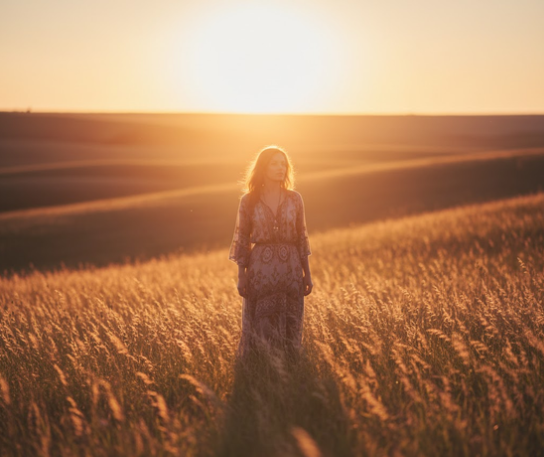
1.Portrait of a woman in a meadow during golden hour, warm low-angle sunlight, soft rim light, subtle shadows, cinematic mood, shallow depth of field, ultra-realistic --ar 16:9 --v 6
-
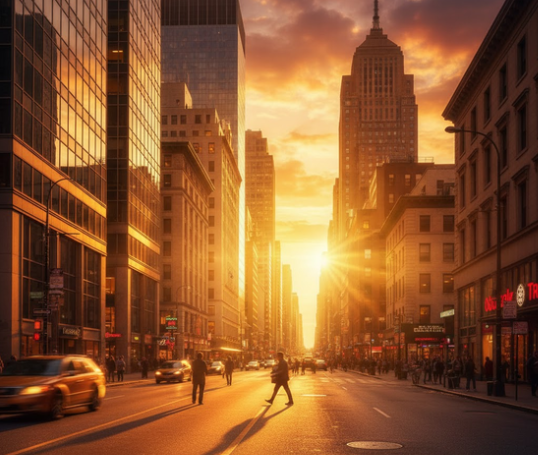
2.City street at sunset, glowing golden sunlight reflecting off buildings, long soft shadows, volumetric light, cinematic urban photography, realistic lighting --ar 16:9
-
3.Outdoor fashion editorial, golden hour backlight, warm sunlight highlighting clothing textures, gentle halo effect, cinematic style, professional photography --ar 3:4
-
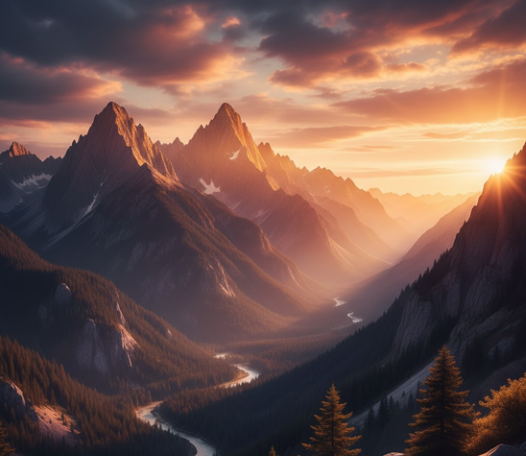
4.Mountain landscape at sunset, golden hour lighting, warm sunlight hitting peaks, atmospheric haze, soft shadows, ultra-detailed, cinematic feel --ar 21:9


Part 4: Golden Hour Lighting Prompts for Stable Diffusion
Stable Diffusion responds well to Golden hour prompt for Gemini that include technical lighting keywords. Here, you can emphasize light placement, atmospheric effects, and mood for cinematic results.
Core Golden Hour Lighting Tokens for Stable Diffusion
golden hour
warm sunlight
rim light
backlight
volumetric lighting
soft shadows
ethereal glow
Prompt Examples
-
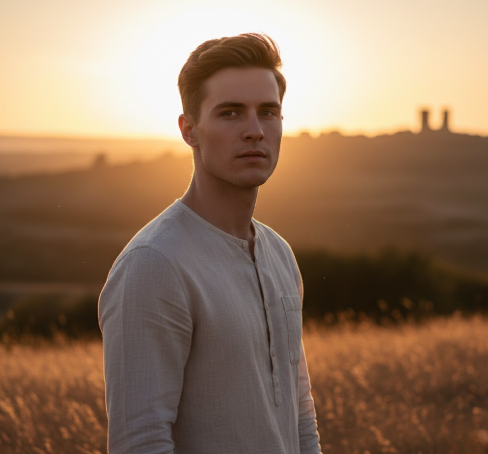
1.Portrait of a young man, golden hour lighting:1.5, warm sunlight illuminating face, subtle rim light, soft shadows, cinematic depth, realistic textures.
-
2.Forest landscape, golden hour lighting, volumetric rays of sunlight, warm haze, long shadows, cinematic realism.
-
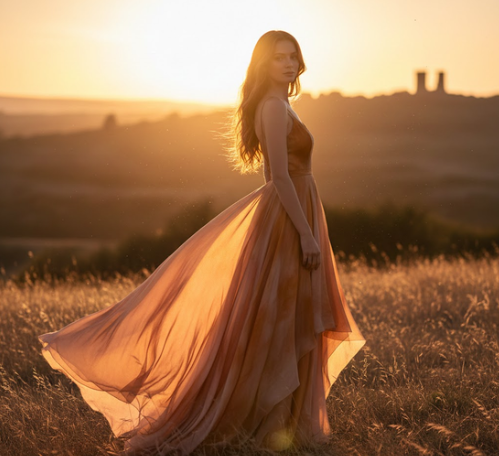
3.Fashion shoot outdoors, golden hour backlight:1.3, soft fill light, glowing hair, natural warm tones, cinematic AI lighting prompts.
-
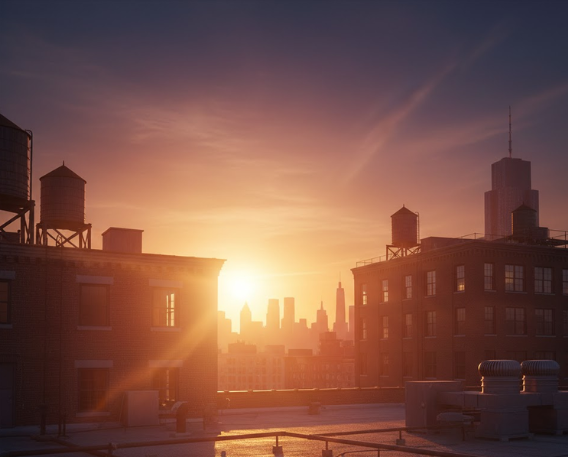
4.Urban rooftop at sunset, golden hour lighting, soft warm glow on buildings, subtle atmospheric haze, realistic shadows, professional cinematic style.


Bonus Tip: See Yourself in Any Outfit Instantly with PixPretty AI!
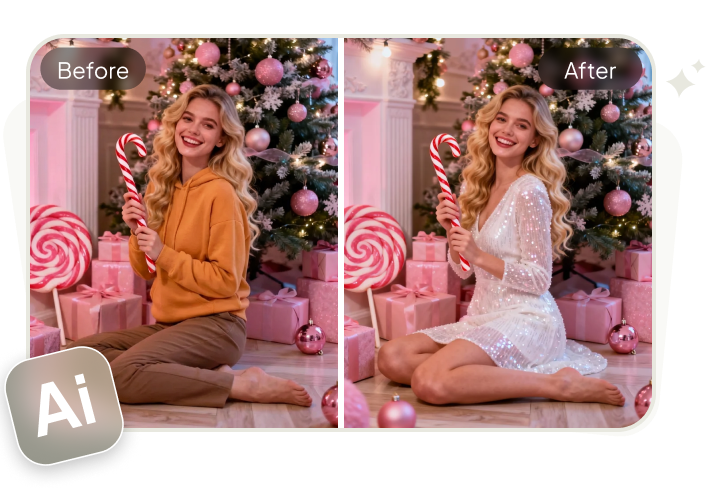
Why wait to try new styles? PixPretty AI Clothes Changer lets you switch outfits in seconds no wardrobe, no hassle. Experiment with colors, trends, and fashion looks in realistic HD, all from your phone or computer.
Perfect for online shopping, social media, or just for fun, it turns your fashion ideas into instant visual reality. Explore, mix, and match to find your perfect look effortlessly.
PixPretty AI Clothes Changer Features
-
Change your clothes in seconds without physically trying them on.
AI generates highly detailed and natural-looking images.
Experiment with any fashion trend, color, or pattern.
-
Combine tops, bottoms, dresses, and accessories effortlessly.
-
Perfect for social media posts, online shopping, or content creation.
-
View multiple outfit options instantly and download your favorite look.
Conclusion
Using Golden Hour lighting AI prompts makes your AI images warm, realistic, and cinematic. With the techniques and examples in this guide, you can create amazing portraits, landscapes, and fashion shots. For fashion creators, PixPretty AI Clothes Changer is a great tool to try new outfits and styles instantly. It makes your AI images look even more creative and professional.
PixPretty AI Clothes Changer
- Create charming Christmas looks with ease
- Turn everyday photos into festive holiday scenes
- Perfect for Christmas photos and family moments
Related Articles:


