


If you want eye-catching AI LEGO images and videos, it all comes down to how you write your AI LEGO prompts. Get sloppy with your wording, or miss the core details, and you'll never have realistic results.
But don't worry, in this post, we'll share the components to include in the LEGO prompts for photos and videos. So, the AI can generate accurate results. You'll also find 20+ ready-to-use AI LEGO prompts. Use them straight away, and save yourself the trouble of creating your own prompts.

Table of Contents
- Part 1: What's Needed to Craft a Perfect AI LEGO Prompt for Photos?
- Part 2: What's Needed to Craft a Perfect AI LEGO Prompt for Videos?HOT
- Part 3: 10+ Best AI LEGO Prompts for Photos
- Part 4: 10+ Top AI LEGO Prompts for Videos
- [Hot Tip] Try Out Different Clothing With an AI Clothes Changer
- The Bottom Line
Part 1: What's Needed to Craft a Perfect AI LEGO Prompt for Photos?
For a perfect AI LEGO prompt, you'll need to understand what's needed to craft it, like theme, design, form, atmosphere, and context. Once you know these core components, it'll be easier to write a good prompt for a LEGO AI generator app like ChatGPT, BrickGPT, Gemini, etc.:
Core Subject & Theme
The core subject and theme guide the AI. So, be specific. For example:
-
Main subject: e.g., wizard, spaceship
-
Style/genre: e.g., fantasy, historical, sci-fi
-
Action/scene: e.g., "cleaning a house," "flying through space."
Design & Aesthetics
The design and aesthetics affect the visual appeal and LEGO authenticity. For example:
-
Color palette: key colors or scheme, e.g., blue, green, or pink.
-
Complexity/detail: e.g., detailed, simplified, minimalist.
-
LEGO features: e.g., studs on top, blocky/geometric shapes.
Structural & Physical Form
The structural and physical form details are crucial for building functional models. For example:
-
Dimensionality: 2D mosaic or 3D model.
-
Size/scale: relative size or brick count, e.g., 32x32 mosaic.
-
Stability/buildability: e.g., a physically stable chair.
Context & Atmosphere
The context and atmosphere add to the story and visual interest. For example:
-
Setting/background: e.g., modern kitchen.
-
Lighting/mood: e.g., sunny, dramatic lighting.
-
Extra elements: e.g., pet dog, toys.

Part 2: What's Needed to Craft a Perfect AI LEGO Prompt for Videos?
You can create a perfect prompt for videos with the correct LEGO AI instructions that include action, style, shot type, aesthetics, lighting, and atmosphere. Also, don't forget to include secondary details. Here are the core components you need to remember:
Central Action & Subject
Describe the main action or movement in the clip (the core of the video). Without clear action, the video feels static or messy. For example:
-
Weak: "A LEGO castle."
-
Strong: "A LEGO castle's drawbridge lowering."
-
Better: "A massive LEGO castle's drawbridge slowly creaks open."
Cinematic Style & Shot Type
Camera view and movement details must be added, as these control how the scene is presented and how professional it feels. For example:
-
Shot types: wide shot, extreme close-up, aerial view.
-
Camera moves: slow zoom out, dolly shot following, steady pan across.
LEGO-Specific Aesthetic
-
How the LEGO world looks and behaves.
-
Keeps it clearly LEGO, not generic CGI. For example:
-
Material: visible LEGO bricks, plastic shine.
-
Style: stop-motion animation or smooth CGI.
-
Whimsy: playful physics, bouncy, exaggerated motion.
Lighting & Atmosphere
Remember to include details for the overall mood and tone, as this shapes emotion and visual consistency:
- Examples: moody noir lighting, bright sunrise, neon cyberpunk alley, foggy and mysterious
Secondary Details & Context
-
Extra elements that add story and depth.
-
Makes the world feel alive. But don't overcrowd.
-
Examples: two minifigure guards watching, dense jungle setting, rain on brick streets.

Part 3: 10+ Best AI LEGO Prompts for Photos
Here are 20+ ready-made ChatGPT LEGO prompts for creating pictures that you can edit, or mix and match, and also use with other AI LEGO instruction generators:
-
1.LEGO Underwater Scene: An ultra-realistic photograph of a LEGO coral reef with tropical fish, submerged on an ocean floor. Sunlight filters through the water, creating caustic light patterns on the bright, colorful bricks.
-
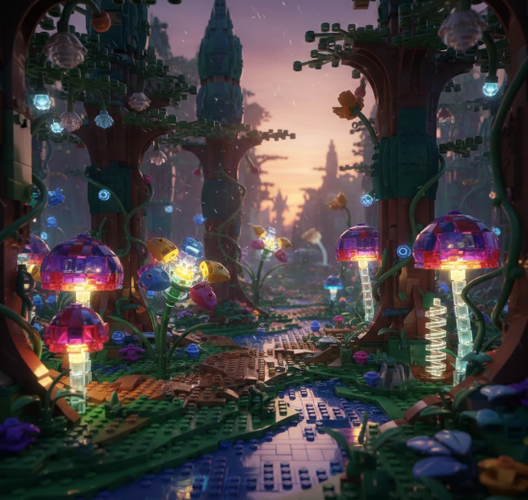
2.Fantasy Forest: A magical LEGO forest at dusk. Glowing mushrooms, oversized flowers, and bioluminescent plants are built from transparent LEGO bricks, casting an ethereal glow. Cinematic lighting, wide-angle lens.
-
3.Moody Cityscape: A moody, rainy noir street scene built entirely from LEGO. Puddles reflect the neon lights of a brick-built noodle shop. A lone LEGO detective minifigure in a trench coat stands under a streetlamp.
-
4.Whimsical Library: An impossible, M.C. Escher-style LEGO library. Bookshelves made of bricks twist into staircases, and LEGO minifigure scholars float while reading giant brick-built books. Surreal and dreamlike.
-
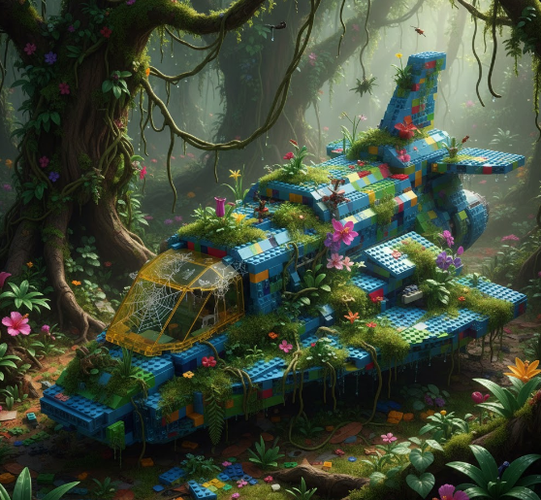
5.Nature Reclaimed: An abandoned LEGO spaceship in a jungle. Bright plastic bricks are overgrown with real, hyper-detailed vines, moss, and flowers. The contrast between artificial LEGO and organic nature.
-
6.Miniature Life: A cozy, lived-in LEGO wizard's workshop, seen from a mouse's perspective. Incredibly detailed clutter: tiny scrolls, crystal bottles, and dust on the brick-built shelves. Tilt-shift effect.
-
7.Modular Building: Concept art for a new LEGO modular building: a 1920s jazz club. Art deco architecture, a detailed interior with a stage and tiny instruments, and a lively street scene out front. Rendered in official LEGO set design style.
-
8.Detailed Vehicle: Official LEGO Ideas set concept: a cross-section cutaway of a pirate galleon. One side shows the detailed exterior, the other reveals the interior decks with cannons, treasure hold, and crew quarters.

-
9.Mosaic Portrait: A LEGO art-style mosaic portrait of a famous scientist, like Marie Curie. The color palette uses earth tones and metallic gold accents. The image shows both the final portrait and the individual 1x1 round plates up close.
-
10.Architectural Study: An abstract architectural sculpture made only from basic LEGO bricks in shades of white. The form resembles flowing fabric or frozen waves, showcasing pure shape and light/shadow.
-
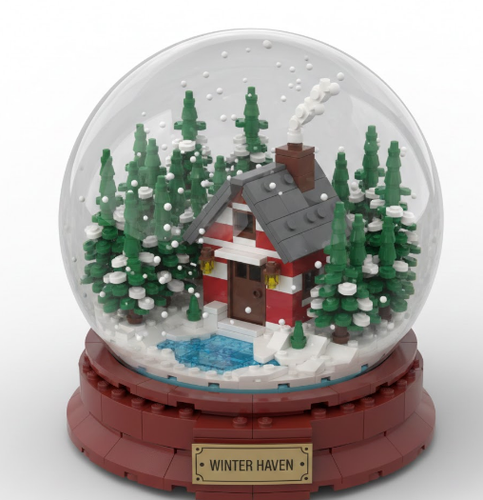
11.Mini-Scale Diorama: A serene, mini-scale LEGO diorama inside a glass snow globe. A tiny brick-built cottage with a smoking chimney sits in a snowy forest. When shaken, tiny white 1x1 round plates float around.
-
12.Mini ChatGPT LEGO Figure Prompt: A densely packed cyberpunk alleyway built from LEGO. Neon signs in Japanese and Chinese characters, steam from noodle shops, and diverse minifigure citizens with unique cyberpunk accessories. Rain-slicked bricks.


Part 4: 10+ Top AI LEGO Prompts for Videos
AI video tools still have trouble keeping the same character looking consistent across different shots. For a brickfilm, it usually works better to create single, high-quality shots one at a time and then edit them together in a video editor. You can also improve control by starting with an initial image.
Many tools, such as Runway, let you use an AI-generated or uploaded image as the first frame, which helps lock in the character or scene before animating it. Here are some ready-made AI LEGO video prompts you can use with a LEGO AI generator for free to generate footage:
-
1.Dynamic Space Battle: Cinematic wide shot of two intricately detailed LEGO spaceships engaged in a dogfight around a ringed planet. Lasers (streaks of light) fire across the scene. One ship explodes into a slow-motion cloud of individual LEGO bricks. The camera pans to follow the action.

-
2.Heroic Reveal: Close-up on a weathered LEGO pirate minifigure's face. He squints, then the camera dramatically pulls back to reveal his massive, fully rigged pirate ship cresting a towering brick-built wave at sunset.
-
3.Chase Sequence: A thrilling chase through a LEGO cyberpunk city. A hovercar weaves between towering neon buildings. The camera follows closely in a dynamic, third-person perspective. Reflections of neon lights streak on the wet brick road.
-
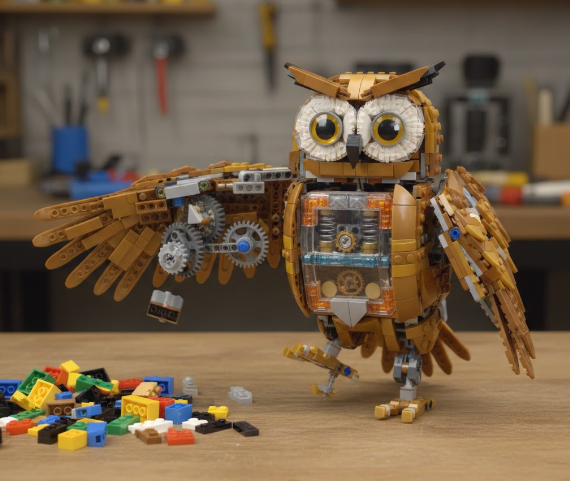
4.Magical Transformation: Stop-motion style animation. A pile of assorted LEGO bricks on a wooden table spontaneously begins to assemble itself. Gears turn, and bricks click into place, transforming into a small, intricate clockwork owl that then hops and looks around.
-
5.Silly Sports: A humorous scene of LEGO minifigures playing soccer in a backyard. The animation is bouncy and exaggerated. A minifigure takes a powerful shot, and the ball comically knocks the goalkeeper's head off, which spins in the air before landing.
-
6.Dancing Blooms: A serene, beautiful time-lapse of a LEGO flower from the Botanical Collection gracefully blooming. Petals slowly unfurl, and the stem grows taller, all composed of clicking, moving bricks. Soft morning light.

-
7.Noir Investigation: A slow dolly shot through a rainy LEGO noir street at night. A single minifigure detective's silhouette is visible under a flickering streetlamp, smoke rising from his brick-built pipe. Shadows are deep, highlights are bright neon signs.
-
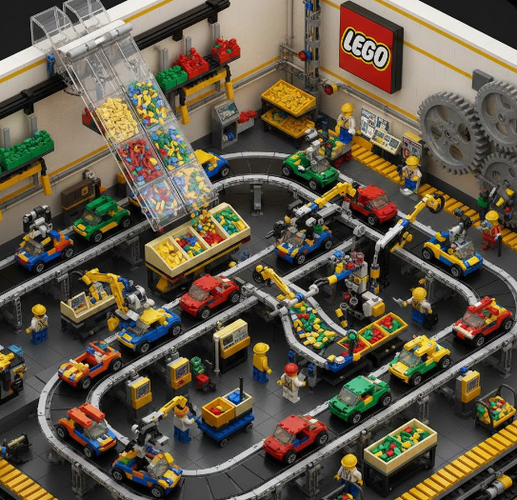
8.Factory Chaos: An isometric view inside a chaotic, bustling LEGO factory assembly line. Conveyor belts move brick-built cars, robotic arms snap pieces together, and colorful bricks pour from chutes in a satisfying, synchronized loop.
-
9.Western Standoff: A tense standoff between two LEGO cowboy minifigures on a dusty town street. Their brick-built coats flutter in the wind. Extreme close-ups on their determined eyes and hands hovering over stud shooters. The scene builds tension without a shot being fired.
-
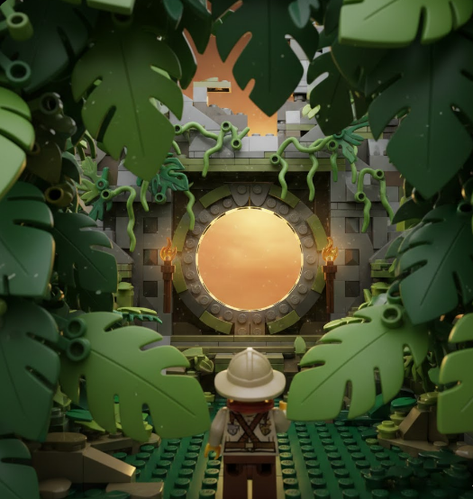
10.Discovery Shot: A point-of-view (POV) shot as if you are a LEGO explorer. You push through large, plastic brick-built jungle leaves to discover the glowing entrance to a forgotten temple, overgrown with transparent green vines.
-
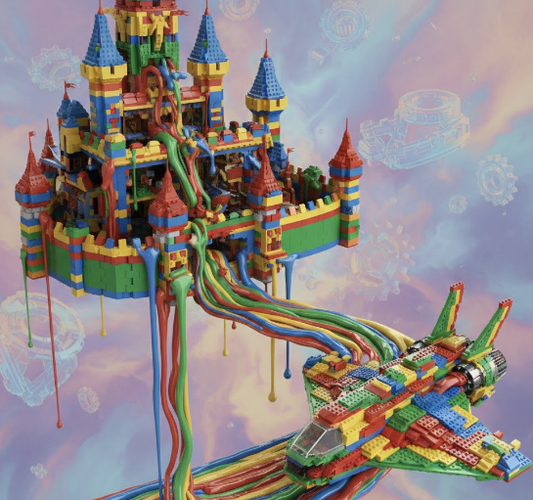
11.Melting Creation: An abstract, surreal video where a complex LEGO castle slowly deconstructs. Bricks don't just fall apart, but seem to melt, drip, and morph into a flowing river of colorful plastic that then reforms into a spaceship.
-
12.Cosmic Dance: In the blackness of space, colorful LEGO bricks and minifigure accessories float and gently swirl as if in zero gravity. They occasionally click together to form simple shapes before floating apart again. Celestial light washes over them.


[Hot Tip] Try Out Different Clothing With an AI Clothes Changer
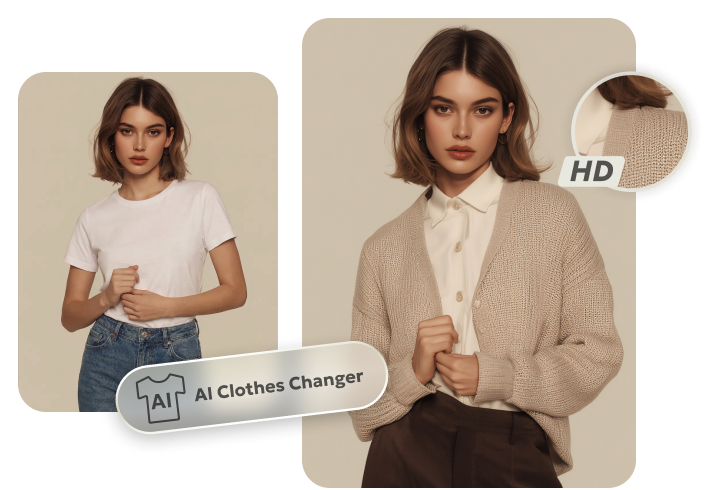
If you want to see how different clothes look on you in reality, try out Tenorshare PixPretty's Online AI Clothes Changer. It's a free tool that lets you quickly see different clothing styles on a person with realistic HD results. What's more, it adjusts outfits to match body shape, pose, and lighting. In case you want to improve your LEGO pictures, PixPretty also offers numerous photo editing features.
You can apply filters, shadow effects, and presets to your LEGO image collection in bulk, and improve its resolution. The tool also allows you to resize, compress, and convert photos, and remove backgrounds and watermarks. Moreover, it offers portrait retouching and edits for face, hair, skin, and body. You can also extend or replace complex backgrounds.
The Bottom Line
Generating realistic AI LEGO images and videos depend on clear AI LEGO prompts. For photos, focus on the subject, design, structure, and mood. For videos, include clear actions, camera shots, LEGO style, lighting, and small story details. To improve your LEGO picture collection, employ a free tool like Tenorshare PixPretty.
It can refine images, add effects, and edit backgrounds with realistic results, without technical skills. The tool also offers an Online AI Clothes Changer, which allows you to see how different clothes will look on you in reality. It can adjust clothing according to your body, pose, and lighting for natural results.
PixPretty AI Clothes Changer
- Instantly change outfits with AI in 1 click
- Realistic AI previews for every top, bottom, or dress
- Create and explore endless outfits and OOTDs without editing
Related Articles:


