


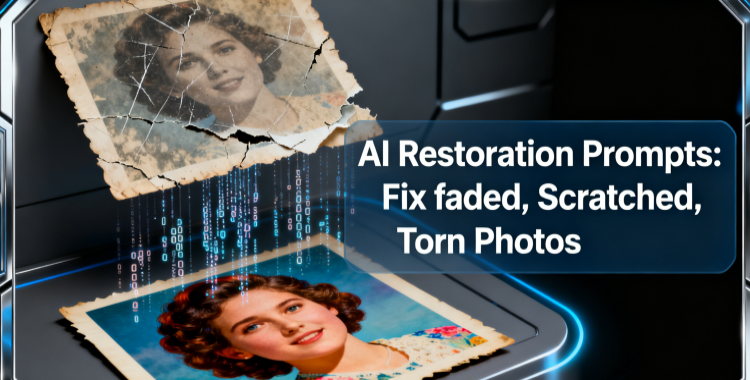
Remember that old wedding photo of your grandmother or your father's vintage portrait with all those scratches and faded colors? What if you could bring those memories back to life with just a simple AI prompt? In this guide, we'll share the best AI prompts to help you restore your treasured photos and give your family memories a fresh new look.
Table of Contents
- AI Prompts for Slightly Faded Old Photos: Bring Back the Vibrance HOT
- AI Prompts for Scratched Vintage Photos: Erase the Imperfections
- AI Prompts for Torn Old Photos: Reconstruct the Missing Pieces
- Beyond Fixing: Best AI Prompts for Old Photo Repair & Enhancement
- How to Layer Your AI Prompts for Better Results?
AI Prompts for Slightly Faded Old Photos: Bring Back the Vibrance
Now that we've talked about bringing old memories back to life, let's start with those slightly faded photos that could use a little boost, like an 1980s family picnic photo in your home. Its faces and details are still there, but the colors have dulled over time. With the right AI prompts, you can restore that vibrance and make it look like it was taken yesterday.
You can try the following AI prompt for slightly faded old photo:
Prompt 1:
"Restore a slightly faded family photo, enhance natural skin tones, revive soft vintage colors, improve overall clarity, brighten subtle details, reduce minor discoloration, and preserve the original nostalgic atmosphere. Maintain facial expressions and natural lighting while giving the image a clean, refreshed look."

Prompt 2:
"Slightly faded portrait photo restoration with mild color correction, sharpen fine facial details, enhance realistic skin texture, remove minor scratches, increase depth and contrast without over-editing, and maintain the original film-like quality. Keep the lighting soft and natural for an authentic vintage appearance."

Prompt 3:
"Enhance a faded old photo by restoring subtle hues, improving brightness, and balancing shadows and highlights for a natural finish. Strengthen overall detail, revive muted tones, and keep the original background and textures intact. Maintain the realistic vintage character while giving the image a fresh, clear look."

How to Get the Best Results?
- Use mild color correction for photos that are only slightly faded to avoid overdoing it.
- Go for intense hue restoration if your photo has lost most of its color, but make sure to preserve the original look and feel.
- Mention details like faces, textures, or background elements in your prompt to keep the restoration realistic and focused.
AI Prompts for Scratched Vintage Photos: Erase the Imperfections
After restoring lightly faded photos, let's move on to another common issue: scratches. Maybe you've found your grandfather's old portrait with visible scratch marks across the background and a few smaller ones on his uniform. These flaws might seem serious, but with the right AI prompt for old photo restoration, you can remove them cleanly while keeping the image's original vintage charm fully intact.
You can try a few professional AI prompts for scratched vintage photos.
Prompt 4:
"Restore a vintage portrait with visible scratches, remove background scratches and minor surface marks from clothing, enhance clarity, preserve original textures, and keep the classic vintage tone intact."

Prompt 5:
"Repair an old portrait with moderate scratches, smooth out damaged areas without blurring details, enhance facial features, and maintain a natural film-like look."

Restoration Tips
- Minor surface scratches are thin, light, and usually sit on top of the image. You can mention terms like "remove light scratches" or "clean surface marks" in your prompt.
- Deep groove scratches cut into the image and often distort parts of the photo. For these, include phrases like "repair deep damage," "reconstruct missing areas," or "restore heavily scratched background."
- The more specific you are about the scratch severity, the more accurately the AI can rebuild the damaged areas.
AI Prompts for Torn Old Photos: Reconstruct the Missing Pieces
By now, we've handled faded colors and scratched surfaces, so let's look at one of the trickiest problems: torn photos. Imagine your great-grandmother's old immigration portrait with ripped edges and even a piece of her hat missing. It might look beyond saving, but with the right AI prompt, you can actually rebuild those missing parts and bring the photo back to life.
You can try a few professional AI prompts for torn old photos:
Prompt 6:
"Repair a torn vintage portrait, reconstruct missing edges, rebuild damaged clothing details, restore the missing section of the hat, match original textures, and maintain the visual style of the early 1900s."

Prompt 7:
"Restore a damaged old photo with ripped corners, fill in missing portions, recreate background details accurately, enhance clarity, and preserve the photographic style of the era."

Restoration Tips
- When dealing with torn photos, it's essential to maintain style consistency to ensure the rebuilt sections match the original era.
- Use phrases like "match style of early 1900s photography," "maintain vintage tonal palette," or "preserve era-specific textures."
- The more clearly you describe the time period, the more naturally the AI can reconstruct missing pieces without making them look modern or out of place.
Beyond Fixing: Best AI Prompts for Old Photo Repair & Enhancement
Restoring old photos is great, but what if you want to take things even further? Maybe you've already repaired an image and now want to turn it into something artistic, or you'd like to enhance its vintage charm even more. With the right AI prompts, you can go beyond simple fixes and transform your restored photo into a standout piece.
You can try a few professional AI prompts for advanced old photo enhancement:
Prompt 8:
"Enhance a restored vintage photo with soft painterly details added, enhanced shadows and highlights, rich depth, refined facial accuracy, artistic yet realistic finish, smooth brush-stroke texture, elegant and polished look."

Prompt 9:
"Turn a repaired historical portrait into a digital art version, add soft painterly details, enrich shadows and highlights, and keep facial features accurate for a refined artistic finish."

How to Layer Your AI Prompts for Better Results?
For the best outcome, use your AI prompts in steps. Start by fixing the basics: removing scratches, restoring color, and cleaning up details. Once the photo looks stable, add enhancements like retro filters or artistic effects. This layered approach helps the AI stay focused and ensures your final image looks natural, clean, and beautifully refined.
Conclusion
Each section above shows how tailored prompts can make a big difference in restoring and enhancing treasured memories. Now it's your turn. Grab the most damaged photo you have, try out the best AI prompts for old photo restoration we explored, and share your before-and-after results. Let's enjoy the magic of seeing old memories shine again.
PixPretty AI Photo Editor
- 100% free AI Image Generator (Nano Banana 2 powered)
- 4K image quality with fast generation speed
- AI effects & filters for personal and e-commerce use



