


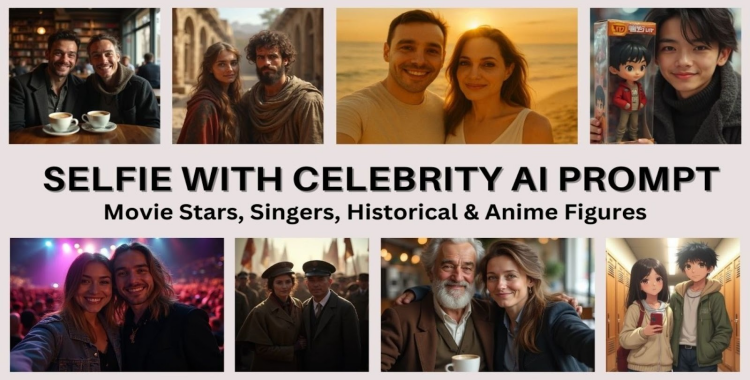
Have you ever wished you could take a quick selfie with your favorite celebrity, even if you've never met them? With today's AI tools, that idea is no longer stuck in your imagination. Using a selfie with celebrity AI prompt, anyone can create realistic, fun, and shareable photos that look like real-life encounters with movie stars, singers, historical icons, or anime characters. You simply upload your photo, write a clear prompt, and the AI blends everything into one believable image.
This article explores the most effective prompts for creating exceptional AI-generated selfies across various categories.
Table of Contents
- What are AI Celebrity Selfies?
- AI Prompts for Movie Star Selfies: Red Carpet to BackstageHOT
- AI Prompts for Singer Selfies: Concert & Studio Vibes
- AI Prompts for Historical Figure Selfies: Time-Travel Snaps
- AI Prompts for Anime Figure Selfies: Waifu/Husbando IRL
- How AI blends realism with imagination
- Pro Tips: Make Your Selfies Go Viral
What are AI Celebrity Selfies?
AI celebrity selfies are photorealistic, "looks-like-it-happened" images where your uploaded selfie is blended with a public figure (or fictional character).
Here's how it usually works:
You upload your photo (a clear front-facing selfie works best).
You enter a prompt describing who you want to meet and where.
The AI blends faces, lighting, and shadows to create one realistic photo.
These AI tools are trained on massive image datasets, enabling them to understand how skin tones, camera angles, and natural lighting behave. The result can feel almost like a real memory.
Why Is This Trend Going Viral?
This trend began to grow in late 2023 as AI imaging tools became more accessible and visually advanced. It quickly exploded across social media platforms because the vibe feels authentic. These images feature casual angles, messy backgrounds, and dim lighting that mimic real posts.
That's why you'll see "fan selfies" with everyone from BTS and Zendaya to Messi and Keanu Reeves, with John Cena and Tom Cruise being among the most commonly "spotted" stars.
AI Prompts for Movie Star Selfies: Red Carpet to Backstage
If you want a star-studded photo that still feels casual, these templates are ideal. Each one is an ai prompt for selfie with movie star you can copy/paste and customize.
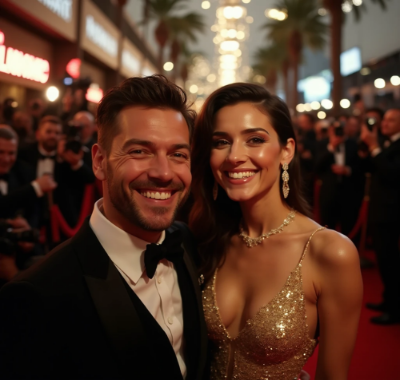
1) Red Carpet Elegance
Generate a realistic iPhone selfie of me with [MOVIE STAR NAME] at a Hollywood red carpet premiere. We’re standing close, smiling naturally. Both in elegant outfits, paparazzi flashes and velvet ropes behind us, warm professional lighting on our faces. Add slight motion blur and a tiny bit of grain to make it look like a real fan selfie.
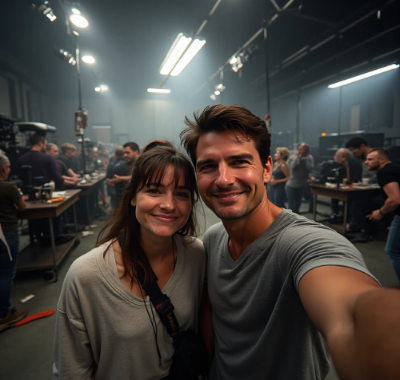
2) Studio Backstage Break
Create a photorealistic selfie of me and [MOVIE STAR NAME] on a film set between takes. Visible studio lights, a camera rig in the background, crew blurred behind. We’re wearing casual clothes, relaxed expressions, taken with front camera and harsh indoor lighting. Make it look candid and slightly imperfect.
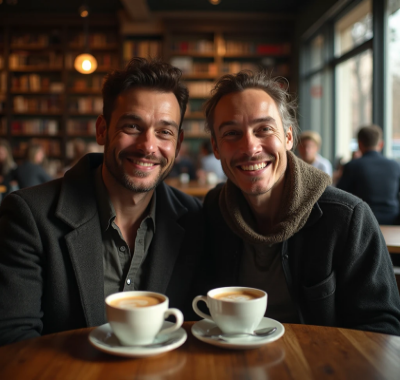
3) Coffee Shop "We Just Met."
Create a realistic selfie of me and [MOVIE STAR NAME] in a cozy coffee shop. Natural window light, warm tones, busy café blurred behind us. We look pleasantly surprised like we bumped into each other. Add a slightly off-center selfie angle and soft shadows for authenticity.
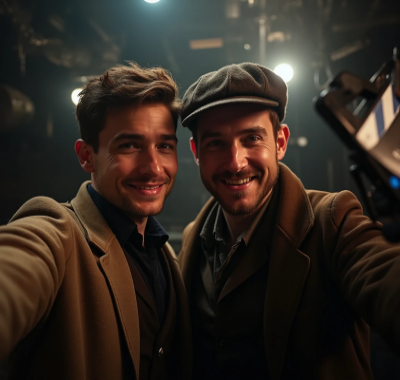
4) Classic Movie Scene Remix
Generate a behind-the-scenes selfie of me with [MOVIE STAR NAME] recreating a famous scene from [MOVIE TITLE]. Period-accurate costumes, dramatic cinematic lighting matching the film’s aesthetic. Include a clapperboard or boom mic partially visible to sell the set feel. iPhone selfie framing, natural smiles.
5) Golden Hour Beach Day
Create a realistic beach selfie at sunset featuring me with [MOVIE STAR NAME]. We're wearing relaxed vacation outfits, hair slightly windswept. Golden hour glows on our faces, the ocean behind slightly out of focus. Make it look like a casual iPhone selfie with warm color grading."

Each selfie with celebrity AI prompt maintains facial features while blending seamlessly into the environment for that convincing celebrity encounter that looks remarkably authentic.
AI Prompts for Singer Selfies: Concert & Studio Vibes
Music fans can now capture magical moments with their favorite vocalists through these specialized singer selfie prompts. These templates create authentic musical memories from energetic concert atmospheres to intimate studio sessions. Here are 5 templates as an ai prompt for selfie with singer.
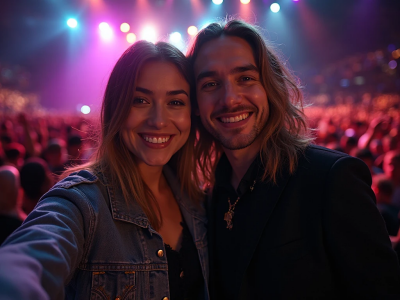
6) Front-Row Concert Moment Generate a realistic selfie of me with [SINGER NAME] at their live concert. Colorful stage lights in the background, low-light grain, and subtle blur from movement. I’m in casual concert clothes, they’re in performance outfits. Make the lighting dramatic but believable like a real front-row photo.
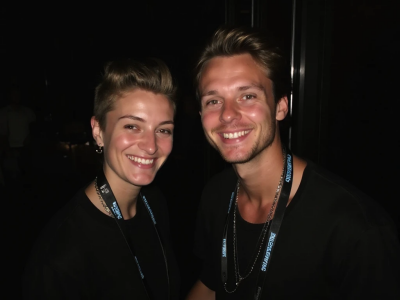
7) Backstage After-Show Selfie Create a realistic backstage selfie of me with [SINGER NAME] right after their show. Both of us slightly sweaty, genuine smiles, their stage makeup still fresh. Add tour cases, cables, water bottles, and a dim hallway. Use iPhone flash and natural imperfections.
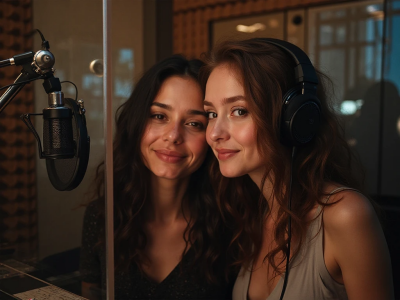
8) Recording Studio Session Create a genuine selfie of me with [SINGER NAME] inside a professional recording studio. Microphones, headphones, sound foam walls visible. We look relaxed like taking a break mid-session. Studio lighting casting soft shadows and reflections on glass panels. iPhone selfie quality.
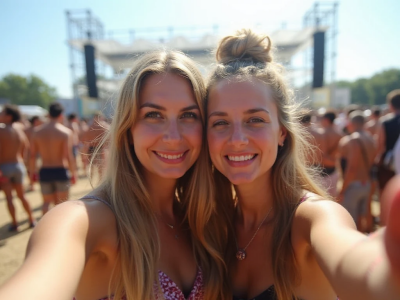
9) Music Festival Run-In Create a realistic outdoor festival selfie of me with [SINGER NAME]. Bright daylight, festival wristbands visible, casual summer outfits. Background with stage scaffolding and crowd blur. Make our faces slightly sun-flushed and photos taken quickly on the phone.
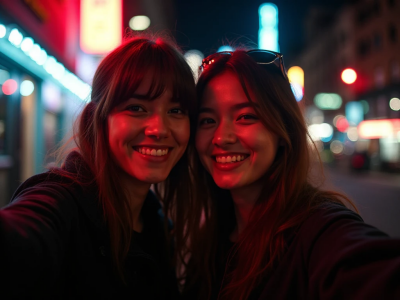
10) Street-Style Surprise Meet Generate a casual street selfie of me with [SINGER NAME] outside a city venue at night. Neon signs and streetlights behind, slightly messy background. We’re close to the camera with friendly expressions. Use harsh flash and minor blur to mimic a real fan encounter.
AI Prompts for Historical Figure Selfies: Time-Travel Snaps
Time travel becomes possible with these AI-powered historical figure selfie prompts, allowing users to capture imaginary moments with icons from different eras. Artists and photographers have used this technology to reimagine historical figures in contemporary settings, creating fascinating visual narratives. These 5 are your ai prompt for selfie with historical figure templates.
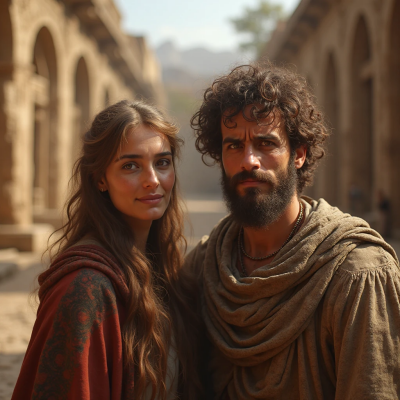
11) Ancient Civilization Encounter
Create a realistic selfie of me with [HISTORICAL FIGURE], set in their authentic time period and original location. They wear period-accurate clothing and look slightly confused, while I’m excited. Ancient architecture behind us, natural lighting matching the time period. Make it feel like a rushed time-travel selfie.
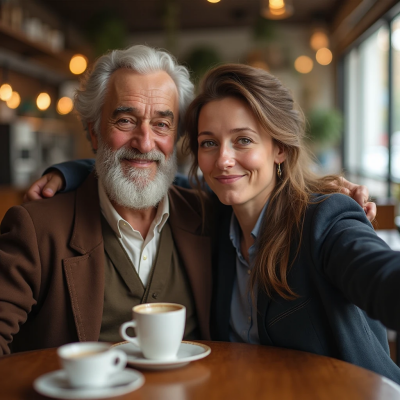
12) Modern-Day Coffee Shop Meetup
Generate a photorealistic selfie of me alongside [HISTORICAL FIGURE] in a modern coffee shop. They’re adapted into casual contemporary clothing but still recognizable. Add subtle references to their legacy (e.g., a notebook showing their inventions). Soft daylight, iPhone selfie angle.
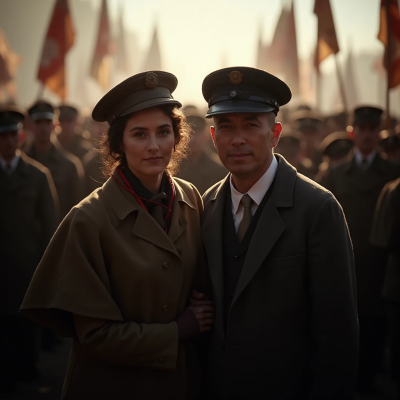
13) Witnessing a Pivotal Moment Generate an authentic selfie of me with [HISTORICAL FIGURE] during [HISTORICAL EVENT]. Keep the background historically accurate with period clothing and atmosphere. Add slight motion blur like a hurried shot. Make it feel cinematic yet believable.
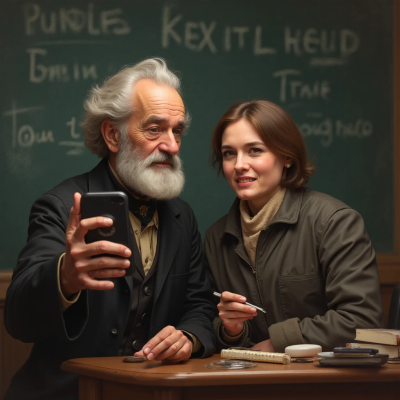
14) “Teaching Me Something” Scenario Create a realistic selfie of me with [HISTORICAL FIGURE] as they demonstrate something iconic they’re known for. They look engaged, I’m reacting with awe or humor. Setting accurately to their life/workplace. Phone selfie style with slightly tilted framing.
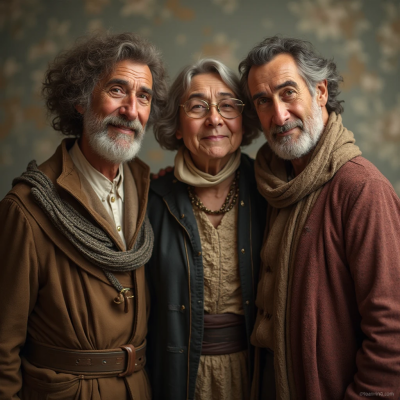
15) Cross-Era Group Summit Create a realistic group selfie with me, [HISTORICAL FIGURE 1], [HISTORICAL FIGURE 2], and [HISTORICAL FIGURE 3] from different eras. Each wears era-accurate attire, standing close like a friendly summit. Natural balanced lighting, authentic expressions, iPhone selfie composition.
AI Prompts for Anime Figure Selfies: Waifu/Husbando IRL
Anime enthusiasts can now bring their favorite 2D characters into reality through advanced AI technologies that transform ordinary photos into anime-style portraits. These tools change normal selfies into anime-style pictures, so it looks like you’re standing next to your waifu or husbando in real life. If you love anime, you can try any ai prompt for selfie with anime figure templates to make your own unique photos.
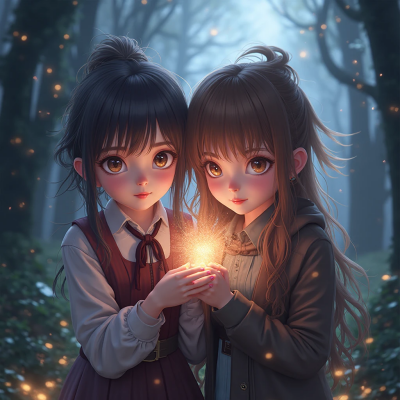
16) Magical Anime Companion Create a realistic selfie of me alongside a lifelike 3D anime character [ANIME CHARACTER NAME or DESCRIPTION]. They have [hair/eyes/outfit] and a subtle magical aura. Background in an enchanted forest with glowing particles. Match lighting and shadows so they look physically beside me.
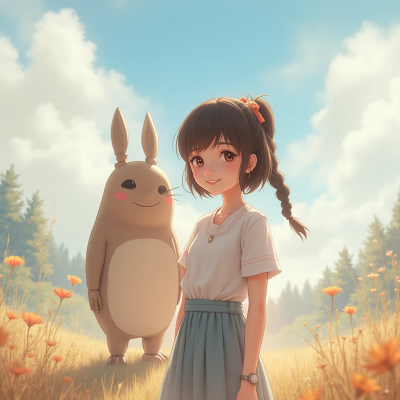
17) Studio Ghibli-Style Adventure Create a realistic selfie of me with a Ghibli-inspired anime character in a whimsical outdoor setting. Keep character stylized but 3D-realistic, with soft painterly background. Natural lighting connects both of us seamlessly. Slight film grain for warmth.
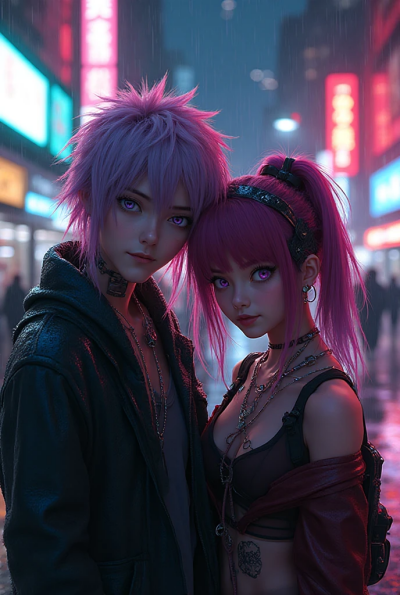
18) Cyberpunk Anime Hero Generate a realistic selfie of me with a cyberpunk anime character. Neon-lit city behind us, holographic signs, rainy reflections. The character has neon hair and cybernetic accessories. Ensure realistic integration, matching light spill and reflections on my face.
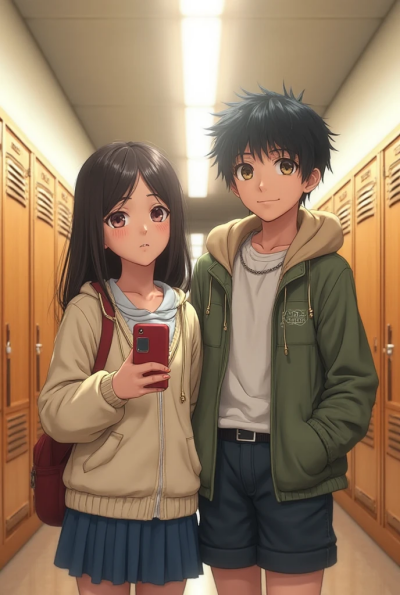
19) School-Day Slice-of-Life Create a selfie of me with [ANIME CHARACTER NAME] in a Japanese school hallway. Their anime style is turned into realistic 3D, still true to original design. Casual friendly pose, natural indoor lighting, slight phone selfie distortion.
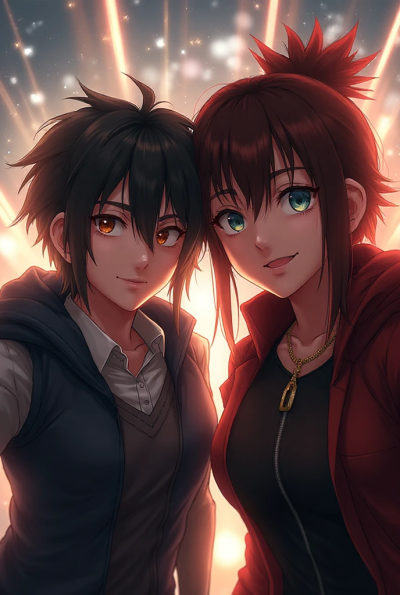
20) Battle-Ready Duo Generate a realistic selfie of me with [ANIME CHARACTER NAME] right before a fight scene. Action-ready expressions, dramatic lighting, energy effects behind us but not overpowering realism. Make it look like a quick phone selfie taken mid-story.
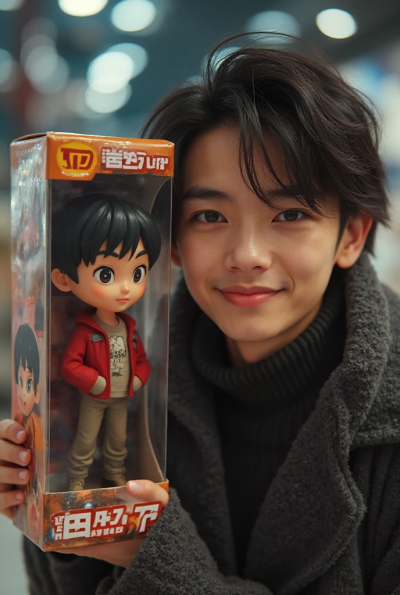
21) Custom “Anime Figure of Me” Create a photo of me posing with a collector-style 3D anime figure version of myself. The figure is inside a display box with my name on it. Realistic plastic shine, reflections, and shadows. Make it look like a genuine merch collectible beside my real selfie.
Plus:Create Your Own Collectible: PixPretty Anime Figure Generator
Beyond anime-style photo transformations, PixPretty’s exclusive Anime Figure Generator lets you turn your selfie into a hyper-realistic 3D collectible figure—complete with authentic merch details that make it look like a store-bought premium collectible.
How AI blends realism with imagination
Modern AI image models analyze your uploaded photo for facial structure, pose, shadows, lens angle, and lighting. Then they "build" a new image that keeps your identity consistent while integrating the celebrity/character into the same physical scene.
The most convincing results usually include:
iPhone selfie lighting (harsh flash or soft warm indoor glow)
slight imperfections (tiny blur, non-center framing, minor noise)
shared light sources (both faces lit from the same direction)
matching texture (skin grain, lens distortion, depth-of-field)
That's why the best AI prompts for selfie with celebrity always emphasize lighting, mood, and setting. A vague request gives you a generic composite. A specific prompt provides a photo that appears to be a genuine occurrence.
Pro Tips: Make Your Selfies Go Viral
You can have great prompts and still get "meh" results if the vibe isn't right. These quick tricks help your selfies look real and shareable.
Add story hooks: Instead of "me with Mozart," go with "Mozart judging my playlist like a disappointed genius." The story creates curiosity and comments.
Match platform vibes: Instagram loves aesthetic polish, X(formerly Twitter) love memes, and TikTok loves motion-implied scenes.
Use believable imperfections: Slight flash glare, tiny blur, off-center framing, messy background. Real selfies are rarely perfect.
Ground the setting: Add objects that belong there such as concert wristbands, coffee cups, backstage gear, and film clapperboards.
Keep faces close: AI blends better when both subjects are similar distance from the camera.
Make a series: "Lunch with Historical Scientists" or "Random Celebrity Encounters in Karachi" performs better than one-offs.
Conclusion
The 20+ templates above provide everything you need to get started, and the tips help your results look natural and share-worthy. If you're ready to create your own viral-style celebrity selfie, try it now using PixPretty AI Photo Editor and bring your dream photo to life.
PixPretty AI Photo Editor
- 100% free to remove and change backgrounds in seconds
- Batch editing for faster product photo workflow
- From e-commerce to personal photos, all in one tool
Related Articles:


