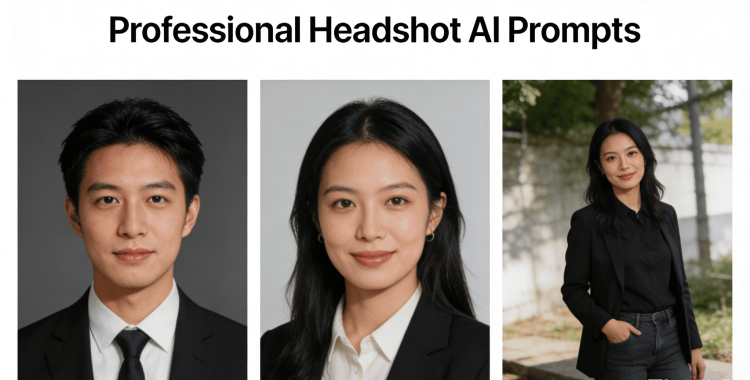
A strong profile photo can instantly improve your online presence. With the right headshot AI prompts, you can create professional-looking images without hiring a photographer. These prompts help AI tools generate clean backgrounds, natural lighting, and confident expressions that suit LinkedIn, resumes, and business profiles.
Whether you want a corporate look or a modern creative style, the best ai headshot prompts below make it easy to get a polished headshot in minutes.
Table of Contents
Part 1. How to Use Headshot AI Prompts
A great headshot can significantly impact how people perceive your online profile. When the goal is to make my headshot look better with AI, the first step is choosing a clear photo where your face is visible and your expression looks natural. Even a simple selfie can work if it is not blurry.
After uploading the photo to an free ai headshot generator, describe the style you want in easy words. Focus on details like professional clothing, a clean background, soft lighting, and a confident look.
Generate a few options and compare the results. Pick the image that looks natural and professional, not overly edited. This simple process helps you get a polished headshot that fits LinkedIn, resumes, and business profiles.
Part 2. Best 40 Headshot AI Prompts (Copy & Paste)
A well-written prompt is the key to getting a realistic and professional result from AI. The headshot AI prompts below are ready to copy and paste. Each prompt clearly explains lighting, background, outfit, pose, and facial expression, helping AI tools generate natural-looking headshots.
1. Professional LinkedIn Headshot Prompts
1. Create a professional LinkedIn headshot with a neutral gray background, soft studio lighting, and sharp focus on the face. Subject is wearing a dark business suit, light shirt, and minimal accessories. Natural skin tones, confident expression, and realistic corporate photography style.

2. Generate a clean LinkedIn headshot with even lighting, slight background blur, and a modern office backdrop. Professional attire, relaxed shoulders, direct eye contact, and a friendly but confident facial expression. High-resolution, realistic look.
3. Professional corporate headshot suitable for LinkedIn. Soft daylight lighting, plain background, crisp details, formal business clothing, natural smile, and balanced contrast. No heavy retouching, realistic skin texture.
4. Create a polished LinkedIn headshot with a light neutral background, professional blazer, well-groomed appearance, and calm confident expression. Studio-quality lighting and sharp focus on the face.
5. LinkedIn headshot AI style: professional framing, head and shoulders crop, soft shadows, modern corporate feel, business formal outfit, natural smile, and realistic colors.

6. Generate a high-quality LinkedIn profile photo with professional lighting, clean background, business attire, confident posture, and natural facial features. Looks like a real studio photograph.
7. Corporate LinkedIn headshot with subtle background blur, even skin tones, professional grooming, neutral expression, and soft lighting for a trustworthy appearance.
8. Create a professional LinkedIn headshot that looks authentic and modern. Clean backdrop, business outfit, relaxed expression, realistic lighting, and high clarity.

2. Resume & CV Headshot AI Prompts
9. Professional resume headshot with a plain white background, soft lighting, and a natural expression. Business casual clothing, neat hairstyle, realistic skin texture, and clear facial details.

10. Generate a CV-ready headshot with minimal editing, neutral background, balanced lighting, professional attire, and a calm, confident look.
11. Resume headshot AI prompt: simple background, soft shadows, professional appearance, slight smile, and clean, realistic portrait style.

12. Create a formal resume headshot with sharp focus, even lighting, professional clothing, and a natural, approachable expression.
13. AI prompt for professional headshot free: clean white background, soft studio light, business casual outfit, realistic facial details, and no heavy filters.
14. Generate a CV photo that looks professional and authentic. Neutral background, simple clothing, relaxed posture, and natural lighting.

15. Professional resume portrait with head-and-shoulders framing, plain background, light contrast, and a confident yet friendly expression.
16. Create a job-application-ready headshot with clear lighting, professional grooming, realistic skin tones, and a clean, distraction-free background.
3. Business Website Headshot Prompts
17. Business website headshot with a modern office background, soft natural lighting, professional clothing, and confident expression. Clean corporate style and high clarity.

18. Generate a professional team headshot for a company website. Consistent lighting, neutral background, business attire, and friendly expressions.
19. Corporate website headshot with balanced lighting, professional outfit, natural smile, and realistic photo quality.
20. Create a business profile headshot with studio lighting, sharp details, modern corporate look, and confident posture.

21. Professional headshot suitable for company websites. Clean background, formal attire, soft shadows, and realistic skin tones.
22. Generate a polished website headshot with neutral colors, professional grooming, and approachable expression.
23. Corporate portrait for business pages with soft lighting, minimal retouching, and natural facial details.

24. AI business headshot prompt: studio-quality lighting, modern professional style, and realistic finish.
4. Creative & Personal Brand Headshot Prompts
25. Create a creative professional headshot using soft natural lighting that gently highlights facial features without harsh shadows. Use a lightly blurred background to keep the focus on the subject. The subject is wearing a stylish yet professional outfit that reflects a modern personal brand. Expression should feel relaxed, confident, and authentic. Maintain realistic skin texture, natural colors, and a clean, high-quality photography style suitable for personal branding.

26. Generate a personal brand headshot with warm, balanced lighting that creates a friendly and approachable mood. Use a minimal, distraction-free background. Facial expression should look genuine and confident, not posed. Skin tones must appear natural with minimal retouching. The overall style should feel modern, professional, and human.
27. Create a modern creative headshot with lifestyle-inspired lighting, similar to natural window light. Outfit should be casual-professional and stylish. Body language relaxed, posture confident. Use soft depth of field, natural colors, and realistic facial details to match a strong personal brand image.
28. Personal branding headshot with clean composition and professional framing. Use soft shadows to add depth to the face without making the image dark. Background should be simple and neutral. Maintain realistic skin texture, sharp focus, and a calm, confident expression suitable for websites and portfolios.

29. Creative headshot AI prompt with a subtle textured background and modern styling. Lighting should be soft and evenly distributed. Subject appears professional but relaxed, with natural posture and expression. Avoid heavy filters and keep colors realistic for an authentic personal brand look.
30. Generate a personal brand portrait that looks real and human, not overly polished or artificial. Use soft lighting, natural color grading, and minimal retouching. Expression should feel confident, friendly, and approachable. Suitable for LinkedIn, websites, and professional social profiles.
31. Professional creative headshot with artistic yet realistic lighting. Use modern clothing that fits a creative professional. Background should be clean or lightly blurred. Facial expression should feel natural and expressive, with sharp details and natural skin tones.

32. Modern personal branding headshot with balanced lighting across the face, minimal editing, and realistic skin texture. Use a neutral background and professional framing. The overall look should feel polished, modern, and authentic.
5. Casual Social Media Headshot Prompts
33. Create a casual professional headshot using natural daylight with soft shadows. Use a simple, clean background. Subject should have a relaxed smile and natural posture. Maintain realistic colors and a true-to-life photography style suitable for social platforms.
34. Generate a friendly social media headshot with soft, even lighting and a casual outfit. Expression should look natural and approachable, not posed. Background should be minimal, with realistic skin tones and gentle contrast.

35. Casual headshot AI prompt with warm color tones and soft natural light. Background should be simple and non-distracting. Posture relaxed, expression friendly, and overall look natural and authentic.
36. Create a clean social profile headshot that feels open and welcoming. Use soft lighting, realistic colors, and minimal editing. Outfit should be casual but neat, with a natural facial expression.

37. Lifestyle headshot with natural daylight and soft highlights on the face. Outfit should be simple and comfortable. Expression authentic and relaxed. Avoid filters and keep realistic facial details.

38. Casual professional portrait with a clean background and balanced lighting. Subject should appear friendly and confident. Use natural colors, realistic skin texture, and a simple composition.
39. Generate a relaxed headshot suitable for social platforms. Natural lighting, simple styling, and authentic facial expression. Image should look like a real photo taken in everyday light.

40. Casual headshot that still feels professional. Use soft lighting, neutral background, realistic colors, and a natural expression. Avoid over-editing and keep the image human and believable.
Part 3. Tips to Write the Best Headshot AI Prompts
Writing good chatgpt prompt for professional headshot does not require technical skills. A few clear details can help AI tools generate realistic and professional results, even when using a free AI headshot generator.
The tips below make it easier to control the final image and avoid artificial-looking photos.
1. Talk about the light first
Good lighting makes a big difference. Use easy words like soft light, natural daylight, or studio light. This helps AI keep the face clear and natural.
2. Keep the background simple
Say plain background, neutral color, or slightly blurred. Simple backgrounds make the headshot look clean and professional.
3. Tell AI what to wear
Mention business suit, casual professional, or simple outfit. This helps match the photo with LinkedIn, resumes, or social profiles.
4. Describe the expression
Use friendly words like confident, relaxed, calm, or approachable. This helps AI avoid stiff or fake-looking faces.
5. Ask for natural skin
Always add natural skin tones, realistic texture, or no heavy editing. This keeps the photo human and real.
6. Mention the photo crop
Say head and shoulders or chest-up photo. This keeps the image framed correctly for a headshot.
7. Keep the prompt clear
Avoid mixing too many styles in one prompt. One clear idea works better than many mixed instructions.
8. Try more than one result
Generate the image a few times. AI results change, and you can choose the best-looking photo.
9. Make small changes if needed
If something feels off, change one thing at a time lighting, background, or expression. Small edits improve results fast.
Part 4. Change Your Headshots Background Easily with PixPretty AI
Updating your photos has never been easier. With PixPretty AI, you can instantly remove or replace backgrounds online for free, no design skills needed. In just a few clicks, transform your headshots, profile pictures, or product photos into polished, professional-quality images.
Whether it's for LinkedIn, resumes, social media, or e-commerce, PixPretty helps you get clean, studio-like results in seconds making your visuals stand out effortlessly.
How to Change Your Photo Background
Step 1: Upload
Drag and drop your image or choose a file from your device. PixPretty supports all popular image formats, including JPG and PNG.

Step 2: Change
Automatically remove the background and replace it with a free image or your own custom upload. Choose plain colors, professional backgrounds, or creative scenes.

Step 3: Download
Download your edited image instantly. Free standard resolution downloads are available, or unlock high-quality HD results for professional use.

Part 5. FAQs About Headshot AI Prompts
Q1. Are AI headshots legal and safe?
Yes, AI headshots are legal to use for personal profiles, resumes, and social media. They are safe as long as you use trusted tools and don't upload sensitive or private images to unknown websites.
Q2. How to tell if a headshot is AI generated?
AI headshots may have tiny inconsistencies like slightly blurred backgrounds, unusual hair patterns, or unnatural reflections in the eyes. Real photos usually have more natural imperfections and consistent lighting.
Q3. How do I make AI headshots look realistic?
To make AI headshots realistic, use clear, detailed prompts. Include natural lighting, simple backgrounds, professional or casual outfits, and realistic skin textures. Avoid heavy filters and always generate multiple versions to pick the most natural-looking one.
Conclusion
Creating professional-looking headshots has never been easier with headshot AI prompts. By using clear, detailed prompts, you can generate realistic and polished images for LinkedIn, resumes, social media, or personal branding. For even more convenience, tools like PixPretty AI make it simple to change backgrounds, enhance photos, and achieve studio-quality results completely free and user-friendly.
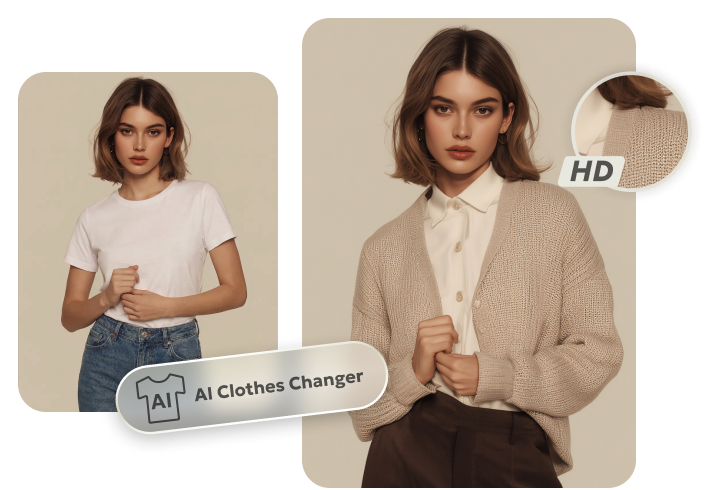
PixPretty AI Clothes Changer
- Instantly change outfits with AI in 1 click
- Realistic AI previews for every top, bottom, or dress
- Create and explore endless outfits and OOTDs without editing